51 Best Practices for WordPress Bug Fixing [Errors & Resolution]
We’re all in love with WordPress but sometimes it can drive you crazy. There are instances that it might be an issue, no matter why you’re seeing it, whether it’s a PHP error or white screen of death (WSOD) error that is caused by the server or the plugin which causes our website to crash, or even fail in the worst-case scenario. It’s not a pleasant experience.
However, if WordPress is experiencing any error, don’t worry for a second as there’s always a solution that you’ll discover in this article. You’re bound to be entertained as you and we join to fix the most common 51 WordPress errors.
This post covers the most frequently-experienced WordPress bugs or errors with the best and easy solutions. This will help you clean all of them so that you can have your site up and running quickly. Without further delay let’s begin with the most commonly encountered WordPress error.
51 Best Practices for WordPress Bug/Error Fixing:
First, learn how to fix WordPress errors or bugs then verify and test the other things are safe or not. Because sometimes developers make some common mistakes in the web development process and it will affect your website.
Let’s dive into the top 51 WordPress bug/error fixing best practices that will help you to find out the problems your website might experience, followed by their solutions.
1. WordPress browser errors
Your website is accessible through the browser that users select. This means that a variety of issues with browsers can stop users from using your site. By preventing these issues, you can ensure that your site does not lose users.
When browsing the internet using Google Chrome, you may be aware that certain pages are marked with a “Not secure” warning on the top of the URLs.
A browser might show the warning in case the site does not use an SSL certificate.
Fix WordPress browser errors:
- Ensure that the SSL certificate is properly installed or not.
- This is a client-side issue.
2. WordPress internal server error
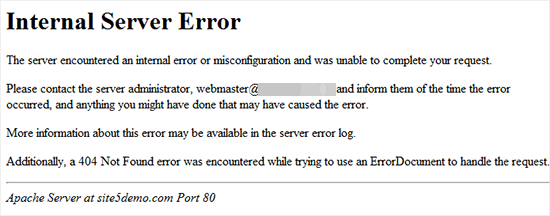
One of the most difficult WordPress errors that beginners might encounter can be “Internal Server Error” Sometimes, the error may be “500 Internal Server Error”.
The error can be triggered in the event of an issue however the server isn’t able to identify the cause of the issue. Because the error message doesn’t indicate what to do to find the issue, it’s your responsibility to determine the root cause.
Fix WordPress internal server error?
- First, edit the .htaccess file
- Then deactivate all plugins
- Change Themes
- Repair the WP-admin folder and the WP-includes folder
- Increase the PHP memory limit.
3. WordPress connection timed out error
Limitations on server performance are among the most terrifying aspects of running and managing a website. If you put a significant burden on your servers, then you could get an error message which signifies that the timeout for the connection has expired.
Fix WordPress connection timed out error
- Deactivate the plugins you’ve installed within the last few days, or reset the plugins folder within your computer.
- Need to increase PHP memory limits.
- You can switch to The Twenty Twelve theme to determine if the issue lies with your theme.
4. WordPress syntax error
Syntax errors occur when there is an issue in the structure of the code. It is highly unlikely that this occurs in a short time. Most likely it will occur through one of the following ways:
Recently you’ve added a special or custom code to your website including syntax errors.
This plugin you installed or the theme that caused this syntax error.
Fix WordPress syntax error
- Learn to paste code snippets in WordPress
- Correct the affected error code
- Try using a different themes or plugin
5. WordPress posts returning 404 error
This error occurs that users go to a single page on their site and get an error page that states 404 page- Page Not Found error.
A user is granted access to other areas of their website including the admin page. The primary reason for this is due to the setting of the permalink inside WordPress.
Fix WordPress posts returning 404 error
- You can save your URLs
- Fix your .htaccess file
- Then save and upload the .htaccess to the exact same location.
6. WordPress white screen of death (WSoD)
In the same way, you may encounter different issues, for instance, the error message 404 Not Found or “White screen of death. ” Each of the issues could affect your front-end. This means that even if there’s content in the server’s database, it won’t be available. What’s a site that does not have content?
Fix WordPress white screen of death (WSoD)
This could involve deactivating each plugin, ensuring they are activated after which you can return your theme back to the original condition, by changing the links or editing your WordPress policy.
7. WordPress error establishing a database connection
When your site cannot connect to its MySQL database and isn’t in a position to obtain the information needed to display your data. The primary reason for this error is your credentials to the database aren’t correct.
Fix WordPress error establishing a database connection
- Edit wp-config.php file
- Fix issues with your web host
- Examine your website to determine whether your website is affected
8. WordPress white text and missing buttons visual editor error
In case you’re using the normal WordPress editor, you may be able to see that the buttons in the editor’s visual editor could disappear or show blank white spaces at the location of buttons.
This problem could be caused by concatenated JavaScript isn’t functioning. It could be caused by the incompatibility or lack of TinyMCE files or conflict with a separate plugin that expands or modifies the capabilities of TinyMCE that comes with WordPress.
Fix WordPress white text and missing buttons visual editor error
- Clean the cache in your web browser
- Replacing TinyMCE Scripts
- It is modified to work & fix WPconfig
9. WordPress admin area locked out error
The errors we’ve discussed before we’re due to technical problems. However, being blocked from accessing the WordPress admin dashboard can be extremely distinctive. It generally occurs in the event that you’ve forgotten your password. Even sometimes we can face WordPress dashboard nuisances because of the developer’s mistakes.
Fix WordPress admin area locked out error
- Make sure you’re not connected to a firewall or proxy
- Update/Deactivate admin menu plugins
10. WordPress sidebar below content error
It’s typically caused by an error with your theme’s HTML as well as CSS code. This error is most likely the result of a recent update in the theme. If you’ve edited any of the files within your theme at any moment it is possible to return them to their original configuration to see whether this fixes the issue.
Fix WordPress sidebar below content error
- Close all div elements
- Fix your CSS
11. WordPress login page refreshing or redirecting error
The indication of this issue occurs when a user tries to log in on the WordPress dashboard and is redirected by WordPress returning to login pages.
The majority of the time this is due to wrong values entered in the site URL and home fields in the WordPress options table. It could also be due to a mistake in the setting permalink settings or redirects that are created within the .htaccess file.
Fix WordPress login page refreshing or redirecting error
- Clear Cookies fix Login Issues
- Updates for WordPress URL Settings
- Delete .htaccess The file comes from WordPress
- Deactivate all WordPress plugins
- Revert back to the default theme
12. WordPress common image errors
Sometimes WordPress images don’t display. If your media library shows this, it’s likely you’re experiencing problems in your media files. The issue might be caused by files that don’t have incorrect file permissions.
Fix WordPress common image errors
- We suggest setting your uploading permissions at 755.
- If this doesn’t fix the images that you have then you may need to perform a review of your security and then contact your hosting provider to seek assistance.
13. WordPress image upload error
If you find you’re trying to upload images but don’t see any results most of the time, this issue results from a lack of storage capacity on the disk, that is, the effort to upload images onto a server, which is already full.
Fix WordPress image upload error
- Clean the cache from the browser you are using.
- Rename of the file.
- switch browsers to the web.
- Deactivate your plugins
- Be sure that you are aware of the theme you’re using
- Increase the PHP memory
- Verify your PHP version
14. WordPress failed to open stream error
When you get an error message saying “failed to open stream” This signifies that WordPress could not open the file that was referenced somewhere in your code.
Fix WordPress failed to open stream error
The error code is “no such file or directory”, It is imperative to examine the source code to identify the specific file that is mentioned in the section.
15. WordPress “Are you sure you want to do this” error
Users may detect this error in the WordPress administrator area. The most frequently cited cause for this error may be due to the theme or plugin not being able to work with Nonce correctly.
Fix WordPress “Are you sure you want to do this” error
- Investigating Plugins
- Finding themes to Study
16. WordPress not sending email error
If your emails don’t get delivered to your subscribers It’s because of how your servers are configured. Your hosting provider could have limitations in the resources your site can utilize and prevent sending emails.
Fix WordPress not sending email error
- If you believe there’s a server-related issue You should get in touch with your hosting service provider. It could be necessary to upgrade your hosting service.
- An initiative solution is The plugin that you’re using that might be the cause of the problem. Go through the FAQ and support forums to find the most frequent issues or contact the WordPress developer for assistance.
17. WordPress 403 forbidden error
If you get the “You are not authorized to view this page – 403 error message when you attempt to sign-in on the WordPress website If you’ve encountered one of the most frequent WordPress errors: it’s known as”the HTTP error 403. It is caused by issues with Directory Indexes if your blog is hosted on the Windows server.
Fix WordPress 403 forbidden error
- Add index.php to Directory Indexes.
- This can be fixed with the inclusion of index.php to the Directory Indexes.
18. WordPress website contains harmful programs error
Google warns a site by displaying this warning whenever they find suspicious code that could be malware or trojan. Sometimes, the reason for this is that your website has been affected or hacked and could be utilized to distribute malware codes.
Fix WordPress website contains harmful programs error
Removal of malware and the restoration of websites is a complicated job. Sometimes, even after having cleaned your website thoroughly, malware can return, until you locate the backdoor, and then take it off of your website.
19. WordPress scheduled maintenance error
WordPress automatically generates a .maintenance file that temporarily blocks your site in the course of regular updates. If the update isn’t completed, WordPress might not remove the .maintenance file. In the final, you’ll receive an error message that states that your site is temporarily unavailable for maintenance.
Fix WordPress scheduled maintenance error
- Utilize your program for file transfer to sign in to your account
- Browse the root directory of your site and locate the file. Open your .maintenance file
- Delete the .maintenance file. Your site will be restored to a normal state
20. WordPress too many redirects error
The cause of this error is typically due to an improperly configured redirection problem. You are aware that WordPress offers an SEO-friendly URL structure, which makes use of its redirection feature. Many other popular WordPress plugins make use of it.
Fix WordPress too many redirects error
- Clean Browser Cookies and Cache
- Deactivate all WordPress Plugins
- Fix WordPress URLs
- Reset WordPress .htaccess File
21. WordPress failed to write file to a disk uploading error
You’re likely to be confronted with an “Upload: Failed to write file to disk” error when trying to upload the media files. This is particularly frustrating, especially when you have a photo-heavy website.
There are two main reasons for this:
- Incorrect file permissions
- A server error
Fix WordPress failed to write file to a disk uploading error
This problem can be solved with the help of changing the permissions of your file using File Transfer Protocol (FTP).
22. WordPress missed scheduled post error
However, sometimes this procedure of scheduling posts ahead by adding a timeframe is failed, and you’ll notice an error message in Missed Schedule at the bottom of the article.
Without getting into too much detail, the problem is caused by something known as “cron tasks,” which are the tasks WordPress employs to automatize specific processes.
Fix WordPress missed scheduled post error
The best method to fix this error is to use the WordPress plugin. There are a variety of options at your fingertips. We recommend Scheduled Post Triggers.
23. WordPress maximum execution time exceeded error
If your website handles data processing, it usually executes the procedure by using the maximum execution limit set by the site’s limitation. If the processing doesn’t finish within the set timeframe it will time out and stop the process.
Fix WordPress maximum execution time exceeded error
This problem can be solved by increasing your website’s execution time limit. In order to accomplish this, you’ll need to identify the script that has been running for a long time and it’s most likely part of a plugin or theme, and then remove it.
24. WordPress Facebook incorrect thumbnail error
In some cases, a wrong thumbnail image may be displayed when you post your information through Facebook.
This is most likely when the images you share have the Open Graph (OG) tag. Facebook utilizes this tag to determine what image it should choose to use as the thumbnail. However, in the event that multiple images contain it, it’s confusing.
Fix WordPress Facebook incorrect thumbnail error
One way to solve the issue would be to make use of Yoast SEO’s social sharing features. By making your Facebook thumbnail using this program, you’ll be sure that the proper image is set using an OG tag.
25. WordPress RSS feed errors
Errors on your RSS feed may seem non-professional and hinder users from enjoying and viewing the contents.
These errors may result from lines or spaces that are added following the final PHP tags inside the functions.php file or within plugins.
Fix WordPress RSS feed errors
- Go to the admin dashboard
- Install & activate4 the plugin
- Then go to RSS feed fix by going through the head to tools
- Click the fix feed button & resolve it
26. WordPress keeps logging out problem
You can identify them and remove them in order to prevent this issue. innately, you could need to check for compatibility with plugins and themes or remove WordPress from the standard RSS feeds option.
Fix WordPress keeps logging out problem
- The modification of URLs so that they be compatible will solve this issue.
- If you’re unable to access this feature from your dashboard as WordPress keeps logging your account you can have this task accomplished by making changes to the wp-config.php files.
27. WordPress memory exhausted error by increasing PHP memory limit
You’ll notice an error when you see that the screen is a white or an error message. The reason for this is
A script or a plugin can eat up your memory
Fix WordPress memory exhausted error by increasing PHP memory limit
Increases the PHP Memory Limits in WordPress
28. WordPress mixed content error
Errors with mixed content could be caused by improper URLs or SSL configurations on your WordPress website. They might affect the performance of your site, but they can affect the SEO of your site and negatively impact the user experience.
Fix WordPress mixed content error
To address this issue it is essential to determine which resources are not loaded in a secure manner and then fix the URLs. You can do this with the aid of a plugin or do it manually.
29. WordPress add media button not working error
Sometimes when you click on the add media button, it does not perform or isn’t visible in the editor at all. In this case, then the problem is most likely caused by an issue with a theme or plugin.
Fix WordPress add media button not working error
You can resolve it by adding the define(‘CONCATENATE_SCRIPTS’, false) function to your wp-config.php file or by troubleshooting for potential compatibility errors.
30. WordPress 504 gateway timeout error
The gateway error 504 is when a request to your site is sent via the firewall or proxy, but it is not able to communicate with the server upstream.
Fix WordPress 504 gateway timeout error
- The solutions could be to reload the webpage
- Then eliminate any active proxy settings
- monitor your DNS for issues or issues
- Temporarily disable your CDN
31. WordPress 429 too many requests error
In the event that a client attempts to access a specific website repeatedly over a short period of time, the user could be confronted with an error message of 400 too many requests. This is the server’s way of preventing any deceitful behavior.
Fix WordPress 429 too many requests error
- Find and deactivate a plugin that isn’t working correctly.
- Change to the standard WordPress Theme
- Contact your Hosting Provider
32. WordPress the 502 bad gateway error
Error 502 Bad Gateway is an additional confusing error that could be spotted on this WordPress site. It usually happens when an individual’s connection to a server takes longer than it should be completed, and without displaying the user with an error.
Fix WordPress the 502 bad gateway error
- Reload Your Website
- Clear Browser Cache
- Disable your CDN as well as the Firewall
- Update WordPress Themes and plugins
- Check the hosting server
33. WordPress 413 request entity too large error
When this message appears in your browser, it is a sign that your server that hosts the website that you’re trying to access isn’t capable of handling the HTTP request due to it being too large.
Fix WordPress 413 request entity too large error
- Increase the Upload File Size Limit by using Functions File
- Increase the limit on the size of uploaded files making use of .htacces File
- Manually upload File using FTP
34. WordPress 503 service unavailable error
The “503” or “service unavailable” error is typically due to an unresponsive PHP script. It could be due to an issue with an unresponsive WordPress theme, plugin, or a small code snippet of custom code.
It can be caused by an excessive server load or server malfunction or even an attack by brutal force.
Fix WordPress 503 service unavailable error
- Deactivate all WordPress plugins
- Change to the default WordPress Theme
- Troubleshooting
35. WordPress PHP turn off errors
If there’s an issue within your WordPress site’s PHP it will show an error message or alert at the top of your WordPress dashboard. It will explain the problem and the damaged files.
These messages are targeted at developers. They are able to look into the code of their sites and fix the issue.
Fix WordPress PHP turn off errors
In the best case, you’ll have to contact the developer who created the theme or plugins which could be the reason. In the event that you can’t then, you may need to contact a PHP expert to assist you to fix the issue.
36. WordPress expired link follow error
This problem typically occurs when you attempt in uploading WordPress themes or plugins onto your site within the WordPress Administrator area.
Fix WordPress expired link follow error
- Increase limits within the functions.php file
- Increase the limit of the .htaccess file
- Fix by expanding limits in the php.ini file
37. WordPress secure connection error
Secure connection errors are triggered when your server isn’t correctly configured. This means that your website won’t be capable of accessing WordPress.org. This may prevent the website from updating its primary files.
Fix WordPress secure connection error
To resolve this error by contacting your host.
38. WordPress ‘another update in process’ error
Most often, that “Another update is currently in progress” error when you’re trying to install the update of a theme or plugin in the event that WordPress is running an update that’s a core one.
This is usually the situation most often during the security updates for core systems which are automatically pushed out.
Fix WordPress ‘another update in process’ error
- Fix this error by using a plugin
- Manually fix another update in the process
39. WordPress password reset key error
If users have the ability to sign up on your site but they may require the reset of their password. In some cases, the default email you use to request password reset includes the option of taking users to the login page that will show an error message which says: “This key is invalid or has been used. Please try to reset the password again.”
Fix WordPress password reset key error
If you’ve got a caching plugin installed on your website, make sure you’ve turned off the caching for the My Account page on the settings of the plugin.
40. WordPress temporary folder missing error
The error is caused by WordPress not having access to the system for file storage that PHP uses to save the temporary file. The error disrupts WordPress file uploads as well as plugins in addition to themes.
Fix WordPress temporary folder missing error
Fix this error by accessing your server via FTP and then include the following function to your wp-config.php File:
define(‘WP_TEMP_DIR’, dirname(__file__). ‘/wp-content/temp/’);
Then, you can add a new folder “temp” to the wp-content directory.
41. WordPress common SSL errors
The SSL certificate is a simple and effective method of keeping your website safe. Indeed, numerous reliable hosting companies offer SSL certificates for free. But, the process isn’t always straightforward and could result in a variety of WordPress errors.
Fix WordPress common SSL errors
- The most effective way to prevent them is to make sure that your certificate has been installed correctly on the first attempt. This can be done with the aid of the integrated SSL certifier tool that many hosts offer.
In addition:
- Verify that you’ve configured the WordPress website to take advantage of HTTPS.
- Be sure to renew your SSL certificate, even if the host doesn’t handle this for you.
42. WordPress Pluggable.php file errors
The problem is displayed in the form of a PHP warning on your WordPress Dashboard, and it is referring directly to pluggable.php files. But, the cause isn’t always in pluggable.php in the sense that it could be found in wp-config.php and functions.php for instance.
Fix WordPress Pluggable.php file errors
To solve it, just deactivate the plugin that you are using and then check if it solves the problem. Pluggable. PHP errors with files are generally not caused by the program, but rather an uncoded plugin or unimproved code or a snippet of code.
43. WordPress HTTP error when uploading images
There are numerous causes that could lead to the HTTP error when uploading your files using WordPress media uploader.
The majority of the time, the error isn’t an issue that can be resolved in just a few moments. Sometimes, it will recur and require the need for an investigation.
Fix WordPress HTTP error when uploading images
- .Verify that the HTTP Error doesn’t have a temporary nature.
- Expand WordPress memory Limit
- Change the Image Editor Library used by WordPress
- Utilizing The .htaccess Method
44. WordPress your connection is not a private error
More harmful than “Not secure” warnings that appear in Google Chrome is the “Your Connection isn’t Private” webpage. This issue hinders visitors from accessing your website as a result of a defect in the SSL certificate.
Fix WordPress your connection is not a private error
- Force Reloading an entire page
- Use Multiple Browsers for checking
- Clear Your Internet Browser Cache
- Make sure that you have checked the timer of your PC.
- Shut off Antivirus and VPN Apps
- Verify Your SSL Certificate Expiration Date
- Check Your SSL Server
- Check for the Domain Name of the Certificate
45. WordPress website not updating right away error
Are you having problems with the site you’ve created on your WordPress website not showing the most recent updates that you’ve created? The most frequently mentioned cause is cache.
If your website isn’t responding in a timely manner the most likely reason is that you’re looking at an older version of HTML that has been cached.
Fix WordPress website not updating right away error
- Clean Your Browser Cache
- Clear Cache within your WordPress Caching Plugin
- Clear Cache in WP Rocket
- Clear Cache in WP Super Cache
- Clear Cache in W3 Total Cache
- Clear Cache on WP Engine
46. WordPress file and folder permissions error
Certain types of files aren’t permitted by WordPress for security concerns. Most times this blocks hackers from getting an access point to personal information. However, this may also stop users from uploading data that isn’t malicious.
Fix WordPress file and folder permissions error
To make your website support other file types, you can utilize the free plugin like “File Upload” Types.
47. WordPress failed to load resource error
WordPress is a collection of files that load whenever you load a page on your site. In the background, each page loads contains various styles of images, scripts, stylesheets, and others. The files are loaded by the browser of the user.
If you try to access these files, then you will see the “Failed to resource” error in the browser’s Inspect tool.
Fix WordPress failed to load resource error
- Replace The missing resource
- Fix WordPress URL to prevent failed resource Error
48. WordPress temporary folder missing error
The error is caused by WordPress isn’t able to access this directory PHP uses to store the temporary file. The error disrupts WordPress uploads of files, plugins, and themes.
Fix WordPress temporary folder missing error
- At first, you’ll have to connect your website via the FTP client, or File Manager in your cPanel dashboard to access the hosting account.
- The next step, locate your wp-config.php file and edit it.
- Troubleshooting
49. WordPress CSS and JS files not access error
If Google isn’t able to access those CSS and JS files, it might cause problems in google’s reports on coverage. Google Coverage Report of the Search Console.
The most common reason for this issue is users accidentally block these resources using the .htaccess file as well as robots.txt.
Fix WordPress CSS and JS files not access error
If you’re using the Yoast SEO plugin that allows you to edit robots. txt file inside the WordPress admin area. Go to SEO & then Tools page and click the file editor. You must then remove the blocks of Google’s access to CSS and the JS file that is on your site’s front-end.
50. WordPress destination folder already exists error
If you’re installing a plugin or theme, you could be faced with a “Destination folder already exists” error. It will cause the installation to fail and you’ll see an error message displayed in this area.
This usually indicates that you’ve installed this program. Even if you’ve deleted it, there are times when the folder could remain on your site and cause issues.
Fix WordPress destination folder already exists error
To resolve this issue, you can use your FTP client to connect to the wp-content folder. After that, you can find the folder with your program’s name. delete it, and then attempt installing the program.
51. Troubleshooting WordPress errors on your own
While a lot of WordPress problems can be traced back to an issue there are some that have little more difficulty to diagnose. There could be a variety of causes that could be traced to a minor element that may not be considered to be important.
Fix Troubleshooting WordPress errors on your own
- Create a Full Backup of your WordPress website
- Clear browser cache
- Clear your website cache
- Deactivate all plugins that are currently installed on your Website
- Change to the standard WordPress theme
- Refresh Permalinks
- Backup and delete .htaccess File
- Fix WordPress Site URL
- Check the Reading Settings
- Troubleshooting problems with Email
- A scan to search for Malware as well as Backdoors
Conclusion:
Errors that have been experienced with WordPress are not a common event, but when they do occur it can be an issue. But, getting rid of the majority of errors you’ll encounter isn’t as difficult as you imagine initially.
Are you facing any errors with your WordPress website?
If, Yes then you are at the right place to fix all those WordPress bugs by providing easy and effective solutions. I hope this guide will assist you to determine and fix the WordPress error you have encountered.
If you are unable to fix any WordPress error then you can Hire Indian Programmers for an effective solution.
If you have enjoyed this article and would like to connect us, you can call us, or follow us on Twitter as well as on Facebook.
Read More WordPress Related Blogs:
7 Key Steps to Website Branding Using WordPress
How Much Does a WordPress Developer Cost?
Factors to Consider Before Hiring the Best WordPress Developers in India
How to Customize WordPress Backend to Make it Efficient?
3 Important Reasons Why WordPress Is Best For Web Development
Magento Vs WooCommerce: What is Better for eCommerce?
Magento Vs WooCommerce; need to pick a clear winner? It is not that easy. With power-packed features in both these great website-making solutions, you always remain in a dilemma about the best one to pick. But in order to determine a winner for an eCommerce business owner, we need to think of these website builders on many different lines.
How can we choose the Best eCommerce Platform?
Magento and WooCommerce are arguably the leading open-source content management systems available for eCommerce. Among the two, Magento and WooCommerce, we cannot think of a win-and-lose situation. Both these platforms are incredibly well built and have a great performance.
However, the needs of every business are different. And, so are the considerations. We will talk about all these in detail later, but first, let’s understand the major considerations from a business perspective.
Human Resources: An eCommerce business owner needs to know about the talent available to him. Only if the developers of a certain technology are available to him in plenty, should he choose a particular platform to build his store on. This is in our opinion the most vital aspect to consider while choosing a platform. For example, does he know how to hire Magento developers, or are they available to him?
Capital Investments: It is not hidden from anyone that building a site on WordPress costs less than on Magento. This is especially because of the great number of coders who are experts in WordPress. But as they say, you get what you pay for. So, the amount of money you wish to invest is another factor to consider.
Customizations: The degree to which you wish to customize your eCommerce site is another big factor. Your choice of ‘how to make the customizations’ is important. Do you wish to use ‘plug and play’ plugins, or do you wish to custom code every detail of your website?
In-house development or Outsourcing: Do you have, or plan to have coders sitting in your office, or do you just wish that some else gets their hands dirty, and you as an eCommerce business owner only would want to demand the results.
Understanding the Equation: Magento Vs WooCommerce
To make a good decision, it is important that we understand both platforms impartially.
Understanding Magento
Magento is an Open-Source software that is owned by Adobe. The platform brags about its ability to offer extreme customizations. The platform also claims that their customers grow 3x faster than those using a competitor platform.
In an industry analysis done by Inchoo, it was found that 170,000 websites on the internet run on Magento. That is about 1.4% of the total websites on the internet. That’s not it, Adobe says that 150,000 innovators are in one way or the other working on the platform.
Understanding WooCommerce
WooCommerce is an additional plugin that can be added to any WordPress website to convert it into an eCommerce store, instantaneously. It works almost like magic for someone who doesn’t know about it.
WordPress is by far the most popular Content Management System on the market. Over 42% of websites use WordPress as their CMS. From hobby blogs to the biggest news sites online, WordPress powers multiple small and medium eCommerce websites across the globe.
Magento vs Woocommerce: Comparison
Both Magento and WooCommerce have their own dedicated supporters who support their cause and proclaim that the one they work on is the most effective. There are those who say:
- Magento for eCommerce is the best solution.
- WordPress for eCommerce is unmatched.
- WooCommerce for eCommerce is the go-to solution.
But we decided to cut through the bias and have a look ourselves, providing you with an objective opinion that will help you to make a decision.
-
Ease of Use:
For small businesses the ease to use a platform matters a lot. Imagine a homemaker deciding to sell some scented candles. How would she want her tech stack to be? Easy and friendly. For enterprises, it doesn’t just matter. They will onboard specialists to do the job, however hard it is.
| Nothing beats WordPress in its ease of use. The large community which works on this mammoth open-source software ensures that anyone can learn, get started, or troubleshoot it with ease. No wonder that the same flexibility is transferred to WooCommerce too. | Magento has been built for professionals and works best for medium to large organizations. It is fairly difficult for non-techies and the learning curve is steep. |
In this battle, we see WooCommerce as the clear winner. Only if that matters.
-
Use Case:
How easy is the platform to get started with? Again, it matters more to small businesses and not as much to larger organizations.
| WooCommerce is easy to get started, is affordable, and is highly scalable. Their website claims that you can process 100,000 orders on it every day. This makes it ideal for small and medium businesses that are just starting out. | Using Magento cannot be learned so quickly. Although scalable, it comes at quite a price. Resources that develop Magento to beyond a basic level are somewhat expensive and it is more poised towards giving its services to larger businesses. |
Here, we cannot talk about a winner. Both have their benefits and uses. While WooCommerce seems to be a platform that is ideal for smaller businesses, Magento is great for corporations.
-
Costs:
For enterprises, the cost game is a lot different from that of a small business. While an enterprise will think of the costs of developing and maintaining its own website, a small business will be more focused on the setup and maintenance of its eStore.
| WooCommerce is an open-source platform that anyone can download and install. It is true that premium extensions that enhance its features are typically costly and need annual memberships, but you can always use the basic functions for free.
In addition, your costs for web hosting will be contingent upon the scale of your business and the plans your service offers. |
Magento is a bit more geared toward businesses that obviously can invest more. So, it is costlier among the two. However, this doesn’t mean that small-scale businesses won’t benefit from its capabilities.
Magento provides both a no-cost Community Edition – which is sufficient by itself – as well as it also has an Enterprise Edition for large companies. |
You cannot say that one of them wins over the other. But WooCommerce is a cheaper platform to get started with. And once the business grows, it gives the opportunity to add more plugins, or directly work on its code to present a more robust eCommerce solution.
-
Speed and Performance:
Loading times are important in this era. Moreso when we talk about an eCommerce website. From all the factors, this is one of the greatest that helps an eCommerce business owner to get a sale.

| WordPress is known for its power to help in SEO. With loading times being an essential part of SEO, the situation remains unchanged. If a CDN is used, images are well optimized, WordPress can offer lightning-fast websites.
But remember, hosting plays a crucial part in this. All in all, it is easy to have an ultra-fast WooCommerce website. |
Magento is not far away from WooCommerce. If the developer and the Content Manager know how to do things right, this is a perfect website builder to have a fast website. Again, a lot depends on external factors like the CDN and the hosting. |
We can say that this can be called a tie. Either of the platforms can be fast or slow depending on the people working on them.
-
Extensions and Plugins:
Plugins enhance the functionality that is available on basic eCommerce websites. WooCommerce is different from Magento, yet both are popular for a wide number of extensions that can enhance the performance and appearance of the site.
| Based on WordPress, WooCommerce gives you access to more than 55,000 free WordPress themes and plugins. You can modify your eCommerce store to suit your needs in terms of products and management of stores, marketing, payment processing shipping, enhancements, and subscription. The best thing is that it is incredibly simple to integrate these into WooCommerce stores. | Magento Marketplace has nearly 6000 extensions that cover various aspects including accounting, marketing, finance, sales, payment and security, customization of content, and optimization of websites as well as for analytics and reporting and customer service. |
Although both the platforms offer extensions and plugins with similar functions, the sheer number of plugins available for WooCommerce is incredible. To make WooCommerce a clear winner over Magento, the number of free plugins on the side of WooCommerce is too huge to beat.
-
Level of Security:
Security has to be an important priority for any eCommerce business. In our opinion, the security of a website depends mainly on the ability of its developers and the precautions they undertake.
| WooCommerce remains quite secure as there aren’t any obvious security concerns in WordPress. The foundation of the system has made significant strides towards development, which means it’s extremely secure.
Problems could arise only if third parties are involved in the process of setting-up extensions. |
Magento gives customers of online stores great security. Website owners can always stay carefree as the platform provides security patches that are released regularly.
Additionally, a variety of security measures built into Magento are available to protect Magento installations and their management. In particular, these measures will help improve password management, enhance the security of clickjacking and cross-site scripting attacks, and also adopt more flexible ownership of the file system and permissions. |
Overall, both the two giants of the world of eCommerce Magento and WooCommerce have a good security threshold.
-
Marketing & SEO:
For an eCommerce business, there can be no bigger criteria than the ease to make a product through a particular platform. An eCommerce business is not just about looks and feel, it is majorly about the ease to take it to more and more people.
| WordPress is SEO-friendly right from the beginning. It will only get better after you select an SEO-friendly theme and begin using the amazing range of SEO plugins WordPress has to offer.
While Google might not be concerned about the CMS you decide to use to build and maintain your website, it will be concerned about the build of your site. Also, more specifically, Google cares how accessible and helpful your site’s pages are. WordPress is the CMS that facilitates the development of user-friendly and informative websites more than others. |
Magento comes with a robust SEO toolset that is built within the core platform that can help improve the search engine ranking of your site.
Additionally, Magento creates a Marketing Menu to manage campaigns, communications users-generated SEO, as well as the content. However, it is important to keep in mind that blogging functionality isn’t available in Magento by default, and you will need to install an extension specifically designed for blogs to use it. |
WordPress surely performed better in terms of SEO. But you can always use any platform to market your website through paid advertising.
-
Scalability and Product Management:
If an eCommerce website grows, it needs an infrastructure to support its expansion. And a failure to scale may lead to stunning eCommerce business growth. In the war of WooCommerce Vs Magento, we can’t say one is scalable and the other is not.
| WooCommerce supports an unlimited number of products and claims that it can allow up to 100,000 purchases in a day. | Magento on the other hand says that over $155 billion of merchandise has been transacted on its platform annually. |
At this stage, one can safely say that they both are almost similar in their scalability.
-
Support and Customer Service
Both community support and customer service are important. The former is essential if you’re using the open-source self-hosted version of the platforms and the latter is required if you’re paying the platform to maintain your site.
| In case you’re using the open-source version of WooCommerce, you will find plenty of resources online to troubleshoot your issues. A large number of blogs, forums, and videos are available to help you get over any problem that arises.
If you buy WooCommerce functionality from WordPress.Com, you will get good support from the WordPress team. |
Magento is almost like WooCommerce in this regard. Open-Source platform users have to rely on blogs, forums, and learning resources while paid members of their enterprise edition platform get support from Magento’s team. This support includes live chat as well. |
Since WooCommerce is used by a lot of people and is fairly simple in terms of application, you will find a lot more free resources than Magento. But good developers will find enough resources to get help for Magento-related issues.
-
Payment Methods:
Payments methods are another important consideration for any business. WooCommerce says that it supports any recognized payment method on its platform. And you will find just about any payment method available for it. Magento also allows a lot of different options, and needless to say that they most popular payment methods are available for both these eCommerce platforms.
Magento vs WooCommerce FAQs
Many people remain confused about which platform they should use to create their eCommerce website. Although, there are too many ‘website making softwares’ in the market including Wix, Shopify, Weebly, OpenCart, and BigCommerce, the battle between Magento and WooCommerce is epic. So, let us answer some of the most frequently asked questions that are related to the tug of war; WooCommerce Vs Magento.
1. How is WooCommerce different from Magento?
WooCommerce is a plugin that when installed on WordPress gives us a working eCommerce website. WordPress is a fairly simple-to-use CMS that is geared towards bloggers, news sites, and small businesses.
Magento again is an open-source platform much like WordPress with a large community. However, it is more focused and directed towards enterprises and large organizations.
2. Does WordPress use Magento?
No! WordPress and Magento are two competing rival CMS platforms. However, both can be used to set up an eCommerce website.
3. Is Magento good for eCommerce?
It depends on the needs of the business. In some cases, WooCommerce can be a better option, while in others Magento is the one to go for. As stated earlier, as a business owner you need to understand your needs and the functions you want. Generally, if you are looking to start big, Magento will be a good choice.
4. What is better than WooCommerce?
WooCommerce is a terrific plugin that gives scalable eCommerce websites. It powers 400,000+ websites. So, it is one of the best in the market right now. What is better than WooCommerce is a question that is difficult to answer.
5. Is Magento more secure than WooCommerce?
No, they both are equally good in their security. Unless your developer messes it up, either won’t malfunction. So, you need to take care of your cybersecurity well and relax.
6. How much does Magento cost per month?
Magento’s open-source websites may cost from $10 to $250 a month. But these costs can vary depending on the hosting plans you choose; managed or unmanaged. The enterprise edition of Magento has pricing based on gross annual turnover.
7. Why is Magento so expensive?
Magento is a powerhouse, a CMS that is geared at offering scalable services to large enterprises. And since you need to pay for the services and support you get, naturally it will be expensive to a small business owner. But all in all, considering the resources it will take for a large organization to set up infrastructure like this, it is not an expensive option in any shape or form.
Who wins where?
As explained earlier, there is no one-size-fits-all when it comes to choosing an eCommerce platform to build your store on. What appears to us is that considering all the variables, WooCommerce is best for small businesses that are on a strict budget while Magento is more suited for larger organizations.
While it is a fairly simple guess for the choice when it comes to small businesses and large enterprises, mid-sized businesses would need their finance team and technology team to sit together and finalize a suitable solution. And, it would obviously differ.
In our opinion, the battle; Magento Vs WooCommerce will continue without a clear winner until both provide exactly similar solutions, and that won’t happen anytime soon.
Want to set up an eCommerce website but are unsure about the platform to build it on? Seek a free consultation from us at Hire Indian Programmers. You can hire the best WordPress developers and even the finest Magento developers from India through us.
Wish to Read More Blogs?
- 7 Key Steps to Website Branding Using WordPress
- How Much Does a WordPress Developer Cost?
- Factors to Consider Before Hiring the Best WordPress Developers in India
Top 18 WordPress SEO Plugins to Boost Your Website Traffic
The beauty of WordPress is that it allows a non-coder to simply add some extensions to it to give him features that only a professional coding team can create. While plugins for WordPress are recorded to be well over 54,000, in this post we are going to talk about the top 18 WordPress SEO plugins.
SEO plugins are the plugins that aid a WordPress website owner to keep his site on point with regard to the demands of search engines. It is estimated that there are around 200 ranking factors that Google uses. To keep up with most of them without a major effort, we can use WordPress SEO Plugins to make our life easy.
Why do you need SEO plugins for WordPress websites?
WordPress SEO plugins play an important role in improving your website ranking by doing all the great optimizations that only an expert WordPress developer and an SEO can do. A lot of companies feel that they need to hire an SEO agency or a specialist to get their optimization on point. But, in some cases it is unnecessary, and you just need to hire a good WordPress developer who can get things done the right way using plugins.
But in case you cannot afford an expert WordPress developer, you can opt for the following plugins to get a fast-loading, highly optimized WordPress website. Choosing the right mix SEO plugin for your WordPress project can be quite tedious. Our WordPress developers have come up with a list of recommended WordPress SEO plugins in this blog post.
Hire the best WordPress developers from India at the most affordable rates.
Top 18 Best WordPress SEO Plugins in 2022:
As stated earlier, SEO plugins for WordPress websites are very important because they can help you in the implementation of effective strategies to boost your website traffic and enhance SEO. Let’s take a look at the best SEO plugins for WordPress picked by our experts. I hope you will find your version. Let’s dive in:
1. XML SiteMaps
XML SiteMaps has been around for over a decade and is quite popular among WordPress developers. This plugin helps developers and SEOs to create XML sitemaps that in turn improve the sitemap of your site. The good thing is that it supports multiple WordPress pages including custom URLs. WordPress Developers would find that the best and most important advantage of using XML SiteMaps is that it allows them to add fresh content frequently.
2. W3 Total Cache
This is one SEO plugin that our WordPress developers have time and again made use of on WordPress sites. Some of our clients belong to the new age internet start-ups are heavily oriented towards marketing. W3 Total Cache aims to improve general website browsing performance, reduce load times while minifying resources.
This WordPress SEO plugin is especially useful for businesses looking to scale their existing websites, improve speed and build organic traffic. One of the main benefits of using this plugin is its proven mechanism to avoid crashes at times of heavy traffic – an ideal scenario for large and complex websites.
3. Yoast SEO
A very popular WordPress SEO Plugin, Yoast SEO has gained wide acceptance in the developer community. The reasons for this are many. Some of the main benefits include its ease of use, helping in keyword optimization, aiding in faster indexing, continuous interlinking suggestions, etc.
If a client wants a holistic web development experience having a special focus on SEO, then Yoast is a perfect choice. It boasts of a number of features such as keeping an eye on all pages manually, providing suggestions to optimize the site, staying updated with Google’s algorithm, and so on. In addition to this, Yoast also has a premium version for those business owners who are able to shell out some extra cash.
4. RankMath

Ranking Math is a Search Engine Optimization plug-in for WordPress that allows anyone to improve their rankings by incorporating suggestions based on widely-accepted SEO best practices. You can easily alter important SEO settings, and control the indexability of pages and also how you wish your site to be displayed in searches using Structured Data. With their new AI feature, it is truly a great solution. We recommend this over any other WordPress SEO plugin or a set of plugins.
5. Structured Content Plugin
Structured content helps in increasing the CTR on the SERPs. With this SEO plugin for WordPress, you can include multiple content boxes using JSON-LD microdata output to schema.org on pages and posts, e.g. the FAQ section, Events, Course, Person, or Job Posting.
6. Semrush Writing Assistant
It is a clever editor for writing which helps you improve your writing for SEO and engagement. You can find out quick advice on relevant keywords to include as well as how you can optimize the content of your tags, images, and hyperlinks. It helps you to check the accessibility of your text and determine the words, sentences, or paragraphs that must be changed.
Not just that, you can check if the tone of the voice you use is appropriate to the reader and can aid you to alter your choice of words as needed. It also helps you to note any text fragments that are a source of plagiarism, check their original authors, and then rewrite in the event that it is vital.
7. Really Simple SSL
Really Simple SSL lets you quickly change your website to SSL. The SEO plug-in for WordPress improves security by providing HTTP Strict Transport Security and HSTS preloading available for your website and protecting your domain from attacks from unidentified men in the middle.
8. WP Rocket
The WP Rocket plugin is among the most efficient web performance plug-ins for WordPress around the globe. It can instantly cut down the load time of a website and improve the PageSpeed as well as the Core Web Vital scores. No programming skills are required to make use of this gem of a creation.
9. Jetpack Boost
Jetpack Boost gives your site the same advantages in performance as the most popular websites on the planet and requires no developer at all. You can increase the speed of your site and optimize your site for SEO at absolutely no cost.
10. Redirection
Redirection is the most well-known redirection manager available for WordPress users. It allows you to easily manage redirections to 301 as well as monitor the errors in 404, and then fix any loose ends. This can reduce the number of errors and boost your website’s user experience.
11. Ahrefs SEO WordPress Plugin
With the help of this best SEO plugin for WordPress, you can conduct content audits, track your backlinks, and boost natural traffic on your website. Ahrefs SEO WordPress Plugin was designed to reduce the burden to your WordPress servers, by using the best practices in code so that there is no effect on the speed of your website.
The wizard for setting up involves three steps and can be set up in under 5 minutes. Simply connect the Ahrefs account to your Google Analytics and get started.
12. Broken Link Checker
One of the best WordPress SEO plugins, Broken Link Checker monitors and checks all internal and external links that are on your site in search of broken links. It assists you in fixing all the bad links to enhance SEO as well as user experience.
13. WordLift
WordLift is the first semantic SEO tool that utilizes natural language processing and linked data publications to facilitate the creation of the process of marking up data in a structured format. The plugin examines the content of articles and transforms text into machine-friendly material to increase the engagement of users and boost the organic traffic to a site. We have known this SEO plugin to also offer assistance and recommendations on content.
14. Titan Anti-Spam
Are you aware of the comments where people use the occasion to promote their personal blogs and websites using keywords or links used by them to boost SEO? This plugin prevents that from happening because the code snippet within does its task very effectively (of blocking spam comments by allowing only authentic ones to be read.)
15. Schema Pro
Schema Pro is an advanced schema markup tool that is built using new guidelines and techniques that will enable you to implement precise schema markup 10X quicker and much more simply. This SEO plugin that works for WordPress only has simplified the process of implementing schema markup to the highest possible level so that you can create, deploy and verify schema markup in a matter of minutes.
16. Monster Insights
One of the best WordPress SEO plugins it makes setting up Google Analytics on a website be a breeze. With more than 3,000,000 active installations, MonsterInsights is the most loved Google Analytics plugin for WordPress. This is why most marketers and developers love MonsterInsights. You will too!
Many people don’t understand, but the analysis is the backbone of a good SEO strategy. Only when you understand what is working and what is not, can you enhance your SEO efforts.
17. Assets Manager

This simple SEO tool helps to eliminate useless CSS, as well as JS files that are added to your website through inadequately optimized plugins and themes. Through the asset manager, it is easy to create specific conditions for loading resources, ensuring that all themes, plugins, and WordPress styles and scripts are loaded only for pages on which they’re required. Make use of this tool for website optimization and allow you to cut down on HTTP requests, as well as the load on your pages.
18. Automatic Image Alt Attribute Plugin
It automatically adds alt features to photos where alt attributes are absent or even alt isn’t present. Simply install the plugin, and it’ll automatically assign alt attributes to any or all images on your website. It’ll resolve alt missing concerns throughout your website. This great SEO plugin will automatically select the image’s brand as well as assign the image to the missing alt attribute.
Over to You
Hopefully, this article would make your plugin selection easier, especially for seeing great SEO results on your WordPress site. These different plugins will surely enable you to drive more organic traffic. Just a caution, just ensure that you refrain from adding too many plugins. You should choose only one WordPress SEO plugin per job, and let the plugin do it.
Seeking to hire dedicated WordPress developers for your website? Look no further for you have come to the right place. We have a team of WordPress developers from India for hire on a contract, hourly, and even a project-based basis. Schedule a call with us and we will tell you more about our work and expertise.
Read More Resources:
7 Key Steps to Website Branding Using WordPress
Many a time clients approach us to develop a website from scratch with the mandate of ultimately building a brand out of their business in the virtual world. A brand-building or website branding process is a meticulous process and requires an intelligent STP analysis of the market and communication of the same to the developer. This is done in an effort to enable customers to remember the brand and generate positive feelings about the client’s business.
Even simple things such as changes in styles, colors, and images can create negative disturbances. Therefore, it is crucial that hiring a dedicated WordPress developer will ensure that there is consistency between the website and the client’s brand.
What is a Branded Website?
Website branding includes both the visual and technical aspects of your website. Branding your website or your business involves creating a website that describes and promotes your products and services, creating advertisements to promote them, selecting corporate colors that will associate your company with them, creating logos, and featuring them on all your social media channels.
Many people think of a “branded” website as one with a logo, color, and typography. But if you want to make a true branded website then you should think beyond the limit of visual elements. There are so many different factors to consider such as the brand’s voice and purpose, unique benefits claims, and target audience and market.
Website Branding Examples:
If you are looking for some good examples of branded websites that can be your inspiration, then we are adding some great examples here. These examples of branded websites will help you to make a decision for creating a website for your business.
1. Reebok
(Deliver sleek & bold, elegant, and professional designs to their customers)
Reebok’s UX design is outstanding. It communicates two things with imagery and messaging
- They are a fresh, trendy company.
- They want to see you be trendy.
2. PayPal
(No fluff with simple, clean, and straightforward)
PayPal competes with many other apps including Venmo, Zelle, and the ability to use Apple Pay or Facebook to make payments. PayPal however is simple, easy to use, and efficient.
3. Baker
(Trust and authority are vital)
Baker is the most well-known CRM for the cannabis industry. It answers the question with strong statistics, social proof, and solid statistics.
4. Klientboost
(A story that uses imagery and messaging to engage the reader)
Klientboost improves PPC performance. They combine powerful copy and vibrant images to tell the brand’s story.
5. Qualio
(Focus on customer pain points)
Qualio is a quality management software that provides messaging that solves customers’ problems.
7 Key Steps to Website Branding Using WordPress
When it comes to branding in the online space, clients need to design their websites in a way that aligns with the business elsewhere. Any mismatch will lead to confusion among customers and push them towards rival brands. For instance, if Domino’s Pizza, a mass-market Pizza player, suddenly changes its communication targeted at high-income individuals, then they are bound to lose even the existing customers in the mass market who believe more in the value for money.
To fulfill the criteria and maintain the consistency of the website and the brand, they need to hire developers by considering the important factors for hiring WordPress developers. In this blog post, we will take a look at some of the website branding guidelines that clients can do to deploy their brands online with the help of WordPress plugins.
1. Set clear goals for your website
Websites can be created for many reasons. It is important to understand why you are creating a website in order to create a brand with maximum impact. Identifying your website’s goals will allow you to present yourself best to your audience.
Answer these questions to get started:
- Why build a website?
- What’s your goal?
- How do you value your proposition?
- How can you be different than your competitors?
Do not expect every attribute and feature from these questions, but they can help you define your values and set a framework to approach your branding.
2. Choosing a theme to design your brand’s website
One of the best ways to scale up the client’s brand presence is by putting the right WordPress themes in place. There are many theme plugins available for WordPress websites like Divi. Clients and developers should sit together and discuss the client’s business in order to clearly understand the brand.
This makes the developer accurately choose the right theme. The theme envisioned must also have extensive provisions for flexible customization. Some themes come with dedicated prebuilt pages and logos which the client can then customize further aligning with their vision.
A responsive website theme is essential. The theme must be able to adapt to different screen sizes.
- Lifestyle WordPress Theme
- WordPress Travel Blog Theme
3. Design a good logo for your brand
The logo is invariably linked strongly to the client’s brand, much more than anything else. Deliberation is needed before a further decision can be taken. The client can either choose to design a logo from scratch by herself or take cues from different tools like Inkscape, GIMP, and many more. These tools can provide inspiration as to how clients want their logo to be.
The process is simple – just enter the text, tweak it and deploy the same onto the site through the WordPress dashboard. Ensure that the logo is uncomplicated and distinct and memorable. Try to create a logo with a tagline that tells your visitors about your website and business.
4. Curating the pages of your website
Now we come to the contents of the website. What are the right pages and content to be placed? Again this question needs to be approached in a pragmatic manner. Perhaps a simple approach is to think about what the client’s story is or what the business aims to provide. Typically, they involve addressing a problem statement. This can be communicated in the About us and Products (or Services) offered section.
Surely customers coming to the website would want to contact the client in case of queries, thereby making the case for a dedicated contact us page. A unique way to establish and enhance relationships with customers is creating a blog – one that talks about the latest things in the client’s company or industry trends etc
5. Getting in touch with an engaged audience
On top of creating a dedicated contact us page, the client would need to provide ample provisions for the customer to get in touch with the business. Clients would need to think of ways to implement different means like call action buttons, contact forms at the right place. In this way, not only the business’ priorities are realized but also useful insights can be gauged with these metrics.
With the help of plugins like Contact form 7, clients can add these elements – live chat, email marketing, forms, buttons, social media shares, and more. These can be configured from the dashboard after installation with a simple drag, drop, and customize mechanism. Understanding where the “hot zones of vision and readability” are will help you to highlight certain aspects of your brand’s identity.
6. Search the right outlets for spreading your message
No matter what industry you are in, it is important to find ways to draw visitors to your site. There are many ways to promote your website. You should choose one that is consistent with your brand.
Find outlets (websites, social platforms, apps, etc.) that are in line with your brand’s values and style, and get involved. This will enable you to reach more people who are likely to interact on your site by building a better marketing funnel.
7. Content is king for website branding
We always iterate this to our clients because we recognize the power of meaningful and compelling content. The best way to bring traffic is through content. However, clients need to work on their content and not just as a means to spam customers’ feeds. That can prove to be disastrous. Compelling and relevant content is the order of the day.
The blog section of the website can serve as the mouthpiece of the client’s business. It builds and enhances and sustains the brand in the long term. Take the time to create a content strategy. Choose the topic that best fits your brand’s personality.
Brand your Website Now:
Branding your website is one of the best ways to attract leads and convert them. This applies to your website copy, blog posts, images, and videos. Ultimately a brand provides compelling reasons for customers to return for more products and services.
By following the above steps and going a step further, you will understand how to brand your website and the process of website branding and they can at least monitor the activities of dedicated developers whom they hired.
More Resources about WordPress Blogs:
Node.js vs PHP: Which is better for backend development?
There are many facets of web development that are constantly evolving. Likewise, the app development and programming communities have to contend with a constant influx of new technologies and tools. In their minds, the two types of solutions are not distinct: the long-term and mature and the latest and upcoming.
Programmers dealing with backends usually have to choose between PHP vs Node.js. Both these languages are used to create unique websites. In addition, people use PHP to develop server-side applications and Javascript for constructing front-end applications.
Popular sites that use Node.js include Twitter, Spotify, Medium, Trello, etc., and sites that use PHP are Facebook, Wikipedia, WordPress, Instagram, etc.
The market share of PHP stands at 45.43%, and Node.js stands at 4.24%, according to a report by SimilarTech.
Then, why did everything suddenly change? What changed? Backend programmers shifted their attention from traditional PHP to JS, which took the form of an all-new Node.js. Now, it’s time to dive into the comparison of Node.Js vs PHP.
Importance Of The Right Backend Technology
A web page features technology from both sides: the client-side and the server. These include a backend language, a database, and a server that is invisible to users. As the most widely used server-side technologies, both Node.js and PHP run the internet, and both are capable of running applications of any complexity.
Therefore, choosing the correct backend technology is critical for a project. Conversely, a wrong choice can spell disaster for any business.
Especially for small businesses, selecting the right technology can seem overwhelming because a wrong decision will have more significant consequences for a small company that often has limited resources.
Here in this article, we compare both Node.js vs PHP in greater detail.
A Brief Overview Of Node.js
JavaScript V8 Engine in Chrome is the foundation for Node.js backend development, a cross-platform and open-source javascript runtime environment. It was developed by Ryan Dahl, an American software engineer.
Although Node.js is relatively new, Microsoft, Yahoo, LinkedIn, and PayPal are among the companies that already use Node.js.
As per a report, 1.6% of all websites known to web use Node.js. It allows the developers to leverage asynchronous programming, which is the primary advantage of Node.js. Developers no longer need to wait for functions and procedures to run.
There is no linear or line-by-line execution of the code, and it is executed all at once. Another great advantage is that multiple databases are supported by Node.js backend development. That is why people are saying that Node.Js is the future of web development.
When To Use Node.js
To achieve the best app performance, we will determine when to use Node.js. Also, now that you have an overview of Node.js, let’s look at some examples illustrating when to use Node.js’ on the practical level.
- Real-time Application
- IoT Applications
- Data Streaming Applications
- Chat Application
- Single-page Application
Advantages Of Node.js
Node.js has many advantages, but the below mentioned Node.Js advantages are the prominent ones:
1. Node.js Offers Easy Scalability
Node.js is built to scale; also, it’s an excellent choice to use Node.js for microservices architecture because it’s a lightweight technology tool. Small app developers use it to build light, fast, real-time systems that can be scaled up later or easily added on to existing systems. There is no limit to the heights you can reach with it.
2. Easy To Learn
Node.js programming is relatively intuitive once you are proficient in JavaScript and Object-Oriented Programming. Also, to be successful with Node’s asynchronous flow, you have to have a clear understanding of the client-server model.
Because of this, it becomes effortless for them when they choose to use Node.js for the backend. In addition, the high adaptation rate reduces overall development time since the development rate is high.
3. Node.js – A Single Programming Language
Node.js is a programming language that you can use to power back-end applications developed with JavaScript. Also, JavaScript is used on the front end and the back end, and you can use the same language for both ends of the website, resulting in better productivity. In addition to its simplicity, Node.js allows you to create web applications compatible with nearly every web browser because it supports JavaScript.
4. The Benefit Of Fullstack Js
JavaScript was used exclusively on the client-side before Node.js. At the same time, server-side development was then handled by a different language. As a result, backend and frontend developers have to be hired separately in practice.
Full-stack JavaScript became possible due to the popularity of Node.js. These days, web applications can be implemented in the front-end and back-end with JavaScript, allowing much more efficient app deployments.
5. Fast Solution
The response time in the middle of testing can be significant, as it determines how well the startup will perform in the long run. Node.js provides a quick response time for developers, thus providing a much-needed benefit. Also, Node.js lightweight technology comes with a set of tools that speeds up the development process.
6. Enhanced Flexibility
Technology such as Node.js is highly flexible, so the requirements of a business or project can be met by customizing it. Moreover, web developers can create client-server communication by combining JSON and Node.js.
Thanks to its support for JSON formats, Node.js is a highly flexible framework. JSON is an API that can communicate with apps, clients, and servers across the network.
7. Known For Offering High Performance
To understand how Node.js accomplishes this, it is vital to know how the underlying technology works. Software development calls for smooth operations, and Node.js makes that possible.
For Node.js to function appropriately, Google’s V8 JavaScript engine is needed as JavaScript engines compile directly to machine code. Thus, when the code is compiled directly into machine code, it runs faster and better. Also, due to non-blocking I/O operations provided by the runtime environment, executing the code is made considerably faster.
8. The Advantage Of Caching
The Node.js runtime environment has a caching module among its many features. Also, it is possible to optimize Node.js by using caching services. An application memory cache stores the first module request made when a request is made.
As a result, developers don’t have to execute their code as often as site loads by the caching module respond instantly to users. Using this method, you can let your users view your web pages within a fraction of a second, so they will not have to wait too long.
9. Offers The Freedom To Develop Apps
Node.js offers more freedom and room to do things your way than other programming languages. This language is incredibly flexible so that you can customize every element completely. It allows you to add features with fewer restrictions from a fresh install, but it can only execute basic tasks.
10. Real-Time Communication
When it comes to data-intensive, real-time apps and IoT devices, Node.js is considered the most suitable technology because it is both scalable and quick at the same time. Therefore, IoT apps and real-time apps using this technology are perfect for IoT devices.
Applications such as forums, social networks, stock exchange software, and advertising servers can be connected to node.js constantly via two-way connections.
Disadvantages Of Node.js
Node.js isn’t picture-perfect. Here we have mentioned a few weak points you can look out for when choosing Node.js:
1. Application Programming Interface (API) Is Not Stable
Node.js has a significant disadvantage because the API frequently changes, resulting in backward incompatibility. The incompatibility leads to its instability, which leads to heavy code changes. To sync with the latest Node.js API version, they constantly have to change the access code. Additionally, constant changes in codes are needed to keep up with the newest version.
2. Lacks a robust library support system
If Node.js is used to create a web application, monitoring becomes complex. This is only because Node.js has several registrations and libraries of poor quality or incomplete and inadequately documented.
Due to the extensive libraries and modules available, it is open-source, resulting in low coding standards. Therefore, you can only succeed in your project if you hire well-qualified and experienced experts with reputable expertise.
A Brief Overview Of PHP
PHP stands for Hypertext Preprocessor. Rasmus Lerdorf developed it in 1995.
A PHP application runs on a web server and does not rely on the online browser. It uses the same syntax as that of a C programming language.
PHP is a favorite amongst newbies and established developers worldwide for various reasons, including its range of functionalities, a fantastic array of add-ins to extend functionality, and a unique online community, which directly contributes to its popularity. According to a report by Statista, PHP is the 11th most practiced programming language worldwide as of 2021. Even it is very important for PHP developers to take their roles and responsibilities seriously for developing any applications.
When To Use PHP?
All domains use PHP to develop web applications and other software. Below we have mentioned a few areas where you should use PHP for development by hiring the best PHP developers:
- Image processing
- Representation and data analytics
- E-commerce applications and websites
- Content Management System
- UI/UX based Applications
Advantages Of PHP
Among PHP’s many advantages are its performance, stability, and user-friendliness, which have led to its popularity. In the following list, we discuss the benefits of PHP in more detail:
1. Quick Unit Testing
It is easy to test PHP-based web applications. Its quick testing feature is an easy way to test PHP backend development. This feature also helps the programmers with writing test cases and facilitates smooth testing. Furthermore, PHP-based web applications do not require additional code written by the developers as many of the tasks can be automated using PHP frameworks.
2. Platform Independent
Almost all operating systems are supported by PHP, including Windows, Unix, and Linux. Therefore, you can use PHP to develop web applications on any operating system. Furthermore, with PHP, integration with other programming languages and databases is easy, and also there is no need to rewrite the program.
3. Maintenance
Frameworks like PHP help in developing web applications, and also maintaining the code is much easier. PHP framework’s model view controller architecture simplifies the maintenance and use of code. In addition, it helps separate files for different modules according to the MVC architecture.
4. Stability
In addition to its user-friendly features, the PHP backend development is also very stable. Since PHP was developed, it has grown in popularity. Its goal is to make it easier for programmers to build PHP-based web applications. During the time they have been using PHP, they have fixed many of the issues and bugs.
5. Higher Loading Speed
Compared with other programming languages, PHP is fast. Therefore, slow internet and data speeds are no problem for PHP applications. However, it takes a long time for other applications to connect to the database and download the data after queries are made.
6. Less Coding
Programmers can keep the source code of web applications clean and maintainable with the code generation tools provided by specific PHP frameworks. This makes it easy for PHP programmers to add features or functionality to a website without writing lengthy and complex codes.
7. User-Friendly
The PHP language is easy to learn in application development, especially for developers with C programming experience. However, among all the programming languages available to developers, PHP is only the first choice if you are trying to build dynamic, complex, and user-friendly web applications.
8. Built-In Database Connection
Connecting multiple built-in databases directly reduces the time and trouble needed to develop web applications and content-based sites altogether. There are a variety of widely used relational databases that PHP developers can use. Frameworks that provide object-relational mapping systems further simplify database operations.
9. Library Support
Utilizing PHP has another advantage of providing functional modules. Different available modules are essential for helping to simplify your work. Since the modules have already been developed, you don’t need to create them from scratch. Including the module and maybe making a few modifications is all that will be required. PHP includes a variety of modules, including Graphics and PDF
Disadvantages Of PHP
Despite PHP’s usefulness, the language also has several drawbacks that limit its dominance in that field. These are the drawbacks that we examined to get a clearer picture.
1. Security Issues
PHP-based products continue to raise security concerns due to several reasons over the years. First, its open-source nature ensures that once a vulnerability is found, it becomes common knowledge. These vulnerabilities can therefore be exploited by any programmer with malicious intent and adequate skills. And it can only be fixed when the bug is removed in a new version.
2. Doesn’t Allow Change Or Modification
Frameworks for PHP provide a base structure for developing web applications and a way to build custom applications. Although developers do not have any control over the core behavior of these frameworks, they still lack any option to modify them. In this way, you cannot change the core behavior of a web application in PHP.
Difference Between Node.js And PHP
PHP and Node.js provide robust, dynamic, and efficient server-side development platforms, which have become competitors because of their powerful features.
Although the two scripting languages compete with each other, there are also some differences between them. Listed are some examples of some of the differences.
1. Runtime Environment
JS languages are run on a server with Node.js, designed to run externally in a browser. Web browsers with such capabilities can perform functions on the client-side without requiring any platform-specific components. In addition, it allows developers to use JavaScript beyond the browser.
The PHP scripting language is used to write web pages. The webserver module of the Zend engine could be used with an interpreter to run it in a browser. The PHP programming language was designed to deliver web content to browsers.
2. Modules
Node.js supporters complain that PHP projects are more stable than Node.js projects. With the npm-audit initiative, the Node.js package registry aims to provide more control over its packages. This enables you to check for malicious code in each box.
On the other hand, the PHP programming language has been dominant in this area for many years. There have been recent complaints from some PHP loyalists that they don’t receive good projects. Since PHP is capable of being imported on other platforms, they have migrated to other platforms.
3. Scalability
Upon comparing Node.js vs PHP scalability, both technologies prove to be scalable. It’s possible to build large scalable applications with either PHP or Node.js. Yet, there are some critical differences in how efficiently you can create scalable applications.
In the context of e-commerce and blogs, PHP is often a go-to tool for building web applications where most content management systems are supported. The Node.js framework, on the other hand, can be used to create dynamic, scalable solutions geared towards handling numerous I/O operations. Additionally, you can scale Node.js on multi-core systems, but this may require more work.
4. Performance
Code performance is measured by how well PHP or Node.js code is written, how quickly pages load, and how seamless the application performs.
Its asynchronous nature and its JavaScript V8 engine make Node.js extremely fast and remarkably fast at executing code. However, the event-driven nature of Node.js prevents it from blocking existing requests from being completed.
PHP performance on page-load time efficiency shows that it was developed much earlier. This results in slow loading and no chance for concurrency since the process is blocked until it’s fully calculated.
5. DataBase
It’s much easier to understand how disparate data points are related when using relational databases because data is stored in tables.
Databases stored in NoSQL databases can include almost any data structure, including structured, semistructured, and unstructured. NoSQL databases are therefore the best choice for developers.
Node.js has grown in tandem with the NoSQL database revolution, which means it is compatible with various databases. Databases like MongoDB and CouchDB are compatible with Node.js.
While PHP works on traditional databases like MySQL and MariaDB, you can access NoSQL databases with library import, but it is a complicated process that takes time.
6. Frameworks
The most common components of your project are already provided in the form of libraries, functions, and APIs by frameworks. Therefore, it takes you less time to write redundant code using an extensive framework.
Node.js’s libraries have seen massive growth in a relatively short period due to frameworks like Meteor and Sails. As a result, the number of frameworks is much higher, allowing for faster development by reducing resource consumption.
Moreover, PHP frameworks have been around since 1995 with hundreds of niche markets. Laravel, CakePHP, and Phalcon are some of the most commonly used frameworks by many programmers.
What to Choose: Node.js or PHP for Backend Development?
To compare Node.js vs PHP, it is impossible to determine which is better. Rather than choosing a technology based on features alone, you should first assess the project’s requirements and then select the one that fits them.
For instance, the prominent companies that utilize Node.js include Netflix, Paypal, NASA, Trello, etc. These companies decided to move to Node.js for its features like real-time open connection, speedy delivery, and reduced development time.
Therefore, if you have an app that needs frequent updates, Node.js would be a good choice.
Companies like Facebook, Wikipedia, MailChimp, WordPress, etc., utilize PHP for their app development. These companies have been using PHP for quite some time now.
They use PHP to create full-fledged static HTML websites to improve the development process and save time making a source code each time.
However, it is essential to remember the best thing about both of them is that the best experts create them in the field to develop web and mobile applications more effectively and efficiently.
So, when selecting a technology, your task should determine which one will best satisfy your project requirements. Then, with an understanding of your business logic and project goals, you can select the most suitable technology platform for your project.
Want to grow your business with Node.js or PHP frameworks?
Hire Indian Programmers will help you to accelerate your business by choosing the right platform. Contact us to hire the best developers from India and get more details about them.
FAQs on PHP and Node.js
Here are some questions which people generally ask when choosing between PHP and Node.js:
1. Why Is PHP So Popular?
With PHP’s long history, it is a trendy community. Each year, improvements are made to the language, which adds to why PHP is popular. Other reasons are
- Simplicity
- Enhanced flexibility
- Versatility
- Large libraries2.
2. Can Node.js Replace PHP?
There is no need for PHP and Node.js to replace one another. They serve different purposes. There is no easy replacement for Node.js’s ability to port and adapt web applications and websites. They function independently and separately.
3. Can We Use PHP With Node.js?
It is possible to run both Node.js and PHP on the same server. Although they cannot both use the same port, that’s the only issue you’ll face.
4. Which Framework Is Mostly Used For Node.js?
There are many Node.js frameworks, but Express is the most popular one. A fast, minimalist, and open-source framework. It serves as middleware between a front end and a database, enabling routes to be established.
5. Does PHP Need A Framework?
It entirely depends upon your requirement. If you don’t want to add a framework to PHP, you can go ahead with that. A PHP application without a framework would be similar to a C++.
6. Is PHP faster than Node.js?
On comparing PHP vs Node.js, Node.js has a faster execution time. Therefore, for web applications that require speed, such as browser-based multiplayer games or chat applications, Node.js is a good choice. Also, it can be more cost-effective than PHP.
7. Is PHP more popular than Node.js?
Yes, PHP is more popular than Node.js. This is since PHP has been around for a long time (1994). On the contrary, Node.js is a reasonably new language launched in 2009.
8. Should I switch from PHP to Node.js?
It depends entirely upon your business requirement. For example, if you want a real-time, highly interactive modern app, Node.js is better. But if you want a standard system, PHP is a better option.
Read More:
- Node.JS vs. Angular.JS: Which is The Best For Your Project?
- Why should you migrate your website to PHP?
- PHP Trends To Dominate In 2020: Top Frameworks For Web Development
- Protecting your PHP Website with IP Intelligence
- Gear Up your business with the best PHP Coding Standards
How to Hire iOS App Developers?
There are only two major platforms for mobile app development: iOS and Android so far. As a result, mobile OS market share is held mainly by these two operating systems, and Android owns a significant portion of that.
Then why is it so essential to develop an iOS app? The thing is, developers and businesses can’t ignore the remaining users simply because they represent a vital army of customers. Other than that, iOS has a higher profit margin even though its market share is smaller.
According to a report published by Statista, Apple paid more than $200 billion to iOS developers. Another report by sensor tower showed that iOS consumers spend 80% more than Android users. The same report showed that such a spending pattern by iOS users has led to revenue of $41.5 billion for Apple. The reason for such success is the company’s minimalistic approach and simplicity in development.
The above statistics are helpful to understand the demand for iOS applications. But when you want to build any iOS apps then first a common and important question must come to your mind that is how to hire iOS developers? or what processes or places are right to find them.
A superbly loyal and devoted audience exists for the iOS platform. All of the company’s digital products are actively used by customers who are willing to buy them. There is, therefore, a long-term future for iOS development, and demand for iOS developers is on the rise.
But before hiring a developer for iOS, you should go through this brief guide and understand the crucial points on different ways to hire iOS developers.
Who is an iOS Developer?
Developers explicitly dedicated to building and supporting iOS applications are called iOS developers. These developers work at Apple or Apple to develop software for iOS, just as Android app developers do for Android.
App developers work with Apple’s iOS operating system to create apps for Apple devices. The platform requires developers to use Swift or Objective-C in order to develop apps. In addition to having a solid grasp of both languages, they should develop iOS apps which surpass industry standards. Further, the developer needs to have a firm understanding of iOS patterns and practices.
Furthermore, they should also know about creating customized applications for iPad, Apple TV, and Apple Watch. To build and maintain consumer-friendly applications, developers can either work independently or for companies that hire them.
Why Do You Want to Hire an iOS Developer?
Hiring iOS developers is beneficial for your business as you can design, develop, maintain, and upgrade iOS applications compatible with other iOS devices like iPads, iPhones, and iPods. However, the roles and responsibilities of iOS developers entirely depend upon the different frameworks, programming languages, and concepts used in your organization to develop an application.
iOS developers also help upgrade the performance of your apps by debugging them and collecting user feedback to ensure they meet specifications. Then, as new features are added to the code, they update it at intervals without compromising quality.
What Kind of iOS Developer Do You Need?
A particular set of criteria are always demanded of an iOS app developer when hiring one. Each iOS developer is hired based on the qualifications they possess. These developers are different from each other depending on their experience, skills, and roles.
As a developer works on more diverse and complex projects, they are capable of solving complex problems. As a result, programmers tend to be categorized into three levels according to their skill sets: junior, middle, and senior. This can be one of the ways to hire iOS developers.
1. Junior Level
These developers are just beginning with their job as iOS app developers. They generally have experience working for 8-10 months as an iOS app developer. They have the basic knowledge of app development and the underlying code.
Per the tasks they are assigned, they must supervise and monitor. Generally, developers are better at handling tasks that involve less risk and complications. However, as newcomers to the field, they also don’t have many working tools. Therefore, the best way for junior developers to improve their knowledge and skills is to work with more experienced colleagues.
2. Mid Level
Middle-level developers can handle small and significant issues with iOS systems and have about a half or two years of experience. In addition, since they have been working long in this field, they know the internal features and have the tools to work with.
Middle-level developers typically work under the direction of a senior developer. As far as iOS app development is concerned, mid-level developers handle almost every project-related.
Since they have experience working on several projects, they have more freedom to work on projects as they wish.
3. Senior Level
Developing iOS applications has been an active part of the iOS development community for many years. Senior iOS developers typically have a few years of work experience.
Senior developers need to have a clear understanding of multiple programming languages. Senior iOS developers have produced dozens of apps.
In addition to coding and designing an app, such developers also integrate APIs, test iOS testing frameworks, and handle security issues. Moreover, they must be able to manage software issues and issues related to software.
How to Hire iOS App Developers?
It is common for some to be confused about how to hire iOS developers when hiring a good iOS developer. With options like outsourcing and freelancing, it is understandable. Outsourcing offers organizations the chance to hire the best iOS app developers from the pool worldwide.
However, working with a team of in-house professionals can be more flexible and easier to manage. In addition, you’ll have an easier time communicating since time zone differences won’t be an issue.
So, how will you decide which option to go for and when? To avoid confusion, we have mentioned when to choose a specific option and its pros and cons.
1. Freelancer iOS App Developers
You can find good iOS freelancers on multiple online job search portals such as GitHub and Upwork. It is a form of outsourcing where the developer is in constant touch with you and works remotely. They generally prefer the online mode of communication for any queries related to the project development. This option is best suited when your requirement is not complex and you are also running on a tight budget.
Pros:
- You can find developers who have unique (rare) expertise and experience
- Global talent pools allow you to hire the best iOS developers without regional limitations
- The costs of freelance workers are lower than those of in-house employees and outsourced teams, and no office equipment is required to host freelancers
- When paying a freelancer on an hourly basis, you don’t need to pay them if the freelancer isn’t needed for a while
Cons:
- Having difficulties communicating with employees and freelancers could lead to technical misunderstandings
- Cultural, linguistic, and geographical barriers
- Freelancer iOS developers may work on other tasks during the time they report spending on your tasks
- Project security comes with an element of risk as well
2. In-house Team of iOS App Developers
If your requirement is a bit complex and you are not on a tight budget, you can hire iOS programmers as full-time employees as part of your internal team. However, to increase department efficiency, you have to provide them with a full-time salary (or partial salary, if your company has a part-time agreement), a workspace at the office, track their progress, and you can use them for multiple projects at once.
Pros:
- These developers study a product extensively as expertise and provide support after a release.
- It is easy for employees and departments to communicate with each other and ensure everything is on track.
- Practical experience can easily be transferred from Seniors to Juniors within the company.
- These developers work solely on your project and pay full attention to your deliverables during their working days.
Cons:
- There must still be a salary burden even if you do not have enough work for them.
- It is a hassle to hire and retain employees while training new employees is a lengthy process.
- Expenses not covered by the primary budget – legal costs, taxes, office rental, hardware purchases
- It is your responsibility to pay contractors during vacations, sick leave, and some self-development expenses.
3. Dedicated iOS App Development Company
Outsourcing your iOS app development to a highly experienced development company means outsourcing the responsibility of creating custom designs, developing the tech stack, providing support, and ensuring quality control.
You don’t have to distribute the tasks, track their productivity, or organize numerous meetings. Instead, you submit your specifications to the highly experienced development company, chat with them about your goals and expectations, set a deadline, and get the final product.
Pros:
- Unlike a local iOS developer, the contract is direct with the development vendor, so no legal assistance is required
- Save lots of operational costs because you do not manage the project directly
- When you don’t like an iOS developer, you can replace them quickly, so the team can grow (or shrink) at any time.
- Because outsourcing companies regularly maintain a large pool of specialists eager to take on a new contract, you can find a whole team very quickly
Cons:
- There is still some chance that you will encounter deadlines and quality issues, even if you pick a credible company
- Development outsourcing to offshore locations creates communication problems due to time zones, cultures, and languages
- These types of projects require more detailed documentation and development schedules, which are less flexible
Key Factors and Skills to Check When Hiring an iOS Developer
Before you go on hiring developers for your business needs, specific skills are prerequisites. We have divided these iOS developer skills into two different parts.
1. Hard skills
These are the skills that an individual needs to complete the coding task given. These skills include:
- Experience
You need experienced hands when you need a new developer. As a developer’s experience increases, the scope and complexity of their work increases, the more senior they become. What tasks a candidate has to perform determines the type of candidate we choose for a job.
Generally, there are three different levels of the developer: junior, middle, and senior-level developer. It is best to hire an experienced developer based on your requirements and the complexity involved in the project.
- Portfolio
The portfolio of the developer is another crucial factor. It provides an overview of the developer’s skills and experience. Additionally, a similarity check will tell you if the candidate has worked with similar applications in the past.
To see if they have developed similar applications check their website or apps. So you can assess both their general and detailed skills. To get feedback from the clients directly, you can ask for a list of them.
- Hands-on expertise
Working on several projects is essential to becoming an iOS developer. They should have hands-on experience to work on a project without any supervision and deliver good quality results.
This is an essential criterion because if they had worked on similar projects, it would be easy for them to understand the requirements, issues involved and will be able to solve the problem at a fast pace.
- Technical Knowledge
All iOS applications are built using Swift, which Apple owns and has owned for a long time. The Swift programming language is object-oriented and offers several functionalities, including control flow, error handling, and classes.
One of the essential skills for an iOS app developer is to have a solid command of the Swift programming language 3.0, and they must know all its capabilities.
2. Soft Skills
To function effectively as a team member, an iOS developer must have the following skills.
- Critical thinking
The development of any iOS app needs to be planned and carefully thought out for every step. A developer’s decisions should be well analyzed whenever he develops an application, as it is an extensive, complicated process that involves numerous steps.
Developers must have critical thinking skills. Otherwise, they may have trouble thinking, planning, and solving any problems.
- Determination
It can be challenging to code. If you are a novice developer or expert, there’s always a chance you will have to rewrite or edit the same code multiple times. Therefore developers need to be determined and should not lose courage over a simple learning experience.
If they fail their first attempt, they should learn from their mistakes and be patient and persistent in overcoming the challenge.
- Spatial reasoning
App development heavily relies on spatial reasoning. A user-centric design involves considering the app from the point of view of the user. If you want the end-user to feel great about the app and satisfied, you must think outside the box.
When designing an interface, considering the user’s perspective will add features and make the interface more accessible, comprehensive, and valuable.
- Good Communication
Communication is a skill that’s pretty common among all professions – not just developers. Good iOS developers must communicate effectively in both verbal and written form to function effectively within a team.
Negotiating is another vital skill that a developer must-have. In addition, good communication skills will be beneficial when discussing solutions and exchanging knowledge and experiences with colleagues and management.
Scoping out and selecting iOS developers using a set of criteria
Now that you know about the skills to look for in an iOS developer, it’s time to choose the best. A mobile app developer who knows their stuff is someone you ought to hire. You need to verify the experience of your candidate, and you can do so by:
1. Reviewing CVs
After reviewing their CVs, see if the candidate is experienced in a similar field based on their CV? And is the developer a ‘jack of all trades or a specialist in this field?
2. Interview Calls
After the selection of specific CVs, now it’s time to make the interview call. It is best to ask for examples of past work from candidates to evaluate their skills. If you’re lucky, you might find a candidate who can provide links to real apps they’ve built from within Apple’s app stores.
Irrespective of whether a candidate provides such links, we suggest that you discuss the specifics of the development projects the candidate participated in – what exactly did they do? For example, while the project or app was in the concept phase, did the developer add some creative input?
It’s essential to move them on to the next step, the screening process, evaluating their programming skills, to accurately assess the developer’s skill, talent, and personality.
3. Screening Process
Candidates saying they’re capable of coding is one thing, but do they have the skills? Are they adept at coding? Using a technical test is a great way to differentiate between individuals who can talk and others who walk the talk.
You’ll get a deeper understanding of an applicant’s skills and ability with iOS coding tests. And based on your requirement, you can also ask them some technical questions related to the project and see how they answer.
With all the information you have in hand, you are prepared to evaluate every candidate you consider. Once you have determined who will be on the final shortlist, it is time to send out job offers to the selected candidates.
FAQs on Hiring iOS App Developers
1. What are the qualities of top iOS app development companies?
The qualities that an iOS developer must have are:
- Cross-platform development knowledge
- Necessary UI/UX skillset
- Good portfolio
- Good after-product services
- Good quality and timely delivery
2. What are the charges for hiring iOS app developers?
Depending on how much experience an iOS developer has, the cost will vary. For example, a Silicon Valley’s experienced developer’s prices generally range from $75 to $250/hr. But developers in India typically charge between $25 to $100.
3. From where can I hire an iOS app developer?
You can hire an excellent experienced iOS app developer at Hire Indian Programmers They offer freelance developers, and dedicated developers, and if you want, you can also hire an entire team.
4. How much experience should the developer have?
It generally depends on your requirements. But to be an above-average developer, they should have experience of more than 1.5 years.
5. How can I check the iOS app developer’s authenticity?
You can check their authenticity by having a thorough look at their work portfolio. Also, you can ask your potential developer about their experience and questions related to the domain. Last but not least, if possible, you can also connect with their previous clients and have feedback about their work.
6. What skills are required for an iOS developer?
Skills required for an iOS app developer are:
- Knowledge of Swift 3.0 coding language
- Good communication skills
- Understanding of Apple Xcode IDE
- UI/UX design experience
Hiring iOS App Developers: Worth it or Not?
This article aims to offer you information that will assist you on how to hire iOS developers who meet your requirements.
When hiring an iOS developer, you must clearly state the level of proficiency you are looking for and the qualifications, experience, and requirements. Last but not least, do not be reluctant to determine the basic skill set of potential iOS developers, including their soft and hard skills, their portfolio, and references.
You should visit the appropriate sites after you have completed all this and make your choice wisely. Hiring an iOS developer from Hire Indian Programmers is also possible if you don’t want to waste time interviewing candidates and looking for talent.
NodeJS vs AngularJS: Which is The Best For Your Project?
JavaScript has evolved beyond a scripting language for clients in recent years. It is now a powerful language for creating applications to help enterprises grow their business to reach more people.
Statista indicates that JavaScript is the top programming language used by developers, with almost 64.96 percent of the share.
According to W3 Techs, the market share of:
- NodeJS is higher than the popularity and traffic of some well-known web servers like Microsoft-IIS, Cloudflare Server, and more.
- AngularJS has higher popularity and traffic in Javascript Libraries than Popper, jQuery, Bootstrap, and more.
Also, almost 43% of NodeJS developers use the framework to build enterprise applications, and nearly 18.50% of the businesses use AngularJS to create web applications. In fact, the top two industry leaders, Google and Youtube, use AngularJS for their websites.
In this blog, we will know more about these two most popular JavaScripts – NodeJS vs AngularJS. We will discuss their key features, significant differences, and which one will suit your business application better—interested in finding out more about the two JavaScripts that are dominating the world of web applications?
Let’s start with Node.JS!
What is NodeJS?
NodeJS is a robust open-source framework to build cross-platform applications on Chrome’s V8 Javascript engine. With this framework, you can create highly scalable enterprise applications that are event-driven, asynchronous, and are compatible with mobile devices.
In addition, NodeJS can help you build an array of applications such as video-streaming applications, web applications, real-time chat applications, and more. The applications built on NodeJS are designed to work with both large and small enterprises. Furthermore, NodeJS is free, making it cost-effective to create Java or PHP-based web applications.
Following this section, we will discuss some of the core features of Node.JS. Then, let’s find out more!
7 Key Features of NodeJS
The following are some of NodeJS’ key features that can be helpful to you in developing applications that will fortify your business:
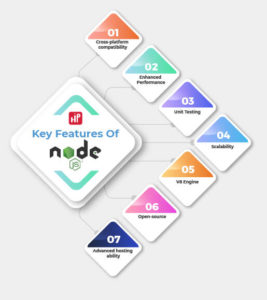
1. Cross-platform compatibility
The challenge of building cross-platform desktop applications has been a nightmare for quite some time due to the stark differences between the most popular desktop operating systems.
Fortunately, modern tools and frameworks like NodeJS make cross-platform desktop development more accessible than ever. Cross-platform compatibility and support is the major strength of NodeJS. You can ensure that your enterprise applications run effectively on Windows, Linux, and OSX with a bit of effort.
2. Enhanced Performance
A NodeJS developer can use one single language for developing both front-end and back-end stacks. Moreover, it offers the convenience and powerful performance that programmers cannot switch between more than one coding language.
Also, NodeJS is a lightweight tool that facilitates the quick deployment and development of applications. It has a commendable data-processing ability and can process data when you are uploading it to your application. This results in the fast streaming of videos and data to your application.
3. Unit Testing
Unit testing is carried out during the stage of NodeJS applications development to test even the smallest part of code used to develop the application. For this, there are several popular frameworks, including Mocha, Jest, Jasmine, and AVA.
Because it takes into account even the tiniest part of the code, it is called unit testing. Thus, this automated unit testing assures that the final application is of top-notch quality and bug-free.
4. Scalability
NodeJS makes it easier to build data-centric and real-time apps thanks to its non-blocking I/O and event-driven model. In addition, with NodeJS real-time collaboration tools, you can deploy data-intensive applications related to streaming or networking.
With NodeJS, you can handle multiple requests from clients simultaneously and provide them with a suitable solution. Another critical feature that NodeJS provides to your enterprise application is presenting different application versions to your targeted audience.
5. V8 Engine
The V8 engine was a Javascript engine initially developed for Chrome but not anymore. Today it has become a top-rated server-side coding engine and is portable for other operating systems like Linux, MAC, Windows, and more.
Despite being hosted in a browser, the Javascript engine is independent of it. Additionally, V8 has emerged as one of the best engines for translating JavaScript into machine code. V8 is written in C++ to enhance the performance of your applications and is helpful for servers.
6. Open-source
With NodeJS, you can speed up the process of developing an enterprise application by running code simultaneously on both the client and server sides. In addition, the NodeJS open-source framework will help you bridge the gap between front-end and back-end developers, making the process much more efficient.
NodeJS is used by more than 49% of developers, according to StackOverflow. With an open-source network like NodeJS in place, you can manage everything on your application, from coding to content.
7. Advanced hosting ability
The advanced hosting ability of NodeJS helps you upgrade your application’s performance, security, and reliability. The PaaS providers Heroku and Modulus deploy the NodeJS applications.
Therefore, NodeJS reduces the number of servers necessary to run the application by 50%, which results in faster page loading times. In addition, NodeJS gives you ten times faster performance, backup facilities, and regular updates to make your applications better.
We’ve already learned how NodeJS works. Now let’s discuss AngularJS!
What is AngularJS?
Google developed the AngularJS framework to simplify the development and testing of applications by developers worldwide. AngularJS helps you in integrating HTML codes and other modules into the web application. In addition, the apps developed by AngularJS are easy to make and deploy.
To build rich internet applications, AngularJS uses the MVC architecture. The websites and applications created with HTML framework and other extensions in AngularJS make them dynamic and responsive. The applications developed by AngularJS are focused on improving performance, enriched with different features and functionalities.
Now that you are aware of AngularJS, let’s know more about its core features in our next section!
7 Key Features of AngularJS
Here are a few critical features of AngularJS that can help you in developing applications and help you grow your business digitally:

1. Model View Controller (MVC) Framework
Model View Controller is a software development framework for developing applications. The MVC helps you monitor and control the architecture in AngularJS to make your enterprise applications dynamic and versatile.
MVC will help you monitor the data, show a particular portion of the data to the user, and control the actions between model and viewer. With AngularJS, you can build MVC elements separately and then combine them. Thus, you don’t need to add any extra codes or plugins to combine all these attributes.
2. User interface with HTML
In AngularJS, the user interface is built on HTML. This is a declarative language with a short syntax and is extremely easy to understand. In addition, the interface offered by AngularJS is streamlined, organized, and structured.
In some cases, developing, organizing, and reorganizing JavaScript Interfaces becomes very complex. Therefore, the HTML interface will help you regulate the implementations of your application and make it perform better. In addition, AngularJS handles all complex dependencies for you, so no need to guess how program flow or loading works; just specify what you want.
3. POJO Model
The POJO (Plain Old JavaScript) objects used in AngularJS are different from those used in other frameworks. POJO model makes it easy to write and understand codes. It also increases the usability of the program to develop more engaging applications.
POJO makes your code far more readable and intuitive because you no longer need to write complex methods and functions to your code, have no dependencies on the framework, and refer to only one declarative statement. Instead, the AngularJS POJO model is purely focused on the logic of your business.
4. Active community on Google
The first thing you look for when you adopt a framework is community support. Well, this is not a problem for AngularJS. Why? Because Google maintains the community of AngularJS. In addition, AngularJS is released under the guidelines of MIT and can be easily downloaded through GitHub.
As a result, you can find answers to your questions in many forums if you have maintenance problems or get stuck somewhere. Furthermore, you can easily download the source in case you want to propose changes or improve something.
5. Routing
AngularJS uses routing to navigate from one page to another when the user wants to navigate multiple pages in the same application. An application that uses AngularJS routes can have different URLs for displaying other content.
By using the ngRoute module, you can navigate between different application pages without reloading the whole application. This method allows the user to feel as though they are interacting with a desktop application. A couple of examples of single-page applications are the Chrome app store and Twitter.
6. Two-way binding
The data binding method involves synchronizing data from the view to the model automatically. The HTML syntax in the data binding process displays views, and JavaScript variables display the model. With two-way binding, you can quickly build templates in AngularJS that bind these components to the models.
As a result, the bound model value automatically updates any HTML or view component value changes. Further, it makes the UI clean, simple, and more appealing. In addition, you can perform complex data manipulations and calculations efficiently.
7. Speed and Performance
If you want to achieve optimal speed and performance of your application, you must incorporate extra functionality to HTML. When you write Angular code, an optimized code is automatically generated that combines the advantages of handwritten code and the ease of framework use.
AngularJS is a universal framework; that is, your business application will be independent of HTML or CSS server to operate, which will enhance the productivity of your application. In addition, using code-splitting will make your applications load faster.
Now you are familiar with NodeJS and AngularJS and their features. First, however, let’s examine some of the most significant differences between the two most used Javascripts globally by developers.
7 Major Differences Between NodeJS and AngularJS

Here is a list of key differences between NodeJS and AngularJS. This list of differences will clarify which Javascripts you must adopt to build well-suited web applications for your business.
NodeJS |
AngularJS |
|
Definition |
With NodeJS, you can create fast and scalable network applications easily using Chrome’s JavaScript runtime. | A framework for building client-side applications is AngularJS. |
Core Architecture |
V8 powers web applications written in NodeJS. The programming languages used to write NodeJS are JavaScript, C++, and C. | Google developed AngularJS is an open-source framework for building JavaScript web applications. |
Web Framework |
Although NodeJS is not a web framework. But it gives programmers access to several NodeJS based frameworks, like SocketIo, HapiJs, MeteorJs, ExpressJs, and SailsJs. | An AngularJS framework is used to build websites. Using the framework, developers are free to work on more advanced tasks. |
Programming Language and Paradigm Support |
NodeJS supports Ruby, CoffeeScript, and TypeScript. Programming models include object-oriented, functional, event-driven, and concurrency-oriented. |
Languages supported by AngularJS are CoffeeScript, TypeScript, and Dart. Programming paradigms supported by AngularJS are object-oriented, functional, and event-driven. |
Installation |
The NodeJS programming languages can be written in Javascript, but these programs require a runtime environment like Windows, Linux, or macOS. When creating a development environment, developers need to install NodeJS on their systems. |
The installation of AngularJS is not required for programmers and developers. It is simply a matter of embedding AngularJS files, just like other JavaScript files. |
Usage Cases |
It is ideal for smaller projects to use NodeJS. Designed for creating server-side and networking applications that are fast, scalable, and can handle large amounts of data. In addition, applications that require high levels of I/O performance, such as streaming video, should use this. | They are designed to create highly dynamic and responsive web applications. AngularJS is best-suited for Single-page applications and client-side scripts. |
Data Interaction |
Database queries can be generated using JavaScript in NodeJS | In contrast, AngularJS supports two-way binding but does not support database query writing functionality. |
So now, you are familiar with the stark difference between the two Javascripts – NodeJS and AngularJS from their definition to how they interact with data. Now let’s get to know which of these frameworks is beneficial for your project.
NodeJS vs AngularJS: Which is Better For Your Project?
Below are a few benefits you must know before choosing NodeJS and AngularJS. In addition, here is a sneak peek of some of the benefits you can avail of by choosing NodeJS for your web application.
The Benefits of Using NodeJS in Your Next Project
- Provides Quick Scalability for Modern Applications
Each node in NodeJS has an “event” at its core. For instance, a customer purchases an in-app product, service, ads, and other offerings or sends support emails. No limit exists on the number of nodes you can add to your core programming functions.
That means you can add versatility to your project and make applications that are highly scalable and responsive. With NodeJS, you can scale your application either way, which is one of the critical reasons for its popularity.
- Accelerates Speed and Performance for Real-time Applications
The I/O operations of NodeJS accelerate and improve the performance of real-time applications. In addition, these input-output operations help the whole environment run more smoothly.
One of the main reasons for this is that it is divided into sections. Moreover, NodeJS is powered by Google’s V8 Javascript engine that makes the performance of these applications more reliable. Finally, most of its apps are written and programmed in end-to-end Javascripts that are plug and play, making them faster and better.
- Offers Cost-effective Solutions with Fullstack JS
NodeJS is a cost-effective alternative to other JavaScript-based servers as it is an open-source platform. In addition, the modular nature of NodeJS enables developers to build web applications more quickly.
When you develop backend applications with NodeJS, you automatically get access to JavaScript tools and technologies. Consequently, developers and designers will be more efficient and productive, resulting in superior speed and performance of the applications.
To conclude, NodeJS is a fast, lightweight, efficient, data-intensive, real-time, and affordable application.
- Provides Cross-functional team support
With NodeJS, it is possible to create different teams to work on other aspects of the same application at a given time. Moreover, these cross-functional teams can simultaneously work on different application modules, like writing codes, testing quality, hosting the application, and maintenance.
These teams have experts working in various domains of the applications and assure the quality of the project. To sum it up, NodeJS bridges the gap between the front-end and back-end developers to create assured quality, security, and interactive applications.
- Optimizes an application’s time-to-market
NodeJS can prove helpful with its event-driven capabilities and non-blocking I/O for applications where performance is critical, and scalability is vital. For example, using NodeJS, you can connect to internet-based applications in real-time such as forums, social media, stock exchange programs, and ads servers.
NodeJS remains the technology of choice for real-time, data-intensive applications and IoT devices alike despite its performance and scalability. The advantages of NodeJS in real-time application development are event-based servers, data sync, scalable and fast.
The Benefits of Using AngularJS in Your Next Project
You can expect the following benefits from AngularJS are:
- Enhanced Design Architecture
The declarative User Interface helps in enhancing the design architecture of web applications. For example, in AngularJS, the user interface is described through HTML. As HTML is a declarative language, it has fewer restrictions than JavaScript’s procedural capabilities.
Also, HTML reorganization is less fragile than a JavaScript GUI, so it is less likely to break. In addition, the view can be written in HTML, so you can have more UI developers working on it.
- Makes code more reusable
MVC inbuilt support, declarative user interface, plain old java objects(POJO) as your data models, directives, and open-source framework all point to not needing to write new codes. You can use the one that already exists.
The two binding modules also show that you do not manually need to enter the data to view it; you can directly make it a part of your database while updating your applications. Additionally, another team can write the directives without causing any integration problems since they are separate from the software code.
- Improved Plug & Play Components
Want to add existing components to your new web application? All you are required to copy and paste are the features you want to add to your new applications. It’s that simple!
All aspects of that component will be automatically added to your application without further adieu. You no longer need to write codes or add third-party extensions to your applications. The plug-and-play features work seamlessly with AngularJS development.
- Faster application development
The MVC design architecture and Dependency injection help in the faster deployment of an application. A web application can be divided into input, processing, and output using the AngularJS MVC module. The MVC model is divided into three parts, that are Model, Viewer, and Controller.
A web or .net application uses these components to handle certain aspects. First, the controller receives the information from the user and sends it to the model to construct the information and send it to the viewer. Then, using the data from the controller, the viewer produces its final output.
- Real-Time Testing
The credit for deploying a successful real-time application should go to AngularJS modular functionality. The modules and directories of an Angular web application extend its features on all your mobile devices.
AngularJS is a free and open-source framework that allows you to build widgets tailored to a particular device’s specific needs. In addition, in AngularJS, you can use a single test page that activates only one feature to see if it works. This beats traditional approaches where tests are created and tested one after another in real-time.
Apps Built With NodeJS
Many applications are based on NodeJS, which allows developers to work with a lightweight, fast, and modern approach to coding. The top 5 popular applications that are based on NodeJS are:
- Paypal (online payment service provider)
- Netflix (video streaming app)
- LinkedIn (professional networking social media platform)
- Uber (ride-hailing taxi app)
- GoDaddy (web hosting company)
Examples of Where NodeJS Should Be Used
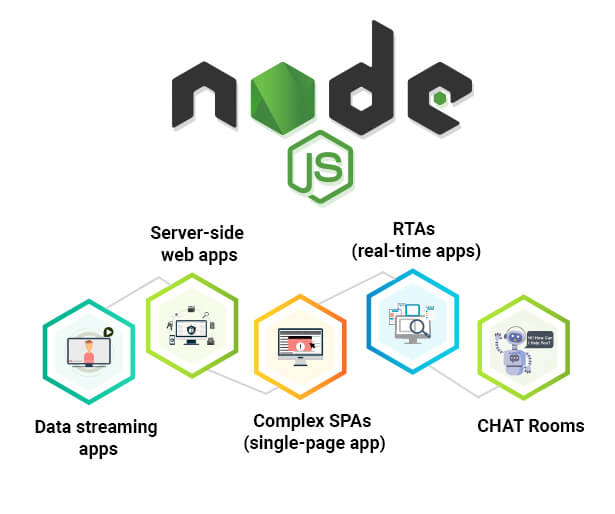
Check out the places where NodeJS does the wonders:
CHAT Rooms
For real-time chatbots and applications, NodeJS is like a real jackpot. It facilitates:
- Multi-user applications
- Intensive data
- Heavy traffic
Further, NodeJS is compatible with most paradigms and permits executing push notifications and server-side event loops, essential in real-time apps. The system ensures a fluid user experience by responding to events, handling multiple connections simultaneously, and managing numerous events simultaneously.
Complex SPAs (single-page app)
With NodeJS, you can create everything from social networking platforms to email platforms to dynamic websites, as well as single-page websites. As a result of its asynchronous data flow quality and various features, NodeJS has proven to be particularly useful for building SPAs.
RTAs (real-time apps)
NodeJS has made real-time applications possible, and the two-way communication which offers allows initiating communication between both the client and server-side. Further, it is now possible for companies to switch between workstations resulting in a higher level of mobility.
Data streaming apps
Using NodeJS for data streaming is ideal since it is swift to process data files. Another leverage which it offers to data streaming apps is it offers feather-light encoding and uploading.
Server-side web apps
With the help of NodeJS clubbed with Express.js, it is now possible to build server-side classic web applications on the go. However, in building heavy server-side computation applications, NodeJS is not the best match as it is single-threaded.
Apps Built With AngularJS
Well known for user interface development, AngularJS acts as a robust framework that provides many features right out of the box. Below is the list of the top 5 most popular websites which are AngularJS driven:
- Gmail (an app with 1.5 billion active users)
- Forbes (created with Angular 5)
- Upwork (freelance marketplace)
- Wikiwand (software interface optimizing Wikipedia articles’ view)
- Lego (Danish toy manufacturer)
Examples of Where AngularJS Should Be Used
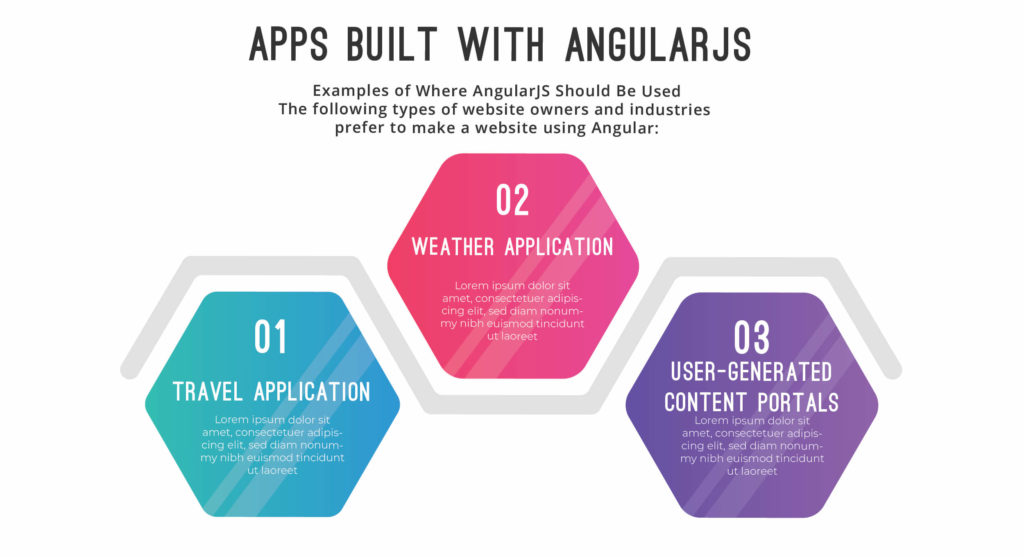
The following types of website owners and industries prefer to make a website using Angular:
Travel Application
Transport apps like JetBlue and Delta Airways prefer using Angular for developing their websites because it offers faster page load speed and an excellent user experience. Thus, ticket booking, travel modifications, and checking availability are fast-paced due to Angular’s dynamic features.
Weather Application
Websites like “Weather dot com” are built on Angular as they are known for offering real-time updates to the users, thus demanding faster speed and higher accuracy. And this is only possible owing to the versatile capabilities which Angular depicts.
User-Generated Content Portals
User-generated content portals need a high degree of security and management. The AngularJS web applications consist of inner HTML and DomSanitizer to provide user-generated content and security to applications. For example, Upwork is one such example that uses AngularJS’s UGC portals.
Conclusion
Now, you know both the platforms NodeJS vs AngularJS, their respective features, differences, benefits, examples, and more. We can say that AngularJS deals with front-end development with all the above information, while NodeJS deals with back-end development. However, both technologies are necessary to build an entirely professional and dynamic website.
With this article, you have incurred enough information about both NodeJS and AngularJS. So now it’s on you to choose the ideal language for your projects according to your business goals and needs. All the best!
Want to know more details about these frameworks? Contact us now and gather the relevant information from our programmers and hire Indian programmers for your Node.Js or Angular.Js projects.
FAQs About NodeJs vs AngularJs:
1. Which is better, NodeJS or AngularJS?
The Javascript that is better for your web application depends entirely on the project you are working on. For instance:
- If you want a cost-effective web application solution, NodeJS is your ideal pick.
- If you want a server-side networking application, you should choose NodeJS, which is fast and scalable. Whereas for a client-side application, you should go for AngularJS.2.
2. Why is NodeJS so popular?
NodeJS has become so popular among developers and large companies because of:
- Its ability to handle many concurrent requests simultaneously without stressing the server.
- It is a suitable language for short-term projects and provides fast and scalable asynchronous applications.
- It is free; you just need to download the language in your system to operate it.
3. Is it possible to use NodeJS with AngularJS?
Yes, it is possible to use NodeJS and AngularJS together on MEAN tower with MongoDB and ExpressJS. With the combination of NodeJS and AngularJS to build dynamic applications that are highly interactive with the users. JavaScript developers can quickly develop isomorphic applications by incorporating both NodeJS and AngularJS.
4. What are some disadvantages of using Angular and NodeJS?
Some of the key disadvantages of using AngularJS and NodeJS are:
- NodeJS performs poorly when executing heavy computing tasks.
- In addition, a large number of code changes are required when using NodeJS due to the Unstable API.
- The limited SEO option of AngularJS is one of the significant drawbacks of the framework. Unfortunately, it also leads to a lack of compatibility with search engine crawlers.
5. Are Angular and AngularJS the same?
AngularJS was launched in 2010 as an open-source network to build dynamic web applications for your business. The front-end web framework was based on Javascript, whereas the Angular version was based on the Typescript framework. The angular version was launched in 2016 and is one of the framework’s most improved and newer versions. Due to this reason, everyone is migrating to this latest version of Angular.
Read More:
Node.js vs PHP: Which is better for backend development?
Why should you migrate your website to PHP?
How To Find And Hire An App Development Company?
16 Questions to Ask Before Hiring Magento Developers
What are the requirements for your organization to hire Magento developers? It’s quite a big decision, one that can impact your Magento store and your business model. Thus, you need to utilize your time and recruit a Magento developer who can embrace modern techniques to build user-centric designs to increase your online store sales.
Magento helps businesses to develop its eCommerce platform’s architecture, flexibility, scalability, and security features. The platform is entirely customizable and thus needs the attention of a skilled, professional, and experienced Magento developer.
Also, as per a guide released by Magento.com, more than a quarter-million website owners use Magento and this number is likely to increase in the coming years. Thus the need for hiring skilled Magneto developers will soar.
A dedicated Magento developer will create a website, keeping your business goal and your customer’s needs in mind. They will make buying decisions easy for your consumer by creating an appealing eCommerce platform.
Moreover, owing to their huge demand in the market, salaries have increased 5.6% on a year-over-year basis for Magento developers.
In this blog, we will discuss:
- Why should you hire Magento developers?
- Questions you must ask before hiring Magento developers for your company
So let’s start with why you should hire Magento developers.
Why Hire Magento Developers?
The world has only about 200,000 Magento developers globally. That’s how niche the market of Magento is which makes it more in-demand by website development companies.
So you must hire Magento developers as your front-end and back-end developers to give an artistic look to your website. Other than that, they should be able to implement minor SEO practices, integrate third-party plug-ins and Magento extensions to upscale your business.
Here is another list of reasons you should hire Magento developers:
- Make sure the web store is well-designed and can be adapted across various devices
- Developing a website using HTML markup language
- Creating a user-friendly experience with stunning visuals
- Checking and fixing bugs before launching websites
- Keeping your Magento website updated with the latest technology stack and trends
- Expanding library development projects for your websites
- Enhancing the security of the Magento website
- Designing new features to meet the business goals and requirements of your eCommerce platform
So now you know some of the key reasons you must adopt Magento developers for your eCommerce Magento store.
Now let’s look at some of the questions you should ask your Magento developers before hiring them for your enterprise.
Questions to Ask Magento Developers Before Hiring
Here is a list of Magento developers hiring questions you must ask when hiring a Magento developer to build a scalable, reliable, developed, well-documented eCommerce platform to grow your business and ROI.
With these questions, you can hire a dedicated Magento developer for your Magento store and upscale your business, its designs, features, functionalities, page loading time, and more.
Below is a list of some questions that you must ask to hire a Magento developer that can meet your business need and fulfill your business goals:
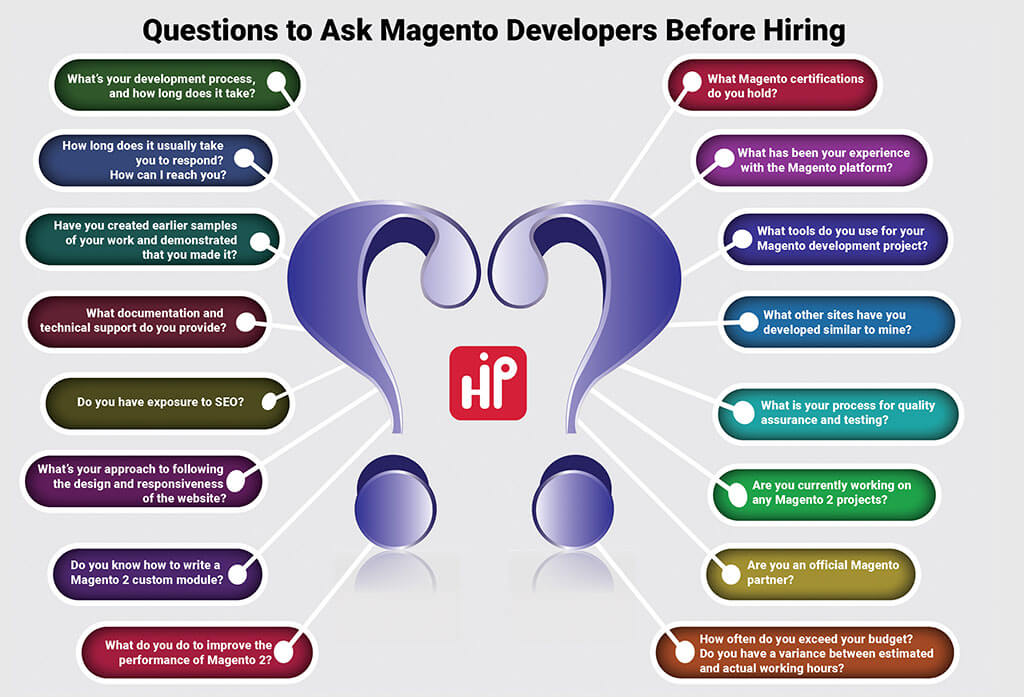
1. What Magento certifications do you hold?
Before recruiting a Magento developer for your project, ask them to validate or prove their skills. You might be tempted to buy their experience story, but a Magento certification will help you figure out their professional qualification and approach.
An experienced Magento developer will always get their skills validated in the professional world through a Magento certification. A certified Magento developer will have a better chance at recruitment and an edge over their competition.
Their Magento credentials can ensure that you hire a skilled, dedicated, professional, and sincere Magento developer. So, make sure to seek Magento 2 Certified Professional Front End Developers, who have the skills and knowledge to create a user-friendly interface using Magento’s theme components.
2. What has been your experience with the Magento platform?
Experience helps a Magento developer gain expertise in a particular domain. So when hiring your Magento developer, see how experienced they are. Taking a look at their expertise will assure you about their skills, capabilities, protocols, development processes, and deadlines.
If you go for a fresher, you need to train them about business processes and protocols. Then, you need to guide them to make a Magento developer that fits your business and can help you meet your vision of a customized Magento store.
Whereas if you hire an experienced Magento developer, they can help you make the best possible decisions for your business. They will analyze your platform and use insights to make your Magento store rich with function and features.
3. What tools do you use for your Magento development project?
You must ask your Magento developer about the tools they will use to build and manage your Magento store. Check whether they have the required technical knowledge or not.
Ask them about setting up a particular Magento tool for your store and how they will use it to make your Magento store more robust. Question them about their ability to use Magento tools like:
- Magento PHPUnit Integration
- Magento Debug
- MageTool
- PHPStorm
- Xdebug and more
Also, check on their knowledge of the latest trends and technologies in building a fully scalable and reliable Magento store. See if they use agile technologies to optimize your Magento platforms.
4. What other sites have you developed similar to mine?
While searching for a suitable Magento developer, ask them:
- If they have prior experience in the same industry?
- Or do they have the exposure of migrating any website to Magento?
If the answer is yes, that could be the X factor you are looking for in your Magento developer. How?
Suppose you are an electronics supplier and need some out-of-box customization to improve your Magento store’s productivity, interface, and ROI. Suppose your Magento developer has experience working in the same industry as yours. In that case, they may have an idea or functionality that can be added to your store and benefit your business.
Therefore, hiring an experienced and skilled Magento developer in the related sector can help you save several hours of research and development of your Magento store.
5. What is your process for quality assurance and testing?
Magento developers are responsible for preventing mistakes and defects when providing solutions or services to your eCommerce Magento store. In addition, the developers help you test and assure you of the quality of your online store and help you meet the market standards to accomplish your business goals.
A responsible Magento developer will have a set process to test the quality of your Magento store. You should ask them how they test and QA their software on paper or in a flow chart. You’re in luck if they give you one right away.
QA Test goes beyond finding bugs and doing simple tests – it is about:
- Preventing defects
- Assuring high-quality development processes
- Providing stability
- Offering consistency to your Magento store
So hire a Magento developer who understands writing error-free codes that offer the best user experience to your audience and keep your database secure from hackers, viruses, and more.
6. Are you currently working on any Magento 2 projects?
Do ask your potential Magento developer whether they have work experience in Magento 2 projects. If yes, further ask if: they have any Magento 2 projects live and share the work?
If they do share their work with you:
- Assess it
- Check their credibility
- Run quality tests on their user interface
- Learn more about their features, designs, functionality
- Ask for third-party integrations
- Evaluate the security parameters they have taken care of
If they don’t share their work, ask them for particular case studies. Then, a reliable Magento developer will have access to it.
Also, ask them whether they know how to migrate Magento 1 sites to Magento 2. If they do, it will only add up to their credibility and make them a top-notch contender for the job in your organization.
You can hop on to the next question as soon as you are satisfied with the quality of their work! If not, you should still go forward with the interview, and maybe their USP lies in your next question.
7. Are you an official Magento partner?
If you are planning to take your Magento eCommerce website to the next level, it will turn out to be beneficial if you seek the help of an official Magento Partner. So when you next interview a Magento agency, do ask this question if they are an official Magento partner.
Magento partners are the recognized Magento agencies that have earned their name by offering outstanding Magento eCommerce development services using their innovation strategies, product development creativity, and excellent user-friendly feature implementation.
Certified Magento Partners offer many benefits over other agencies, such as:
- Magento’s Support Team is available to them directly
- Codes and software for several Magento codes are readily available
- The team has obtained detailed product and onsite training
- They follow a faster communication method
So, ask which Magento Partnership program they have opted for and how it will benefit your business model.
8. How often do you exceed your budget? Do you have a variance between estimated and actual working hours?
Budgetary constraints are significant for any project that is supposed to go live in the business world. Therefore, you need to ask your Magento store developer how much your budget will differ from the one set in advance.
Most of the time, due to several added levels of customization, incorporation of different themes and Magento extensions, or unexpected bugs or coding errors, the working hours can become longer than expected. In that case, if the developers say that the hours can slightly increase, you need to be open for that in advance,
Also, check if the developer uses agile working practices. Ask your Magento developer to:
- Set a thorough discovery process
- Do detailed scoping
- Analyze your weekly reports
This will enable you to lower the variance, thereby saving your costs.
9. What’s your development process, and how long does it take?
Always ask your potential Magento developer about their development process and its duration to complete the task. To ensure the success of an online store, the developer must have documented the process, and you ask for it. By this, you can be sure of the services offered by your developer with a clear timeline of events.
With a clear timeline in hand, you can analyze which areas will be taking most of your effort and time. By having a dedicated Magento developer, you can get a detailed description of the development process of your Magento store and have some buffer time in hand for last-minute changes.
These last-minute changes include the latest Magento patches, features of any business process, accommodating security patches, fixing bugs, and more.
10. How long does it usually take you to respond? How can I reach you?
Nothing is more frustrating than working with a Magento developer who is either unavailable when you need them or cannot accommodate your request. Running an online eCommerce store is already challenging, and having delays in handling issues leaves resentment in customers. It also leaves a harmful impact on your site and business.
Thus, it is imperative to hire a dedicated Magento developer to improve the productivity of your website and generate more revenue for your business. So whenever you are recruiting a new Magento developer or outsourcing your project to a Magento development company, ask them how much time it will take to respond to your text, call or message.
Also, ask them to give you clear guidelines about contacting them in time of need. You can also email them general questions about the Magento store and see how quickly they respond to your requests.
11. Have you created earlier samples of your work and demonstrated that you made it?
Whatever the Magento developer or the Magento agency says about themselves, the only way to check their credibility is by checking their work portfolio and examples of previous Magento eCommerce projects.
For this, do confirm if they have any existing portfolios and ask for client reviews and feedback. For instance, if they share with you an online grocery website that they have developed in the past, do ask the following questions to check the authenticity:
- What was the primary goal of creating the website
- What were the project highlights
- Which 3rd party integrations were installed
- What kind of navigation the website offer – was it a flyout menu?
- What were the final solutions provided?
- Any testimonials that the Magento developer has for the said project?
If the developers answer these questions, they indeed have past work experience, and you can move ahead with them if the rest of the parameters line up.
12. What documentation and technical support do you provide?
Inquire about the documentation and technical support that your Magento developers will provide for your eCommerce store. You should ask your developers to create multi-faceted documentation of the eCommerce website that displays data, usernames, and passwords.
Through documentation, you can gather all the information you need for future customizations via Magento experts.
Also, ask your future Magento developer about the technical support they will provide to keep your websites live. The technical support will include:
- Solving speed related issues
- Adding missing features and functionalities to your eCommerce store
- Connecting third-party data sources and plug-ins to pull and push data
Before finalizing the deal, ensure post-development conditions are met, and talk to your developer about the level of support they can provide for your eCommerce store.
13. Do you have exposure to SEO?
You should check if your Magento developer is familiar with the latest SEO tactics if you want to ensure that your website meets all the SEO parameters and can rank higher on SERPs.
When your website is live, you will have to run various contemporary SEO campaigns to boost the rankings. Also, essential SEO factors such as website optimization, site structure, and user experience will need special attention. Thus, if your Magento developers have some basic understanding of on-page SEO, the chances are high that your website will be SEO-friendly from day one.
So, to check if your Magento developer has SEO exposure, you can consider asking the following questions:
- What are the inherent functions of SEO?
- Which SEO trends are currently trending?
- What is the Core Web Vital?
14. What’s your approach to following the design and responsiveness of the website?
A Magento developer is required to customize eye-catching designs from your home pages to all the other pages of your eCommerce store to attract more people to your business. Thus a Magento developer must know how to design a responsive website.
Therefore you should ask your Magento developer whether they know how to create a user-friendly interface with stunning designs or not. If so, you should hire them to construct appealing designs to reach more audiences with various features, shorter response times, and even less data consumption.
By hiring a proficient Magento developer, you can give your online eCommerce platform a Midas touch and outshine your competition. Through your eye-catching visuals, you can set a benchmark in the industry and continue to generate revenue for your business.
15. Do you know how to write a Magento 2 custom module?
The Magneto 2 custom module contains a set of blocks, controllers, and models to expand the platform’s functionality and add specific features to your Magento eCommerce store. The custom module is focused upon the backend services of the application and how well it functions.
There are more than 180,000 websites running on Magento 2. So when hiring your Magento developer, ask them whether they know how to write code for the Magento 2 custom module. If you use a Magento 2 custom module, you can offer your users a fantastic shopping experience.
It gives you a centralized module to control all your functions and processes. Also, ask them to tell you about the process of creating a Magento 2 custom module to make the admin interface intuitive and robust.
16. What do you do to improve the performance of Magento 2?
To check the more profound knowledge of the prospective Magento developer, you can throw a question asking if they have worked on improving Magento 2 performance in the past. Suppose the Magento developer answers with a process that is inclined towards the following steps. In that case, the person sitting across the table has good knowledge of not only developing your website but also improving its efficiency:
- We inspect various third-party integrations
- Next, we check to see if full page caching has been enabled
- We recommend avoiding using JS bundling
- We enable CSS/JS minification
- We turn on the Production Mode if it’s turned off
Asking this question also lets you know how good your Magento developer is in conducting the website audit and what out-of-the-box things s/he can do to ensure that the website runs effectively.
Conclusion: Is it Worth it to Hire Magento Developers?
Recruiting Magento developers is the beginning of your journey towards a successful eCommerce store. However, it is a crucial step as it will affect your business for a more extended time. An experienced Magento developer will always keep your business goals and demands high priority to creating your online store.
Magento is a complicated platform, and it needs an expert Magento developer to manage all the complex coding, analyze the insights, document the whole process of creating a Magento platform, and utilize insights for the growth of the business. Hire the dedicated Magento developers from Hire Indian Programmers to perform all these functions and create a perfect Magento eCommerce store.
However, with this little guide, you can ask the questions for hiring your perfect Magento developer. Contact us now for more queries.
Read More Magento Related Blogs:
Magento Vs WooCommerce: What is Better for eCommerce?
The Magento – WordPress Interface
Inevitable reasons why you choose a Magento Developer
Ideas to hire a Magento developer
Magento Vs OpenCart
Is Node.Js the Future of Web Development?
Node.JS is one of the top-picked frameworks when it comes to web development. It offers an open-source JavaScript runtime environment to create dynamic web applications that help you scale your business goals.
Major global companies such as Uber, Trello, LinkedIn, Netflix, PayPal, Groupon, and eBay, and NASA use Node.JS to build top-notch web solutions with the help of hiring dedicated Node.Js developers or Node.Js development companies.
Node.JS was developed by Ryan Dahle in 2009. Some of its unique features include easy code sharing, high performance, and a dedicated community.
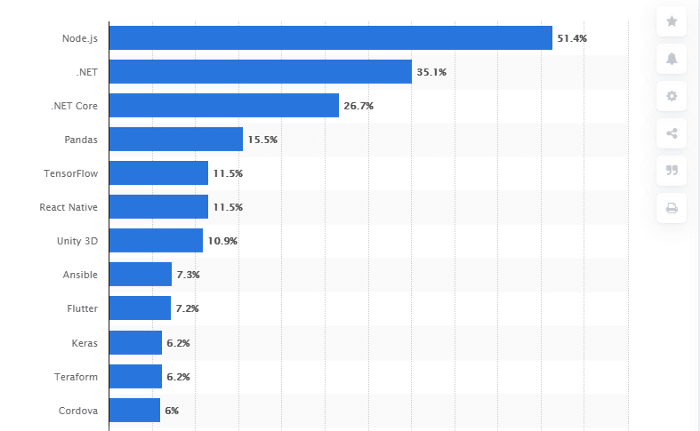
Node.JS features an asynchronous processing architecture that allows you to create uniform microservice architecture. It ensures the easy loading of web applications without collapsing the servers. This is because all the tasks are broken down into distinct nodes, which in turn allows them to run in collaboration with others.
6 Core Features of Node.Js
Node.JS is a compiled package. Here is a short brief of the top features of Node.JS that have made it a popular framework over the past years.
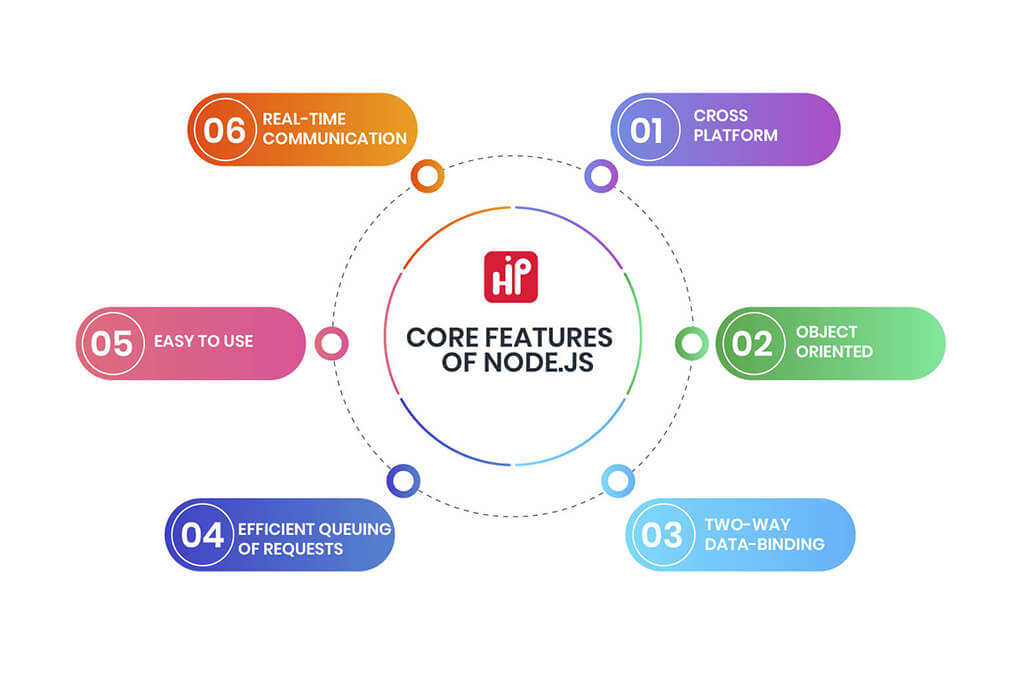
1. Cross-platform:
Do you want your web applications to work seamlessly on all devices such as desktops, mobiles, and PDAs? The cross-platform independence nature of Node.JS allows you to transfer the code of mobile applications to desktops.
2. Object-oriented:
JavaScript is an object-oriented programming language, however, there are some exceptions. It doesn’t offer support for some default object-oriented procedures.
The language uses the prototypal inheritance method that allows you to modify any prototype. Once the object is defined, you can add or remove methods and perform different tasks to mutate anything.
3. Two-way data-binding:
The entire web is based on the request and response model. The two-way data binding ensures all the changes in one data model are immediately reflected in similar views. Also, if the user makes some changes, they are propagated in the fundamental model.
4. Efficient queuing of requests:
Node.JS handles different instances of requests simultaneously. How does Node.JS manage it?
Node.JS uses the optional non-block I/O system. The requests with low response times are given higher priority. This preference order boosts the performance speed of your web applications compared to Ruby on Rails or Python.
5. Easy to use:
Since Node.JS depends on JavaScript. It is quite easy for the learners to master the language. Interestingly, you can install Node.JS in a much simpler way. The installers are available on the download page of the official website.
6. Real-time communication:
Node.JS ensures instantaneous communication between the client and the server. In simple words, Node.JS ensures there is no delay between the user’s request and the server response. Some run-time environments use the letter-by-letter approach to parsing out the complete message. However, Node.JS processes the complete request.
Node.JS is compatible with Web sockets which is high-end real-time communication software. This ensures all users are always in sync.
5 Benefits of Node.JS Development
Node.JS has contributed tremendously to the web development realm. Some of the main benefits of Node.JS development are:
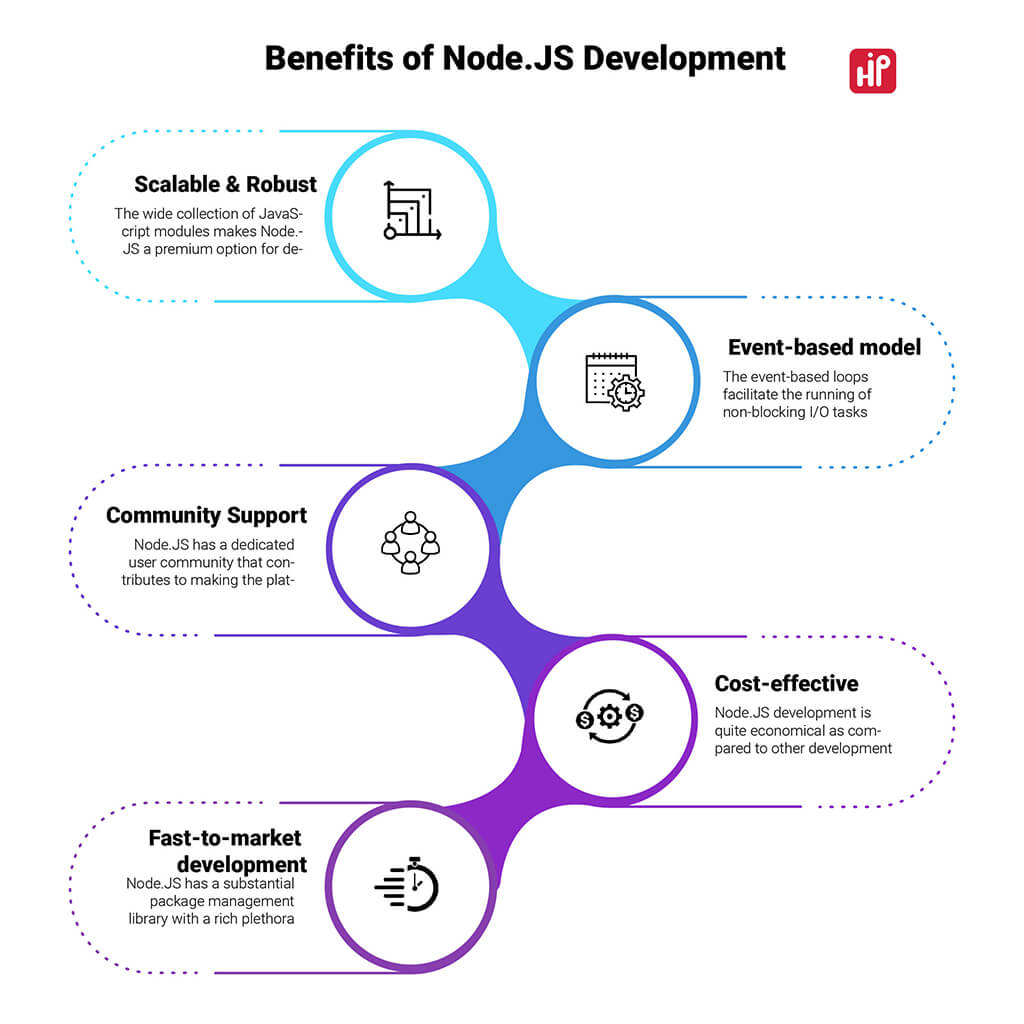
1. Scalable & Robust: The wide collection of JavaScript modules makes Node.JS a premium option for developing microservice architecture. All the nodes of Node.JS work on the event. You can add as many nodes as you want in the programming function. This allows you to extend the capability and scale up your web applications vertically. You can even scale horizontally to add new dimensions to your web applications.
2. Event-based model: The event-based loops facilitate the running of non-blocking I/O tasks which ensure the smooth running of code.
3. Community Support: Node.JS has a dedicated user community that contributes to making the platform stronger. All the developers develop open-source code applications. If you need any help with the code, you can seek assistance from the community.
4. Cost-effective: Node.JS development is quite economical as compared to other development frameworks.
5. Fast-to-market development: Node.JS has a substantial package management library with a rich plethora of pre-designed tools and templates. Interestingly, it offers dozens of open-source options that can be included easily in your web applications. The pre-built elements cut down the programming cost as well as the time to bring your applications to the market.
When Should You Use Node.Js?
Now that you know the core features and benefits of Node.JS, it’s time to learn about when you can use Node.JS for development.
1. Real-time applications: You can use Node.JS to create real-time chat and messaging software. It ensures high speed and performance when you need to send multiple messages to different users simultaneously.
2. Sharing tools: You can create collaboration tools that are used to monitor real-time flows. For instance: Trello is powerful project management software that uses the event-driven nature of Node.JS to help you organize your work.
3. Data streaming applications: What do you understand by streaming? Streaming is the process that transmits the data in small modules over the Internet rather than sending it as one single entity.
Node.JS is a perfect pick for creating data streaming applications (audio/video). For instance: Netflix, the major streaming giant, uses Node.JS to stream its content. Initially, Netflix garnered a wide user base; however, its application started becoming slower. The company chose Node.JS for the development process. Their developers were already using JavaScript; therefore, it became easy for them to reap the benefits of Node.JS modules.
Studies reveal that with the usage of Node.JS, the startup time of Netflix reduced from 40 minutes to 1 minute.
4. Applications that need scalability: If you need to create applications that endure high peak loads, Node.JS is a preferred choice. Let’s understand this with an example:
Uber is a global taxi service provider. It operates in 69 countries and has a customer base of 93 million. Uber has to look after dozens of operations such as handling requests, matching passengers drivers, and sending notifications. All this seems to be a herculean task. Fortunately, the scalable nature of Node.JS makes it easy to process all the information.
The developers can examine the program and repair the technical bugs if any without affecting the existing application.
5. Proxy Server: When you have an application with varied response times, you can use Node.JS as a proxy server. Let’s understand with an example:
Suppose you have a server-side application that works with third-party applications and retrieves data from different sources, you can use Node.JS as a proxy if the organization doesn’t have the adequate architecture to control the requirements.
What do Professionals from Reputed IT Organisations Say About Node.Js?
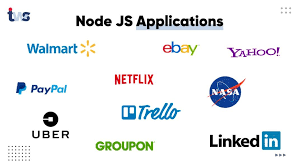
Node.JS keeps growing to web applications and going beyond robotics and desktop developments. Here’s a quick glimpse at the statements given by renowned IT professionals who advocate Node.JS development:
“Node.Js is a real opportunity to make it easier for developers to build high-performance applications and get it running onto the web in a really scalable way to deliver value to end-users.” – Justin Beckwith, Lead Product Manager with Google
“Node.Js powers our web applications and has allowed our teams to move much faster in bringing their designs to life”- Jeff Harrell, Director of Engineering at PayPal
“On the server-side, our entire mobile software stack is completely built-in Node. One reason was scale. The second is Node showed us huge performance gains.” – Kiran Prasad, Mobile Web Development Lead at LinkedIn
“Node’s I/O model freed us from worrying about locking and concurrency issues that are common with multithreaded a sync I/O,” – Subbu Allamaraju, Principal Member, Technical Staff at eBay
6 Reasons Why Node.Js has a Promising Future
Now the question is how you can believe the previous points regarding features, benefits, and statistics without knowing its future. Because when people are choosing any framework for their businesses, they must know their future. So, you can ask this question here: Does Node.Js have a future? and How you connect this with your business? Here are some prime causes why Node.JS has a favorable future:
1. Popular companies such as PayPal, Netflix, eBay, and LinkedIn use Node.JS to fulfill their development needs.
2. Node.JS has made a mark and is being used significantly in domains such as machine learning, artificial intelligence, and data science.
3. Statistics reveal that 43% of the developers have resorted to Node.JS as the framework to create enterprise-level solutions.
4. Microsoft and Google realize the tremendous potential of Node.JS and spend their resources to leverage the Node.JS development.
5. It works efficiently with server-side applications.
6. The quick transmission of data between client and server facilitates the development of real-time applications.
Should You Use Node.Js For Startup or Enterprise Level?
Talking about the start-ups, Node.JS takes the catbird seat. First and foremost, it is agile and easy-to-use nature helps the start-ups to create applications to fulfill their development needs.
Cost is a big concern for start-ups. Therefore, the open-source development of Node.JS helps business owners to reduce development costs. Also, it is easy to maintain the Node.JS applications without spending too much money.
The ability to switch between nodes allows the developers to incorporate new ideas. Putting it in simple words, it’s like adding more parts to an existing house. Node.JS allows business owners to add what they need and whenever they want. Interestingly, this is the most important aspect of a start-up.
Enterprise: Enterprises have high-end goals when it comes to web development. They generally aim to gain speed and scalability. Here’s when Node.JS comes into the picture to cater to all such needs.
Owing to the dynamic features of Node.JS, the development industry has embraced Node.JS and experiments with its advancements.
The Sum and The Substance
To wrap up, Node.JS is an amazing development framework that helps you build solutions that can help you accelerate your business growth. High flexibility and scalability are two prime factors that will make Node.JS the most sought-after platform in times to come.
Packed with a robust debugging style, Node.JS is a stable solution to cater to the dynamic needs of businesses and uplift them. Hire Indian programmers to provide the best Node.Js solutions with just one click. Contact us now and make your dreams come true.
Factors to Consider Before Hiring an Android App Developer
Mobile apps today have become an integral part of our lifestyle. We can develop and deploy an app to Google Play Store or iOS App Store for every small action or help perform complex tasks at a click. We can use apps with exceptional features and performance, from calculating our walking steps to ordering food from our favorite restaurant.
These mobile apps make life easy for users and help brands upscale their business by constantly connecting with their consumers. As a result, organizations can set a direct communication channel with their consumers through mobile apps and expand their business significantly.
Currently, Android apps are leading the market with their performance, features, popularity, and user base. As a result, Android app development has emerged as one of the fastest-growing segments in the mobile industry and is predicted to continue growing in the coming years.
A scalable and robust mobile app is the most crucial task that any app development organization needs to accomplish. So, it is imperative to hire Android developers who are skilled, diligent, and dedicated as they bear the primary responsibility for deploying a successful Android application.
This article will list factors to consider before hiring android app developers to help you develop interactive applications to expand your business. We will also discuss:
- Why hire Android developers?
- Factors to consider before hiring Android developers
- Identifying the suitable model to hire android developers
Let’s start with why hire Android developers!
Why Hire Android Developers?
With almost 2.8 million existing Android apps on the platform, there is fierce competition between apps for users’ attention. Consequently, it puts a great deal of pressure on businesses and app developers to develop Android applications that are high in performance and can suit your budget.
An Android application needs to be scalable, affordable, robust, and secure. To attract more consumers to your application, it also needs customization to suit your business needs, regular upgrades, and maintenance cycles. That is why you should hire an Android app developer or a development company to build dynamic applications with a responsive user interface.
These are some more reasons why you should hire android developers for developing android applications:
- To boost awareness among people with eye-catching designs and a user-friendly interface
- To establish the market brand value of your app with a skilled professional
- To increase your revenue and ROI with the successful deployment of applications
- To develop a robust platform to reach more people and interact with them 24×7
- To create and deploy applications according to your customer’s needs.
Now you are aware of the reasons why you must adopt android developers to build your enterprise application. Next, let’s move on to some of the factors you must consider before hiring an android developer.
Factors to Consider Before Hiring Android Developer
If you are still wondering how to hire Android developers, you do not need to look further! We will discuss a few factors and tips to hire Android app developers to build your Android application in this segment.
Interview them for their technical Android development skills
First and foremost, you need to check their technical skills and knowledge while hiring an ideal android developer. Check which technical stacks they have used to develop the application. Also, make sure that they are using the latest technologies and methodologies while building your applications.
Here is the technical list that you should notice while developing your Android applications:
1. Successfully Deploy Apps to Google Store
What’s the point of hiring an android developer who is not familiar with an android platform they need to work on to deploy apps to the Google Store? Therefore, hire an android developer with the necessary knowledge and experience to develop an app for Android platforms.
Or, if you want to make cross-platform applications, make sure that you hire a developer who knows how to build an app for multiple operating systems.
2. Expert In Domain Analysis
It is always a good idea to verify your prospective Android developer’s certifications and expertise before hiring them to build a customized application. Developers with extensive knowledge of the mobile domain will exhibit their ability to develop innovative android applications and monitor their performance.
A skilled developer will keep track of your application and drive insights that can improve the productivity of your applications.
3. Create Responsive and User-friendly Interfaces
An android developer should have the ability to visualize the app design and layout that is in perfect harmony with your brand. Additionally, ask them about their design process and if they’ll be able to design UX-optimized templates, responsive designs, and multi-layer encryption to enhance your users’ experience.
4. Experience in Material design
In recent years, Google has released innovative UI guidelines and standards, also known as Material designs. These Material Design standards include tips for laying out elements and using specific styles such as drop shadows.
Despite not being mandatory, Google recommends Android developers to follow these guidelines for designing customized user interfaces to create your apps. Thus, before hiring an android developer, ensure that they have adequate knowledge and experience in Material design.
5. A Full-Stack Developer
Android mobile apps utilize databases to perform various functionalities, so they require database management and maintenance. So if you hire a developer who does not know database management, you need to hire another expert to manage your project’s data.
Thus, this is not a cost-effective solution at all, especially if you are a budding startup. Therefore, you should hire a full-stack developer who is an industry expert and can manage your data quickly.
6. Experience with API
The purpose of the APIs is to add third-party plugins to improve the user experience of your customers. Therefore, when interviewing your potential Android app developer, check their familiarity with different third-party applications that can enhance your productivity.
Every aspect of the development ecosystem has evolved, including databases like AWS and Firebase. However, developers who have a solid understanding of the concepts associated with a database will stand out.
7. Backend Programming Skill
In an emergency, you might need an android developer who understands how the backend of the software works and can help you in the absence of your programmer. To know an additional language is not a necessary skill that you need.
But it can be the unique selling point of your potential Android developer. Thus when interviewing your Android developers, ask them if they have any basic knowledge or skills of one additional language to code your apps and more.
Now you are aware of all the technical skills that you should consider while hiring an android developer. Let’s take a sneak-peek at all the non-technical skills your Android developer should have.
Evaluate their Non-technical Skills
Once you are sure that your shortlisted android app developer has all the technical skills you need to develop a successful app, check their non-technical skills. These non-technical skills will guarantee that your app developer has the right mindset and understanding to be a part of your organization.
Here is a list of few non-technical skills that your Android developer should have:
1. Understands Your Business Goals
Hire Android developers who are knowledgeable about the business goals and requirements of your organization. Ensure that your app developer understands your organization’s mission, vision, and plans during the interview.
Ask your android developers how they can build dynamic apps to meet your goals and user-friendly interfaces to attract more consumers to your app. These apps also help spread awareness about your brand and increase your ROI.
2. Adjust To Your Team And Work Environment
Choose an Android developer who is a team player and can settle in your work environment. Every app development project is a team effort, and an android developer needs to communicate with their team and other departments like marketing, R&D, sales, and more.
Thus your newly recruited Android developer must settle with your team and working environment to do justice to their jobs.
3. Focus On The Experience Of Your App Developer
With an experienced and skilled professional, you can build dynamic user-centric apps to grow your business. An experienced Android developer will be a good choice since he will know market trends and the latest tools and technologies for making market-driven applications.
In addition, look at the portfolio of the android app developer you are considering before proceeding, so you are sure they have completed similar projects.
Look at the Type of Apps The Android Developers Built (and Not Just The No. of Apps)
You must check the portfolio of the android developer before hiring them as an employee in your organization. Make sure that your potential app developer has at least one app of his own in the Google store.
While checking out their apps, just don’t go on the number of apps deployed on the Google store. Instead, download the app to check its functions, features, user interface, and more. A confident app developer will proudly show their work to you. However, if they don’t, then ask them to showcase their apps to you.
Having a Google Play account means that the developer is a professional who loves to create Android applications. Additionally, it means he knows how to develop, test, and upload the app to the Play Store. So, if you find a developer who has the skills and experience to create Android applications, grab them with both your hands.
See If the Android Developer Can Fit into Your Requirements
While hiring an ideal android app developer, you must check that they fit into your company’s job description or not. Consider the following factors before recruiting an Android app developer:
- Domain Understanding
Check whether the android app developer has the skills, experience, and domain understanding to create apps for your business. Also, know their area of expertise so that you can use their knowledge to develop and deploy a successful app in the Google store.
- Assured Quality of Android Apps
While interviewing an Android developer, ask them to showcase their work to you. Also, check the functions and features of the apps already deployed to the Google store. This way, you can be assured about the quality of Android apps and can hire the right candidate for your company.
- Post-development Support
If you want your users to keep engaging with your application, hire a developer who can provide post-development support for your application. Regular updates, maintenance, intuitive design, and securing patches should be the high-priority for your developer to keep users coming back.
- Timely Delivery of Application
Professional android developers will always meet their deadlines and be efficient in their work. They will focus on designing and deploying applications that meet your business goals. So, select an android app developer who has an excellent track record of delivering apps on time.
- Has an Established Portfolio
Make sure that your android app developer has an established portfolio so that you can check out their expertise, skills, UX templates, and quality of developing an app. Having an established portfolio will help you know them better and utilize their skills to build a scalable android app.
- Sound Technological Knowledge
Your ideal android developer should have complete technical knowledge and skills to develop android applications. They should have a deep understanding of JAVA, XML code, Android SDK, Android Studio, Databases, Material Design, and more.
- Know-how About The Industry And Its Advancement
Every app on the market should be developed according to the latest trends in the industry. Thus, you need to be sure that your android app developer is equipped with the know-how of the latest industry advancements and agile methodologies.
Identify the Right Model to Hire The Android Developers
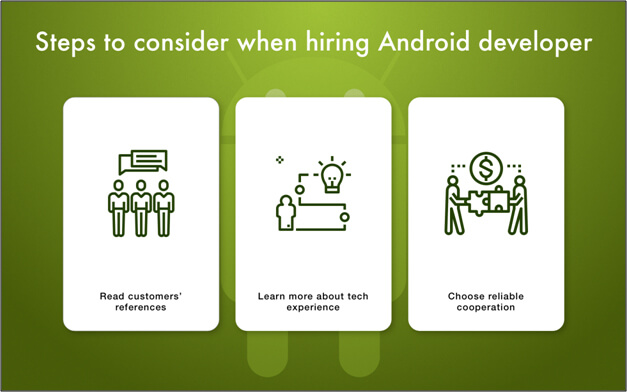
Here are the three ways to hire Android developers for your organization. Hire the one that meets your business needs and fits within your budget.
Hourly Model
Hire hourly Android developers and reimburse them according to the amount of time they spend on your project. In this way, you’ll ensure that your developer gets paid for what they ideally deserve to complete your project on time.
Pros of hiring an android developer from the hourly model are:
- The expenses of the Android developer should be paid
- The developer and the company incur no extra costs
- The cost of hiring a full-time developer is based on an hourly rate
- Timely delivery of your android application
Fixed Price Model
Your long-term projects will be more likely to be profitable with fixed pricing models. Describe the kind of technical assistance you require for your project in detail.
It is advantageous to hire a developer on a fixed price basis:
- You can adhere to complete confidentiality regarding your project
- You will not incur any additional costs
- You can establish deadlines and salaries for your developers
- You need minimal supervision
Dedicated Model
With the dedicated model, you can hire a full-time Android developer to create your android application. As a result, you can specify the kind of android developer you need and get exactly what you want. Now, you no longer need to worry about your customized application.
Advantages of hiring android developers from the Dedicated model are:
- Dedicated to your project only
- Invoices are due every month
- On-time completion of assignments
- There will be no additional charge
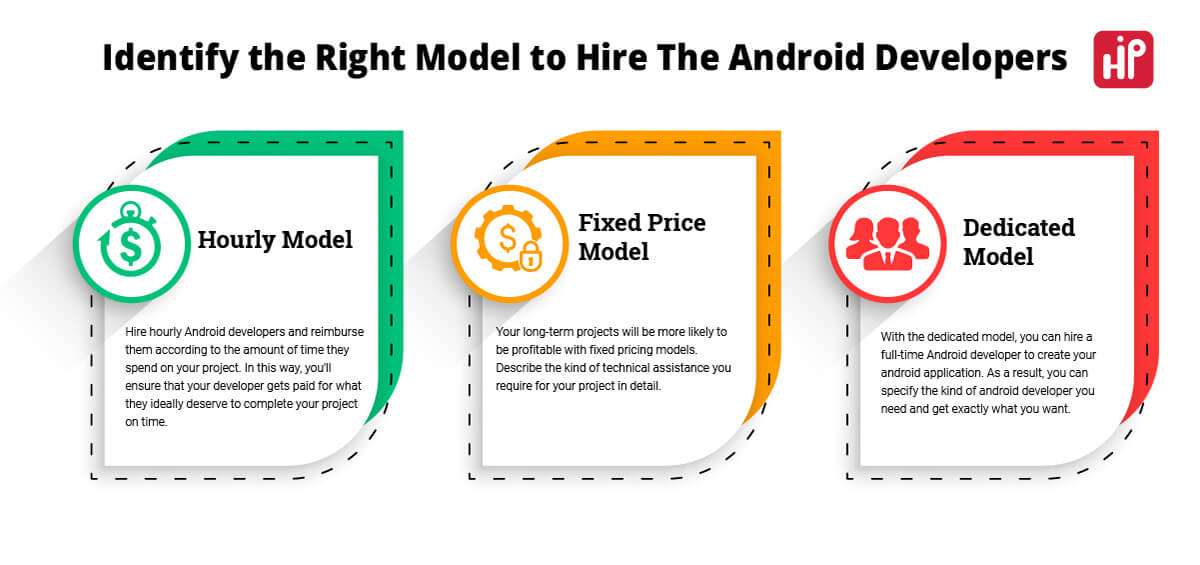
Frequently Asked Questions
-
How much time does it take to develop an Android app?
The time you will take to develop an android app entirely depends upon the skills of your android developer and on the size of your project. So, if you hire a skilled and experienced professional developer, it is only a matter of 2-3 weeks to build small apps, 5-6 weeks to construct mid-size apps, and 9-10 weeks to build big-size apps.
-
How often should you update an Android app?
You should update your app at least once a month to take advantage of ever-changing marketing needs and trends. Some of the most successful apps are updated four times a month to remain relevant and not overwhelm their users. However, most free apps release an update every week as a part of their marketing campaign.
-
What factors should be considered while developing Android applications?
The factors you should consider while developing Android applications are:
- In-depth analysis of the market to know your customers and their demands better
- Identify and target your ideal audience to build your android app
- Focus on creating customized and intuitive designs
- Decide the must-have technical features for your application
- Allot funds and time for your project
-
How much does it cost to hire an Android developer?
The cost to hire an Android developer depends upon a lot of varied factors like:
- Time-span of your project
- Suitable model to hire developers
- Skills and experience of your android developer
- From one country to another
- Whether you outsource your work or hire a full-time developer
Hire Android app developers the right way
Now that you know what you should consider before hiring android developers, you are all set to hire your perfect match to develop a successful application. In short, you are ready to hire an Android developer for your business with the above cheat sheet. So start your journey of hiring an android developer today!