How to Hire Developer in India : The Definitive Guide
Introduction
Thinking about hiring developers in India? You’re not alone. With its vast talent pool, cost efficiency, and expertise in cutting-edge technologies, India has become a top destination for businesses worldwide. But let’s be honest—navigating the hiring process can feel overwhelming. Where do you start? How do you find the right talent? And what about cultural differences or legal considerations? Don’t worry; we’ve got you covered. In this guide, we’ll walk you through everything you need to know to hire the best developers in India—without the stress.
Key Sections to Include
- Why Choose India for Hiring Developers?
- Benefits of Hiring Developers in India
- Challenges of Hiring Developers in India
- Best Practices for Hiring Indian Developers
- How to Identify the Right Developer for Your Project
- Hiring Models and its Costs
- Relevant Statistics and Trends in India’s Tech Industry
- Legal and Contractual Considerations
- Cultural Nuances to Keep in Mind
- Case Studies
Why Choose India for Hiring Developers?
India isn’t just a hub for IT talent—it’s a powerhouse of innovation. Here’s why businesses worldwide are turning to Indian developers:
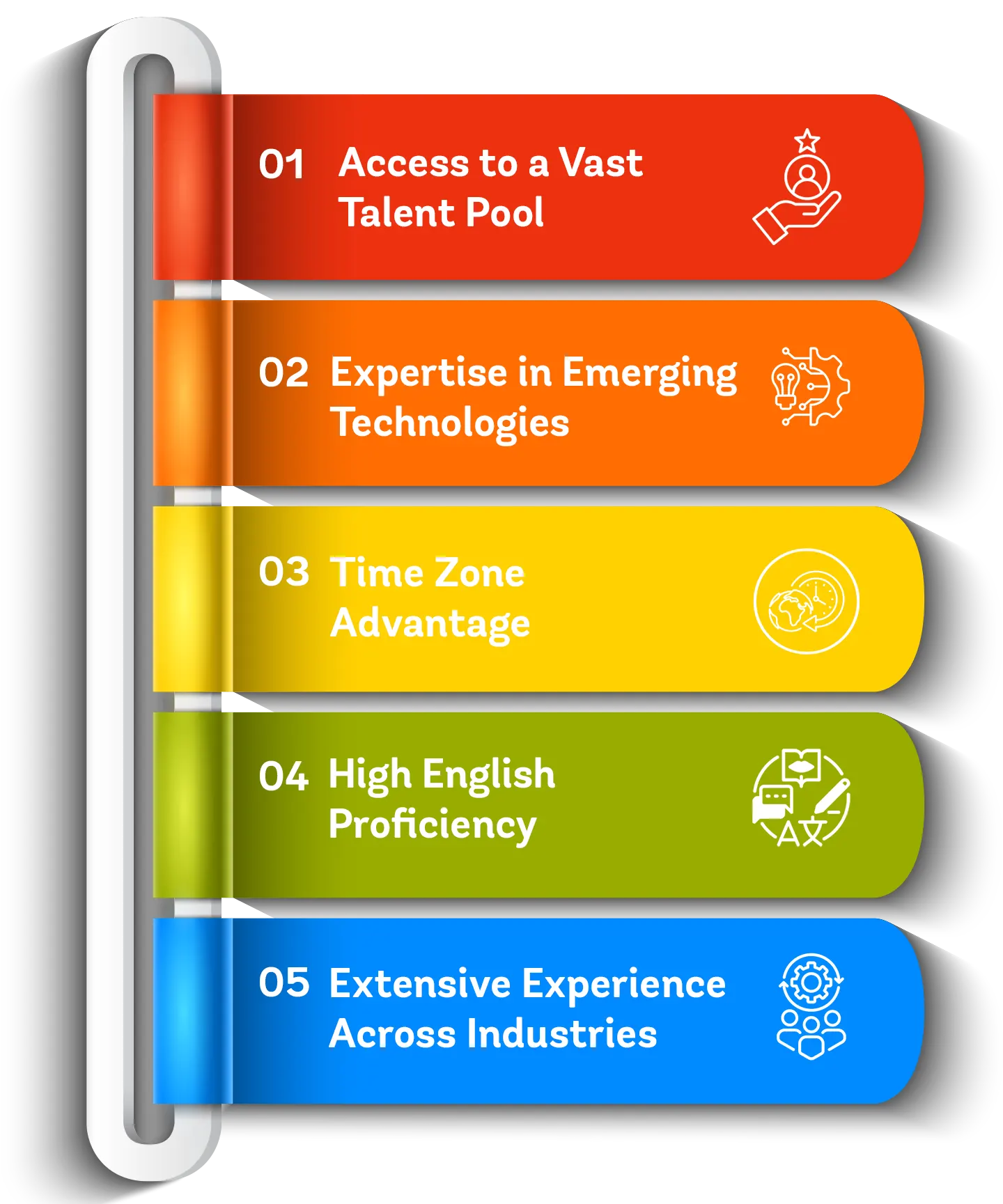
1. Access to a Vast Talent Pool
India has one of the largest and most talented IT workforces in the world. Every year, thousands of highly skilled developers graduate from top universities, bringing expertise in a wide range of programming languages, frameworks, and technologies.
2. Expertise in Emerging Technologies
India has one of the largest and most talented IT workforces in the world. Every year, thousands of highly skilled developers graduate from top universities, bringing expertise in a wide range of programming languages, frameworks, and technologies.
3. Time Zone Advantage
India’s time zone provides a strategic advantage for businesses in the US, UK, and Europe, enabling seamless collaboration. This allows companies to maintain 24/7 operations and achieve faster project turnaround times.a.
4. High English Proficiency
With a strong command of English, Indian developers communicate effectively, eliminating language barriers and ensuring seamless collaboration.
5. Extensive Experience Across Industries
Indian developers bring extensive experience across industries like healthcare, finance, e-commerce, and gaming. Their diverse expertise allows them to understand the unique challenges and requirements of different business domains.
Benefits of Hiring Developers in India
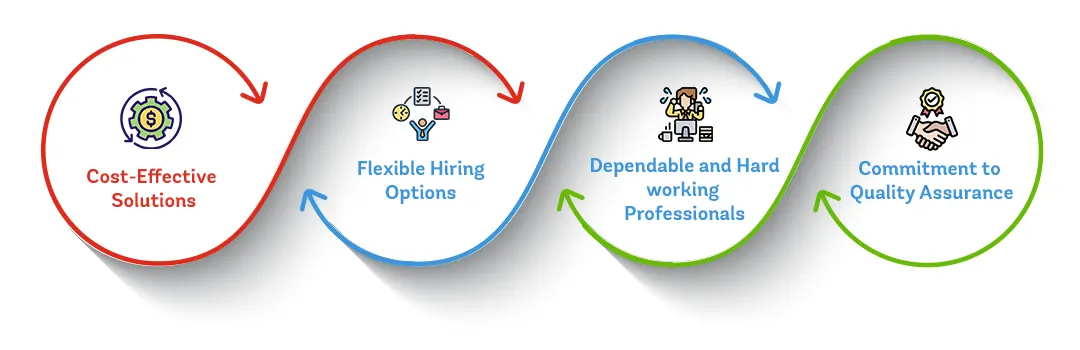
India has become a global hub for IT and software development, making it a top choice for businesses looking to hire skilled developers. Beyond cost savings, companies benefit from India’s deep expertise, efficiency, and culture of innovation.
1. Cost-Effective Solutions
Hiring developers in India offers a significant cost advantage without compromising quality. Lower living expenses compared to Western countries allow businesses to reduce operational costs while still receiving top-tier development services.
2. Flexible Hiring Options
India provides a range of hiring models to suit different business needs. Whether you require a dedicated team for a long-term project or freelance developers for short-term tasks, you can easily scale your team up or down based on project demands.
3. Dependable and Hardworking Professionals
Indian developers are recognized for their strong work ethic, dedication, and commitment to deadlines. Their reliability ensures projects are delivered on time while maintaining high-quality standards.
4. Commitment to Quality Assurance
Indian developers and IT firms prioritize rigorous quality assurance processes, ensuring that the final product is secure, bug-free, and aligned with global industry standards.
Challenges of Hiring Developers in India
While hiring developers in India offers significant advantages, it’s important to be aware of potential challenges to ensure a smooth hiring process and successful collaboration. Here are some common hurdles businesses may encounter and how to address them:
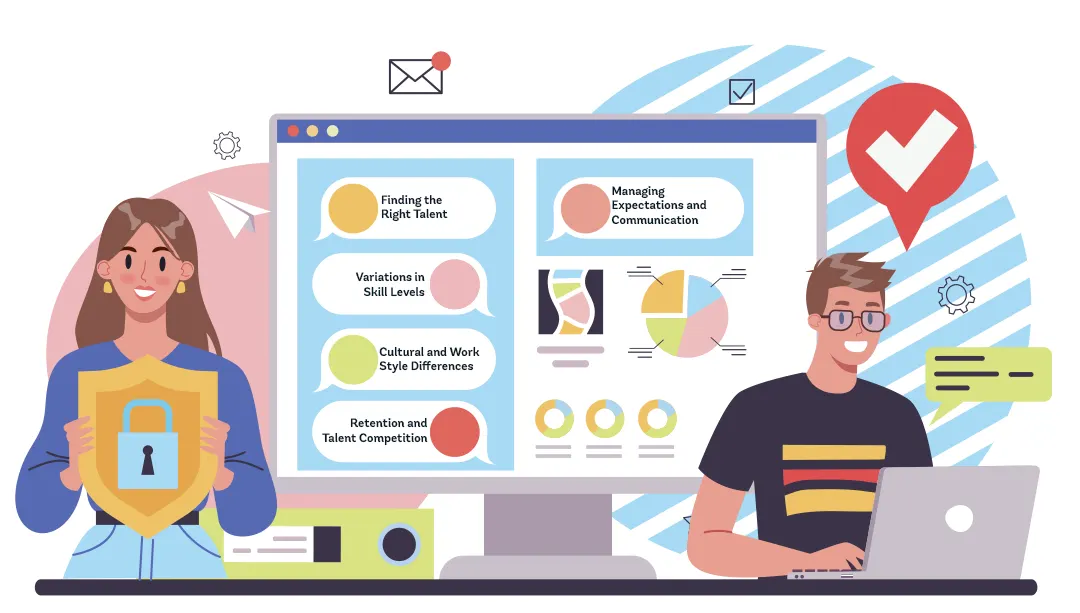
1. Finding the Right Talent
India’s vast talent pool is an advantage, but it can also make the hiring process overwhelming. Identifying candidates with the right skills and experience requires a strategic approach, including well-defined job descriptions, rigorous screening, and structured interviews.

2. Variations in Skill Levels
Although India is home to many highly skilled developers, expertise can vary widely. To ensure you hire the right talent, conduct technical assessments, coding tests, and real-world problem-solving exercises to evaluate candidates’ proficiency.
3. Cultural and Work Style Differences
Differences in work styles, communication preferences, and decision-making approaches can sometimes lead to misunderstandings. Building cultural awareness, setting clear expectations, and fostering open communication help bridge these gaps and create a productive work environment.
4. Retention and Talent Competition
The demand for skilled developers in India is high, leading to a competitive job market. To improve retention, companies should offer competitive salaries, professional growth opportunities, and a positive work culture that encourages long-term commitment.
5. Managing Expectations and Communication
Misaligned expectations regarding project timelines, deliverables, and goals can create challenges. Clearly defining objectives, setting milestones, and maintaining regular communication ensure that everyone stays aligned throughout the project.
By recognizing these challenges and implementing proactive solutions, businesses can successfully collaborate with Indian developers and leverage their expertise to drive innovation and growth.
Best Practices for Hiring Indian Developers
Hiring Indian developers can be a game-changer, providing access to top talent and cost-effective solutions. However, to ensure a smooth hiring process and a successful collaboration, businesses should follow these best practices:
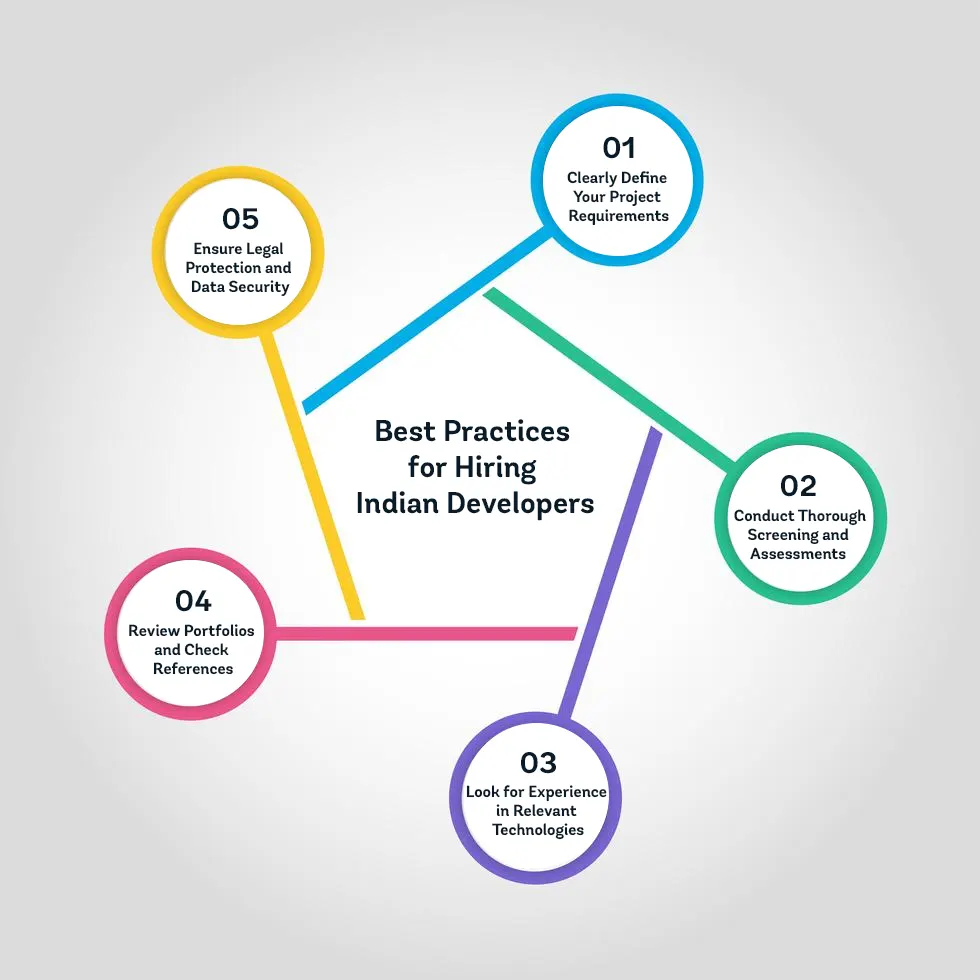
1. Clearly Define Your Project Requirements
Before starting the hiring process, outline your project’s scope, objectives, timelines, and technical needs. Having a clear roadmap helps you find developers with the right skills and experience to meet your specific requirements.
2. Conduct Thorough Screening and Assessments
Evaluate candidates through coding tests, real-world problem-solving exercises, or live coding sessions. In addition to technical expertise, assess soft skills like communication, adaptability, and teamwork to ensure a good cultural fit.
3. Look for Experience in Relevant Technologies
Hire developers with proven expertise in the technologies your project requires. Whether it’s Python, JavaScript, AI, or DevOps, their proficiency in your tech stack will be crucial for delivering high-quality results.
4. Review Portfolios and Check References
Examine previous projects and request references to assess the quality and reliability of a developer’s work. A strong portfolio offers valuable insights into their technical capabilities and experience handling complex projects.
5. Ensure Legal Protection and Data Security
Safeguard your intellectual property and confidential information with clear legal agreements. Use NDAs (Non-Disclosure Agreements) and well-defined contracts to protect sensitive data and establish secure working terms.
By following these best practices, businesses can build a skilled and reliable development team in India, ensuring successful projects and long-term collaboration.
How to Identify the Right Developer for Your Project
Choosing the right developer is a key factor in your project’s success. It’s not just about technical skills—it’s about finding someone who aligns with your goals, thinks critically, and adapts to challenges. Here’s how to identify the best fit for your needs:
1. Understand Your Project’s Specific Requirements
Start by defining what your project needs. Identify the key skills, tools, and technologies required—whether it’s front-end development, back-end programming, or expertise in a specific framework. A clear understanding of your requirements will help you focus your search.
2. Look for Adaptability and Versatility
Beyond technical expertise, a great developer can adapt to changing requirements and unexpected challenges. Prioritize candidates who show a willingness to learn, think creatively, and solve problems efficiently.
3. Prioritize Industry-Specific Experience
For projects in specialized fields like healthcare, finance, or e-commerce, developers with industry-specific experience can provide valuable insights. Their familiarity with industry challenges ensures they can deliver solutions tailored to your business needs.
4. Assess Problem-Solving Skills
Development projects often come with unforeseen roadblocks. A strong developer should be able to analyze issues and find effective solutions. During the interview, present real-world scenarios to evaluate their problem-solving approach.
5. Ensure They Understand Your Vision
A developer should do more than just write code—they should grasp your project’s objectives and end goals. During the hiring process, ask candidates how they would approach your project’s challenges and deliver value to users. Their response will indicate how well they align with your vision.
By evaluating both technical skills and interpersonal qualities, you can find a developer who not only meets your project’s requirements but also contributes to its long-term success.
Hiring Model & their Costs
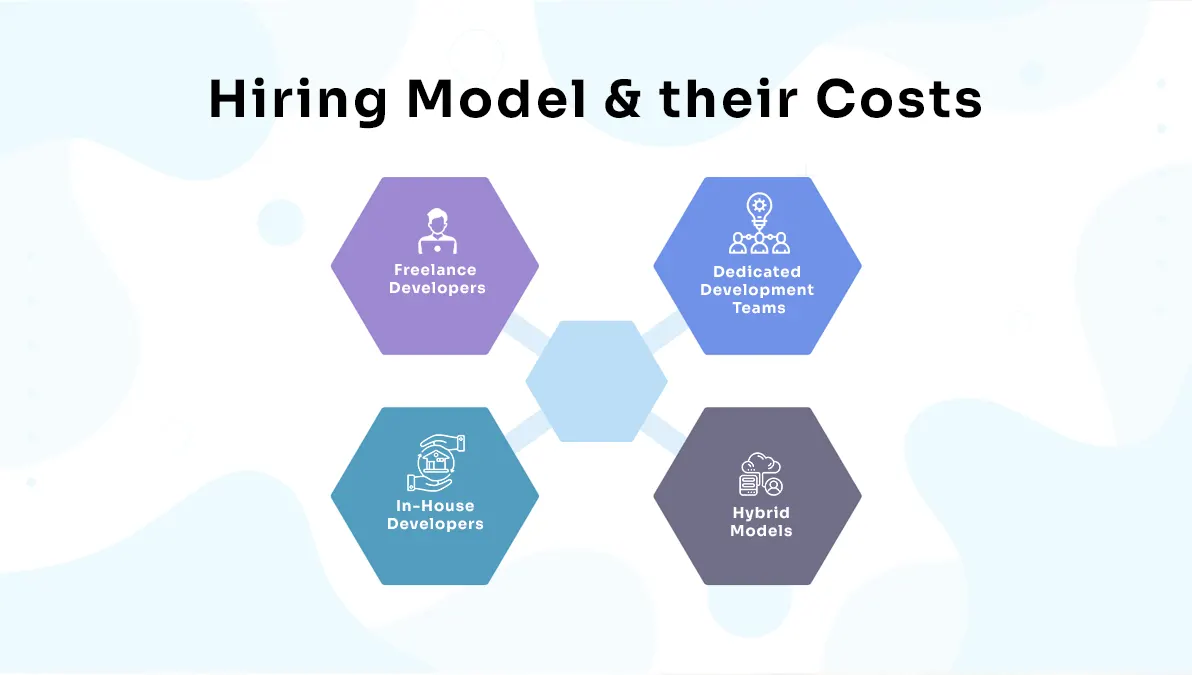
When it comes to hiring developers, choosing the right hiring model can have a significant impact on both the success of your project and your overall budget. Each model offers its own set of advantages, and understanding these can help you make an informed decision that aligns with your needs. Here’s a breakdown of some of the most popular hiring models, their costs, advantages, and considerations:
1. Freelance Developers
Freelancers are independent contractors who work on a project or hourly basis. This model is ideal for short-term projects or specific tasks that require specialized expertise.
2. Dedicated Development Teams
This model involves hiring a full team of developers who work exclusively on your project. It’s best for medium to large-scale projects requiring ongoing effort and collaboration.
3. In-House Developers
In-house developers are full-time employees who work directly for your company. This model is best for businesses with ongoing development needs and a desire for complete control over projects.
4. Project-Based Outsourcing
With project-based outsourcing, you hire an external agency or development firm to complete a specific project. The agency manages the entire process, making it a hassle-free option for businesses.
5. Staff Augmentation
Staff augmentation involves hiring remote developers to extend your team temporarily, typically during periods of high demand.
6. Hybrid Models
Hybrid models combine multiple hiring strategies, such as employing an in-house team while outsourcing certain tasks to freelancers or agencies. This approach allows for cost optimization while maintaining control over key areas.
Selecting the right hiring model depends on factors such as your project size, timeline, budget, and management capacity. Whether you’re a startup with limited resources or an enterprise with high development demands, India offers cost-effective solutions to fit your needs.
Statistics and Trends in India’s Tech Industry
India’s tech industry is thriving, driven by a blend of skilled talent, strong government support, and increasing global demand. Here are some key statistics and trends that highlight the country’s role as a leading hub for tech talent:
1. India’s IT Workforce Strength
- India boasts a workforce of over 5 million IT professionals, making it one of the largest talent pools worldwide.
- By 2025, the number of IT professionals in India is expected to grow to nearly 7 million, as global demand for digital transformation continues to rise.
2. Cost Efficiency in Hiring Developers
- Hiring developers in India can be 60-70% more cost-effective than hiring in North America or Europe, without compromising on quality.
- The average hourly rate for Indian developers ranges from $10 to $30, which is significantly lower than the global average of $50 to $150 per hour.
3. Expertise in Emerging Technologies
- More than 40% of Indian developers specialize in advanced technologies such as AI, machine learning, blockchain, and cloud computing.
- India produces over 1.5 million engineering graduates every year, many of whom focus on high-demand programming languages like Python, Java, and JavaScript.
4. Time Zone Advantage and Outsourcing
- Around 70% of global companies outsource IT services to India, benefiting from its time zone advantage, which allows for 24/7 operations and quicker project delivery.
- In 2023, Indian developers contributed $194 billion in IT exports, solidifying the country’s role as a major global outsourcing hub.
5. Startups and Freelance Growth
- India is home to the third-largest startup ecosystem in the world, with over 91,000 startups (as of 2025). This has created ample opportunities for freelance and contract-based developers.
- Freelance platforms report that India accounts for nearly 50% of global freelance software development work, thanks to its competitive rates and talent quality.
6. Government Initiatives Supporting Tech Growth
- Initiatives like Digital India, Make in India, and the establishment of tech hubs in cities such as Bangalore, Hyderabad, and Pune are boosting India’s tech ecosystem.
- These programs have resulted in the creation of over 1 million new IT jobs in the past five years alone.
7. English Proficiency Among Developers
- India ranks #2 globally for the number of English-speaking IT professionals, making it easier for international businesses to collaborate with Indian developers.
8. High Retention in the Indian IT Workforce
- Despite concerns about job-hopping, 80% of Indian developers prioritize long-term projects and professional growth, ensuring stability for employers who invest in them.
9. Increasing Adoption of AI and Automation
- More than 50% of Indian developers are currently training in AI and automation technologies to meet the growing demand for AI-driven solutions.
- Indian developers are expected to play a key role in the global AI market, which is projected to reach $1.8 trillion by 2030.
These trends and statistics underscore India’s ongoing dominance in the IT and software development sectors. Businesses looking to hire developers from India will benefit from its vast talent pool, cost advantages, and expertise in emerging technologies.
Legal and Contractual Considerations for Hiring Indian Developers
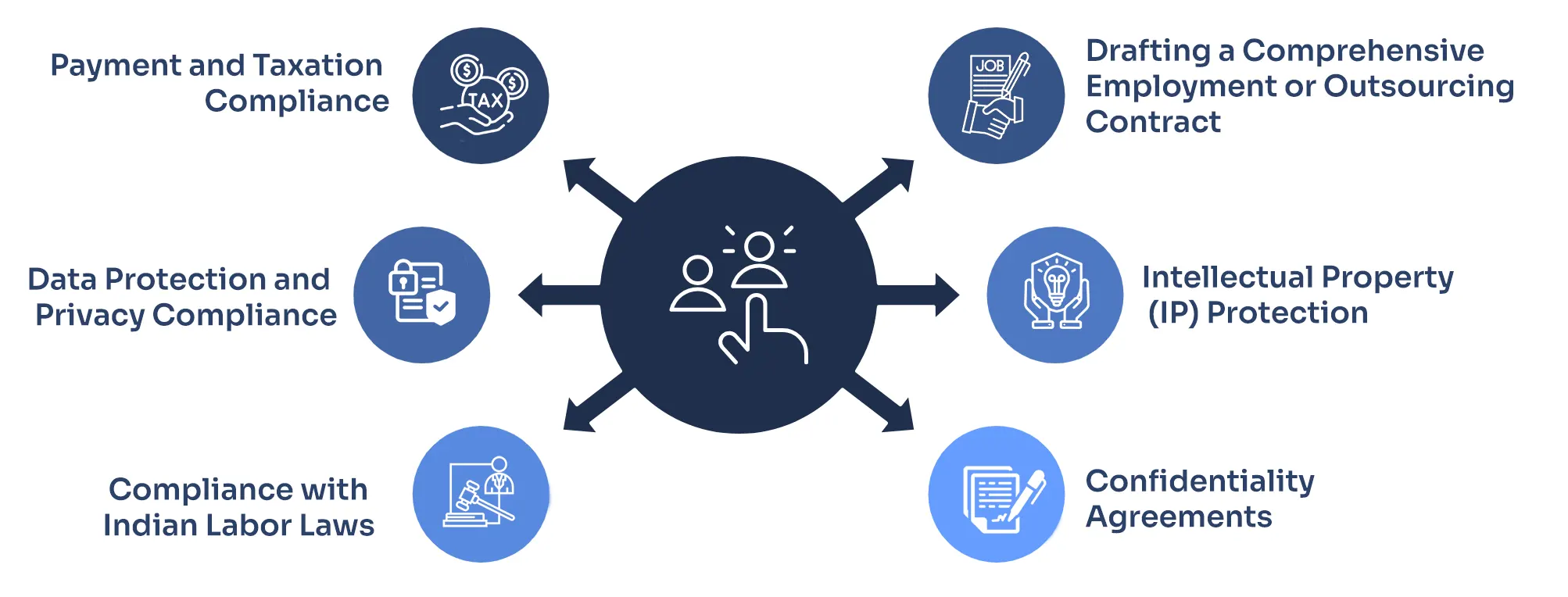
When hiring developers from India, it’s essential to understand the legal and contractual landscape to protect your intellectual property, ensure compliance with local laws, and establish clear expectations. Here are some key points to keep in mind:
1. Drafting a Comprehensive Employment or Outsourcing Contract
- It’s important to clearly outline the terms of employment or outsourcing, including:
- Scope of work
- Project deliverables
- Timelines and milestones
- Payment terms (whether hourly, monthly, or milestone-based)
- Make sure to specify dispute resolution mechanisms in case of conflicts, such as arbitration clauses.
- Include termination clauses that detail the conditions under which the agreement can be ended.
2. Intellectual Property (IP) Protection
- Ensure the contract includes a strong Intellectual Property Rights (IPR) clause to make it clear that all work products, code, and deliverables are owned by your business.
- Consider implementing a Work-for-Hire Agreement, where the developer waives any ownership claims to the work they produce for your project.
- Specify the transfer of all IP rights once the project is completed and payment is fully made.
3. Confidentiality Agreements
- To protect sensitive business information, include a Non-Disclosure Agreement (NDA) in your contract.
- Clearly define what constitutes confidential information, how it will be handled, and the consequences if there’s a breach.
- Extend the confidentiality obligation beyond the duration of the contract, ensuring ongoing protection.
4. Compliance with Indian Labor Laws
- If you’re hiring full-time developers in India, make sure you comply with Indian labor laws, such as:
- The Payment of Wages Act, 1936
- The Employee Provident Fund and Miscellaneous Provisions Act, 1952 (if applicable)
- Local state employment rules and regulations
- For independent contractors or freelancers, confirm their self-employed status to avoid misclassification issues.
5. Data Protection and Privacy Compliance
- India’s Digital Personal Data Protection Act (DPDP), 2023 governs the handling of personal data. Ensure that your hiring practices and data-sharing align with this law.
- If you’re a global company, include clauses that comply with international data protection laws like GDPR, especially if you have clients based in the EU.
6. Payment and Taxation Compliance
- Clearly define payment methods (e.g., bank transfers, PayPal, or other international platforms) and the currency in your contract.
- Understand the Indian tax implications, such as:
- Tax Deducted at Source (TDS): Some payments may require tax withholding under Indian tax laws.
- Goods and Services Tax (GST): Ensure compliance if you’re working with Indian freelancers or agencies that are GST-registered.
- It may be wise to consult a tax expert to ensure smooth financial transactions.
By addressing these legal and contractual considerations, you can minimize risks, build trust, and establish clear, transparent relationships with Indian developers. This ensures smooth project execution and contributes to long-term success
Cultural Nuances to Keep in Mind
Understanding cultural nuances can significantly enhance your working relationship with Indian developers. India’s diverse and dynamic cultural backdrop influences work ethics, communication styles, and collaboration. Here are key cultural aspects to consider:
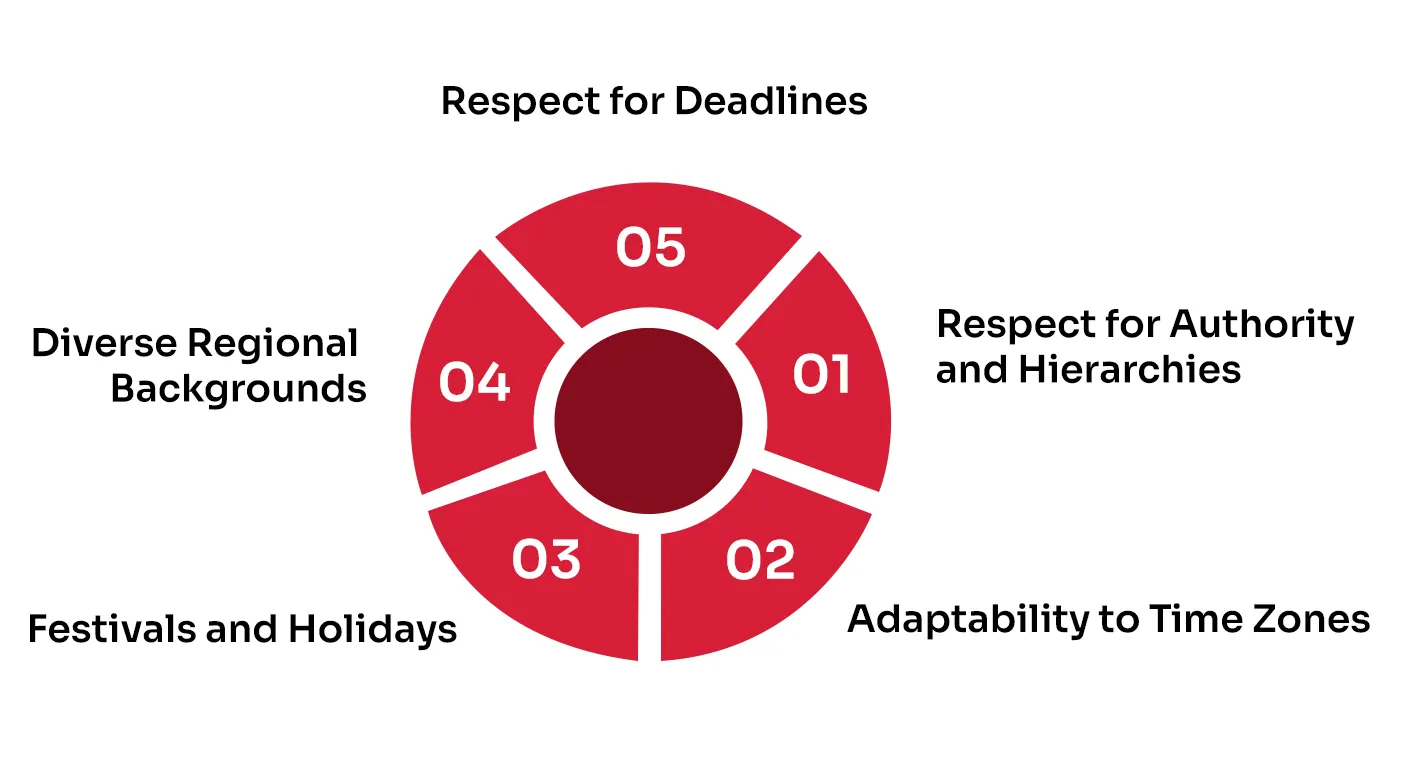
1. Respect for Authority and Hierarchies
- Indian workplace culture often values hierarchy and respect for authority. Developers may initially hesitate to voice differing opinions or challenge decisions from senior management.
- Encourage open communication and assure developers that their input is valued, fostering a collaborative environment.
2.Adaptability to Time Zones
- Indian developers are highly adaptable to different time zones, often working flexible hours to accommodate global clients.
- Be respectful of their working hours and avoid unrealistic expectations for round-the-clock availability.
3.Festivals and Holidays
- India has a rich tradition of festivals celebrated across regions, such as Diwali, Holi, and Eid. These events are significant, and developers may request time off during these periods.
- Plan project timelines with these holidays in mind and accommodate their cultural commitments.
4.Diverse Regional Backgrounds
- India’s developers come from varied linguistic and cultural backgrounds, which may influence their communication styles and preferences.
- While English is widely spoken, being mindful of accents and regional differences can help foster smoother interactions.
5.Respect for Deadlines
- While Indian developers strive to meet deadlines, unforeseen challenges may occasionally cause delays.
- Maintain open communication about project timelines and provide support if challenges arise, fostering mutual accountability.
By embracing these cultural nuances, you can build a stronger, more productive relationship with Indian developers, ensuring effective collaboration and project success. Showing sensitivity to cultural dynamics demonstrates respect and strengthens trust, ultimately enhancing the overall work experience.
Case Study
- React Projects : Tecdemy
- Node Js Projects : My Atlas connect
- WordPress Projects : Pathways to parent Hood
Conclusion: Ready to Hire Your Dream Team?
Hiring developers in India isn’t just a cost-saving move—it’s a strategic decision that can transform your business. By understanding the market, addressing challenges, and following best practices, you can build a team that’s not only skilled but also aligned with your goals.
So, what are you waiting for? Start by defining your project needs and exploring the hiring models that work best for you. And if you found this guide helpful, don’t forget to share it with your network. After all, great talent is worth spreading the word about!
How to Create & Customize a WordPress Child Theme
In the world of WordPress customization, leveraging child themes remains a cornerstone for achieving a personalized website while maintaining the integrity of the original theme. Let’s delve into the intricacies of crafting and tailoring a WordPress child theme in 2024.
Introduction
WordPress child themes serve as overlays to parent themes, allowing users to modify design, functionality, and features without altering the core parent theme files. This tutorial elucidates the process of crafting and customizing a WordPress child theme, offering flexibility and creativity to website owners.
What is a Child Theme and Its Benefits?
A child theme inherits the features and functionalities of its parent theme while enabling users to make alterations without affecting the original theme. the beauty lies in its ability to add your own custom code and styles, allowing you to tweak the look and feel without affecting the parent theme itself. This makes child themes perfect for:
Safe customization: Experiment with design changes without worrying about breaking your website. Theme updates preserved: Parent theme updates won’t overwrite your customizations. Future-proofing your work: Easily switch back to the parent theme if needed.
Ready to dive in? Here’s your step-by-step guide to creating and customizing a WordPress child theme in 2024:
1. Create the folder:
Navigate to /wp-content/themes/ and create a new folder. Name it after your parent theme, followed by “-child” (e.g., “twentytwentytwo-child”).
2. Style.css magic:
Craft your style.css file inside your child theme folder. Include theme information like name, description, and template (parent theme name).
3. Enqueue the stylesheet:
Add a function to your functions.php file (if (!function_exists(‘twentytwentytwo_child_styles’)) { … }) that enqueues your child theme’s style.css after the parent theme’s stylesheet.
4. Customize with CSS:
Start adding your custom styles to style.css. Remember, your styles will override the parent theme’s styles with the same selectors.
5. Beyond style:
Want to add custom functionality? Use functions.php to hook into the parent theme’s functions and extend its capabilities.
Advantages & Disadvantages:
Pros:
- Safe experimentation
- Theme updates don’t affect customizations
- Easier to manage theme files
- Maintain parent theme compatibility
Cons:
- Requires some understanding of CSS and PHP
- May add extra files to your theme directory
- Theme switching might require manual adjustments
Now, let’s address some burning questions:
No coding?
No problem! Plugins like “Child Theme Generator” can create basic child themes for you.
Importing is child’s play:
Upload your child theme’s zip file or directly install it from the WordPress theme dashboard.
Function fun:
Add your custom functions to functions.php and hook them into the parent theme’s actions and filters.
Custom Div Class?
Define it in your style.css and use it in your templates or custom code.
Plugin file override?
Place a file with the same name and location in your child theme to replace the parent theme’s functionality.
One file to rule them all?
style.css is essential, but for advanced tweaks, you’ll need functions.php too.
The point?
Child themes let you customize safely without messing with the parent theme’s core.
PHP power-up?
Yes, functions.php lets you extend the parent theme’s functionality with your own custom code.
Theme deletion blues?
Go to “Appearance > Themes” and activate another theme. The child theme file will remain, but not active.
Elementor magic?
Most Elementor themes provide specific instructions for creating child themes. Follow their documentation for a smooth process.
FAQs:
Can I create a WordPress child theme without coding?
How to get & import a child theme into WordPress?
How to add functions to a WordPress child theme?
How to add a custom div class to my WordPress child theme?
How to overwrite a plugin file in a WordPress child theme?
What is the required file for a WordPress child theme?
What is the point of a WordPress child theme?
Can I change PHP for a child theme in WordPress?
How to delete a child theme in WordPress?
How to make a child theme out of a good Elementor theme?
Mastering child themes takes your WordPress customization game to the next level. Embrace the power of safe experimentation, future-proof your site, and unleash your inner design guru!
Connect with us at Hire Indian Programmers if you require any help, consultation, or expert assistance in crafting your WordPress child theme. Let’s collaborate to bring your website customization dreams to life!
Craft CMS vs WordPress
Content Management Systems (CMS) are powerful tools that can make or break websites. This is because these systems control and allow for the management of content.
A report from September 2022 found that over 77 million websites are using a content management system (CMS), highlighting its importance in creating websites.
The best CMS has features that help an organization work more efficiently by facilitating collaboration, enabling communications, and providing insights into user activities.
But, selecting a Content Management System (CMS) can be challenging. Once you’ve learned a bit about them, you’ll realize how different they often are. Therefore, in this article, we’ll discuss Craft CMS and WordPress to help you decide on the best CMS for your business requirements.
What is Craft CMS?
Craft is a content management system for professional web developers. It’s made for people who want to quickly and easily create beautiful websites, apps, and other digital products. Craft is designed to let you be more creative and productive with your projects. It’s a PHP-based CMS written on the Yii 1.x platform.
While Craft does not currently have an official theme or plugin marketplace, it is exceptionally scalable and offers native features for complex content management relationships. This means that you will need to build out your HTML, CSS, and JavaScript by hand, but it also gives you a lot of flexibility in how you want to design and manage your website’s content.
Craft CMS is perfect for small websites that need simple content management, but it’s also great for larger content sites with complex, interrelated content.
Features of Craft CMS
- Craft manages all of your groups for custom field types centrally. After you’ve designed your fields, you can assign them to different areas, including but not limited to your sections, users, assets, tags, matrix fields, and global sets.
- Craft’s latest version has multi-factor authentication in a generic way that can be used for many different implementations.
- Craft CMS has an “inactive user status” feature, which allows content to be assigned to users without access. This helps agencies who add content and create accounts before handing it off to the client.
- Custom sources in Craft allow you to group different element types into one source that can be displayed in the sidebar of element listing screens.
Pros of using Craft CMS
- The interface is simple and intuitive, so your team can get started without training — even if they’re not web developers or designers.
- Craft and Yii use the PDO database abstraction layer for all database queries, and all dynamic values are parameterized to help prevent SQL injection attacks.
- Craft’s commercial offerings provide great features such as 1st party localization, easy rebranding, etc. These make it an attractive choice for businesses.
- The documentation is well-written and thorough, and plenty of tutorials are available.
- Craft has a minimal footprint — fewer plugins or add-ons are required to get started with Craft CMS compared to other CMS.
- Built-in localization features.
Cons of using Craft CMS
- If you add features not offered by Craft natively, you may incur customization costs depending on the complexity of your project needs.
- If you’re not familiar with the ins and outs of coding, you’ll need a developer to get your project off the ground.
- Craft CMS requires a little more work to get started with because you can’t just install a template with one click.
- The Craft CMS developer community is smaller than some other popular CMS options; on average, developers tend to be more expensive.
Craft CMS pricing
Craft CMS offers its software under a freemium model (meaning it’s free to use). But there are different levels of support that cost money.
Craft Pro costs $299 per project. It comes with access to Craft’s support team and features like one year of updates, GraphQL API, enhanced content preview, and more. (The updates cost $59/year after the first year).
Craft CMS enterprise plan pricing is based on the number of projects you have. It’s for projects that require special licensing and needs.
What is WordPress?
WordPress is a free, open-source content management system (CMS) based on PHP and MySQL. It is used to create dynamic web pages and blogs.
WordPress now powers more than 40% of websites on the internet. It’s also grown into a robust platform with many uses, including eCommerce sites, membership sites, business websites, blogs, and social networks.
WordPress is a great platform for building websites because it provides a wide range of free themes, web hosting, security, and backups. Plus, tons of plugins are available to extend your site’s functionality. And if you want, you can even use your domain name (for an added fee).
Features of WordPress
- WordPress helps you customize your website using themes, plugins, and widgets.
- It enables you to use HTML and CSS to modify how your site looks without touching any PHP code.
- The software has a built-in editor that allows you to create pages and posts in minutes without any coding knowledge whatsoever.
- You have the power to add images, text, files, links, and embed media right into the content areas of your pages.
- WordPress is a secure platform that locks down your website to remove any entry points that hackers or malicious visitors could potentially use. Using these measures, WordPress protects you and your website from potential harm.
Pros of using WordPress
- You can add an unlimited number of pages, posts, or products to your site without any restrictions and also create different types of websites in WordPress.
- Use built-in blogging and blog category management to add, edit, or remove the content as needed. You can also add news articles on an ongoing basis directly from your browser.
- WordPress allows you to schedule posts to display at specific dates and times, giving you the ability to create content in advance and determine when you’ll publish it. Creating pages and posts as drafts and publishing them later ensures that your content is ready before it goes live.
Cons of using WordPress
- If you’re not careful when installing WordPress or any other plugin on your website, it can lead to security issues like hacking, spamming, and brute force attacks.
- WordPress suffers from performance issues, especially due to added plugins, saturated codebases, and databases.
- While WordPress does offer some SEO features in its packages, they may not be enough to help you rank highly on Google.
- WordPress requires plugins for your website to have additional features.
WordPress Pricing
WordPress.org software is free to download and use. However, to cover the basics, WordPress costs around $11 per month.
Difference between Craft CMS and WordPress
1. Ease of use
At first glance, WordPress and Craft CMS admin panels look the same and work similarly. However, Craft CMS is designed specifically for marketing teams and blog content creators, with an interface that is simpler and only displays relevant information, such as page performance and user engagement.
Craft CMS provides the ability to save draft versions and send them to other members of their group for sign-off. This way, you can be sure that your content is ready before you publish it.
2. Security
WordPress is the most popular CMS for creating websites, making it a prime target for attacks. Many WordPress websites are poorly maintained, which leaves them vulnerable to security breaches. Each plugin added to a WordPress website creates a new entry point that attackers can exploit.
Craft CMS is committed to security and stability, with quick and efficient updates to keep bugs at bay. Craft CMS uses PDO for all database queries and parameters for its dynamic values to prevent attacks. In general, Craft’s security is much more reliable than that of other CMSs.
3. Themes and plugins
WordPress provides a wide range of themes & plugins to choose from. However, many of them are unusable because they contain too many glitches. Of course, you could always start from scratch and build your theme, but this would be more costly in the long run.
There are no restrictions on what you can do with Craft CMS. It provides users with a blank canvas to work with, giving designers and developers the creative freedom to create something unique and easy to use.
4. Speed
WordPress plugins, such as Jetpack, use extensive Javascript codes to customize core behavior. This can often lead to a slower website due to the increased bulk on each page. To bring a WordPress website up to the speed of Craft CMS, you may need to stuff in additional plugins to get the same basic functionality.
Craft CMS has a wide range of functionality that usually requires a plugin in WordPress. Craft CMS comes with Imgix to optimize images. Imgix automatically crops and sizes images before they’re displayed on the page, so craft websites can load quickly – even when there are many images on a single page.
5. Pricing
WordPress is free to use, and many free themes and plugins are available. If you want a unique look for your website, hundreds of paid themes are available for purchase for around $55-$60.
Craft CMS requires a bit more initial investment than other content management systems. To set it up, you’ll need to pay a one-time fee of $299. However, if you’re only using it for personal use, Craft CMS is free.
Craft CMS vs. WordPress: Which one is better?
WordPress is a great CMS because it gives you so much control. You can code any section to function the way you need it to, and you have access to all files and folders. This makes it easy to customize your site to meet your specific needs.
However, WordPress has been known to have issues in the past with security and outdated plugins, which can lead to decreased performance for websites using the CMS.
On the other hand, Craft CMS provides increased security, a lack of limitations in themes, and updated plugins. It is more powerful and secure, with a better load speed. This gives the website and CMS optimized performance. Additionally, Craft CMS is building a community of talented web developers.
Craft CMS or WordPress: Choose the right CMS to build modern websites.
A good CMS is crucial for any business that wants to be successful, and it’s worth paying extra for a top-quality CMS developer. After all, hiring a good developer will bring your team (and company) many benefits in the long run.
A skilled developer will make it easier for your business to adapt to changes, improve more efficiently, and potentially expand to a global audience.
HIP provides you access to qualified developers who will work on your next project, saving you the trouble of going through multiple intermediaries. With HIP, you can hire dedicated developers on either a fixed-cost or hourly basis. Plus, all our developers are in-house, so you can be confident that you’re getting the best quality work possible.
FAQs
Is Craft better than WordPress?
Craft sites load faster than WordPress sites – even when additional plugins are installed. That’s because a lot of the core functionality is already present in the code.
Is Craft CMS any good?
Craft CMS is a top CMS for web agencies because of its innovative approach to managing website content. Craft CMS was selected as the Best WordPress Alternative in CMS Critic’s 2017 People’s Choice Awards, making it the perfect option for those looking for an alternative to WordPress.
Which CMS is better than WordPress?
Many WordPress alternatives are gaining limelight these days, such as Drupal, Joomla, Craft CMS, etc. WordPress has gained substantial popularity, holding over 40% of the CMS market.
Who uses Craft CMS?
With 40,649 users, Craft CMS is a popular and trusted option, even among big names like Microsoft, Apple, Reddit, Adobe, BigCommerce, Netflix, Ikea, AT&T, McDonald’s, and Dell.
9 WordPress Developer Tools to Consider in 2022
WordPress is designed for users with no coding skills. The platform is easy-to-use and straightforward in the administration area. But eventually, you’ll want more from your website—like additional functionalities. WordPress offers over 55,000 plugins and developer tools you can use to make your site more interactive and appealing.
Though premium tools are typically the best versions, there are still many helpful free options available that can provide adequate assistance. Additionally, it’s important to keep your tools updated on a regular basis so that they stay aligned with your projects.
In this blog, we will introduce you to a list of nine WordPress developer tools that will help make website creation a seamless task.
Top 9 WordPress Developer Tools for Seamless Website Creation
1. Visual Studio Code
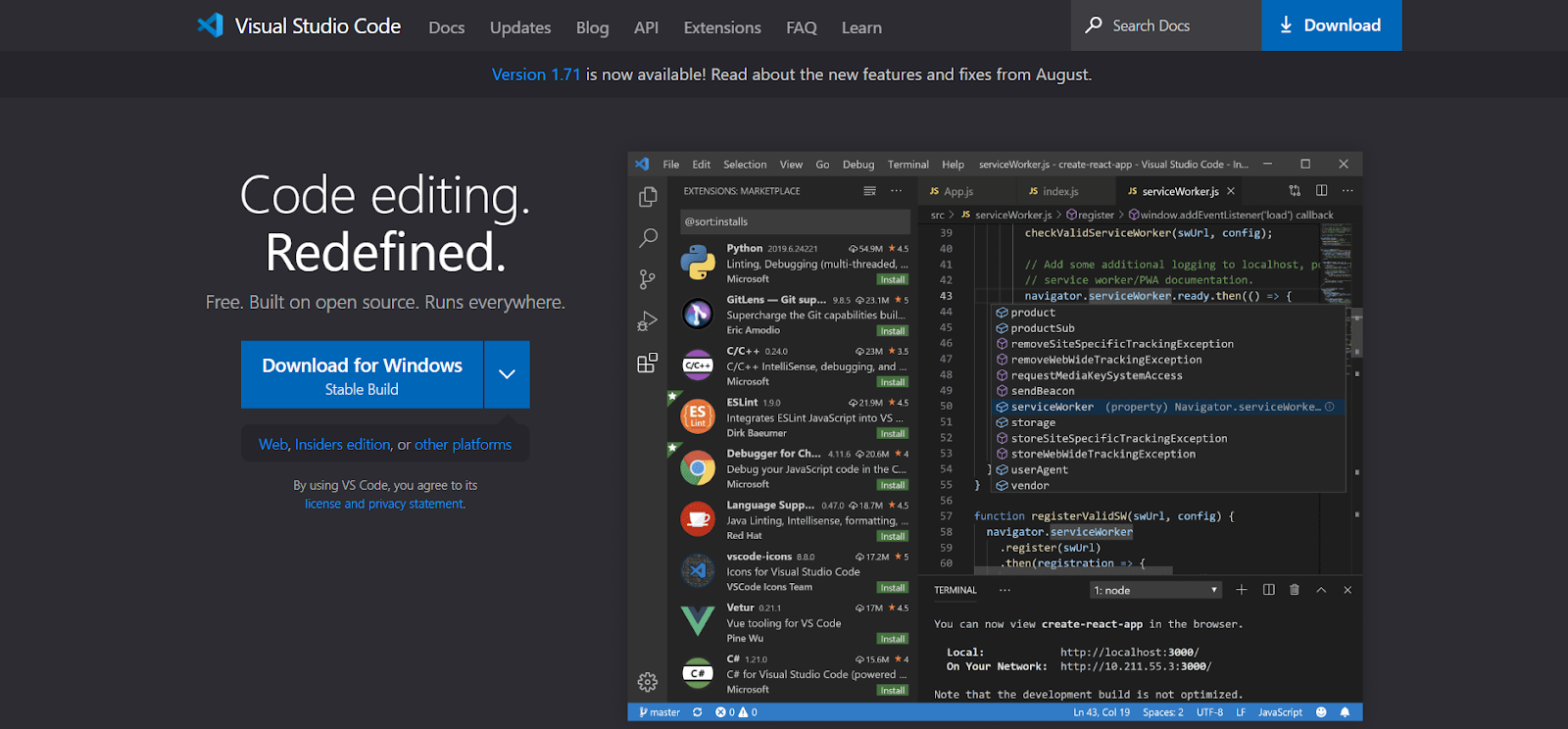
VS CODE should be your first option if you’re searching for something a little advanced but with a recognizable and straightforward all-in-one interface. Thanks to its extreme flexibility, almost all prominent machine languages can be executed on VS CODE. This coding program’s mobile device optimization is another intriguing feature. It implies that you no longer need to use Android Studio.
Browsers can sometimes have difficulty executing all of the coding elements, which can cause problems down the line for your project. However, with VS CODE, every factor can be rendered separately and with less load on the browser. This decreases the chance of crashes immensely.
Top features:
- Code autocompletion suggestions that automatically appear as you type.
- Navigate between symbols in your source code.
- Find all references to a symbol in your source code.
- Format your document based on settings defined in the user or workspace settings.
2. Postman
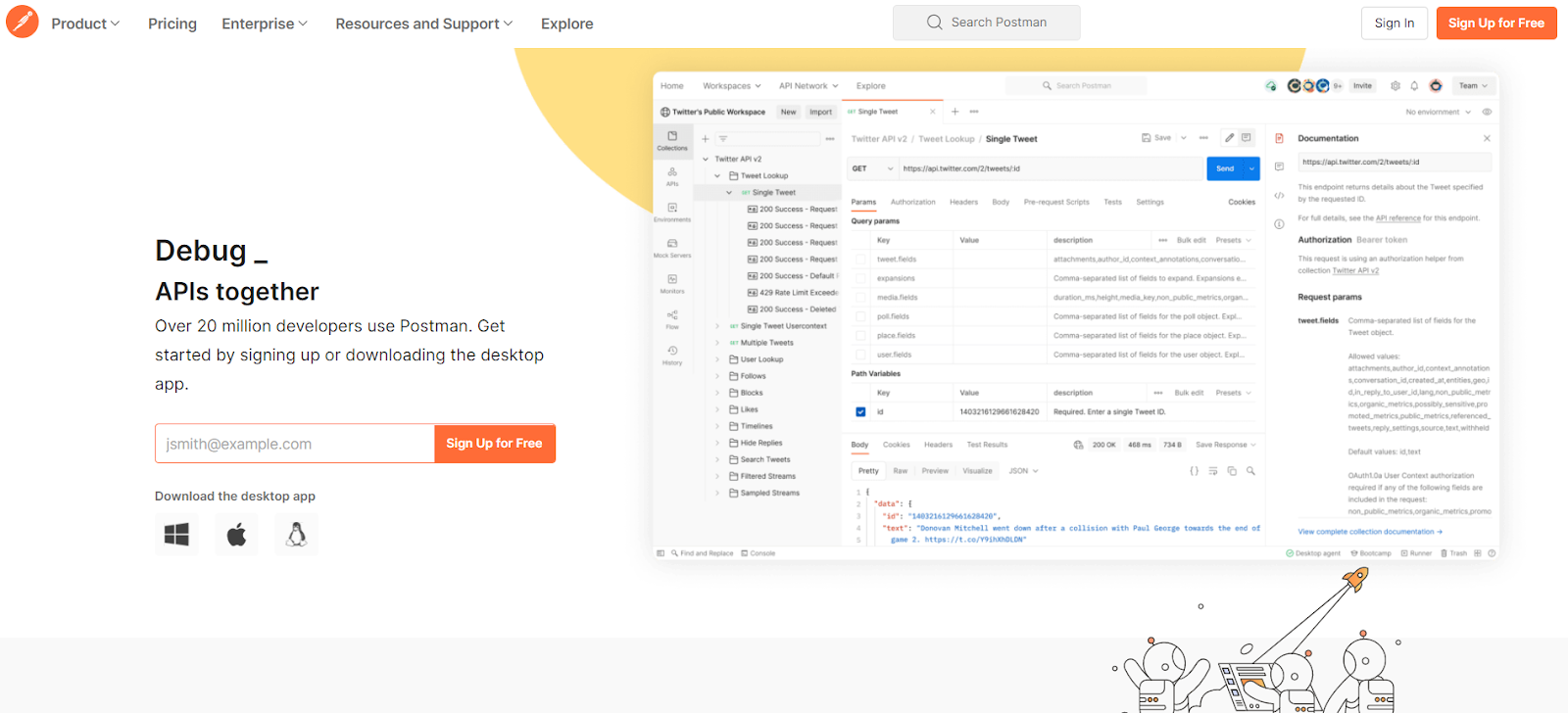
One of API development’s most tedious and boring parts is setting up test environments. This process is vital to ensuring your API works appropriately before releasing it to the public, but it doesn’t have to be a pain, thanks to Postman.
Postman is an excellent solution for any API developer looking for a powerful and comprehensive tool for their API workflow. With Postman, you can set up test environments quickly and efficiently to get back to developing your amazing API.
Postman is used for testing APIs with a focus on ease of use and efficiency. The multiple testing environments are easy to set up, and you can share your test cases between them, which speeds up the essential (but often time-consuming) practice of API testing.
Top features:
- Postman is a free and secure platform
- Create requests, add attachments, and share them with team members.
- API Documentation
- Ability to set and send SSL certificates
- Automated saving feature
3. PHP code sniffer

Using different code languages for one project can sometimes cause problems with the finished product. This is because other languages can have different code elements and scripts, which can impact the purity of the finished project. Additionally, human errors can also cause problems with the finished product.
PHP Code Sniffer is a software that analyzes mixed code scripts – mostly PHP, Javascript, and CSS files – for errors. If these errors are unchecked, they can cause buggy and error-ridden code in later stages. Some experts believe that PHP Code Sniffer’s script check is more reliable than other platforms, such as ESLint, Prettier, SonarQube, etc.
Top features:
- Check the quality of your code.
- Easily switch between languages.
- Built-in option to merge files.
- Customization option for error alert.
- Makes code script easy to read and understand.
4. Appsero
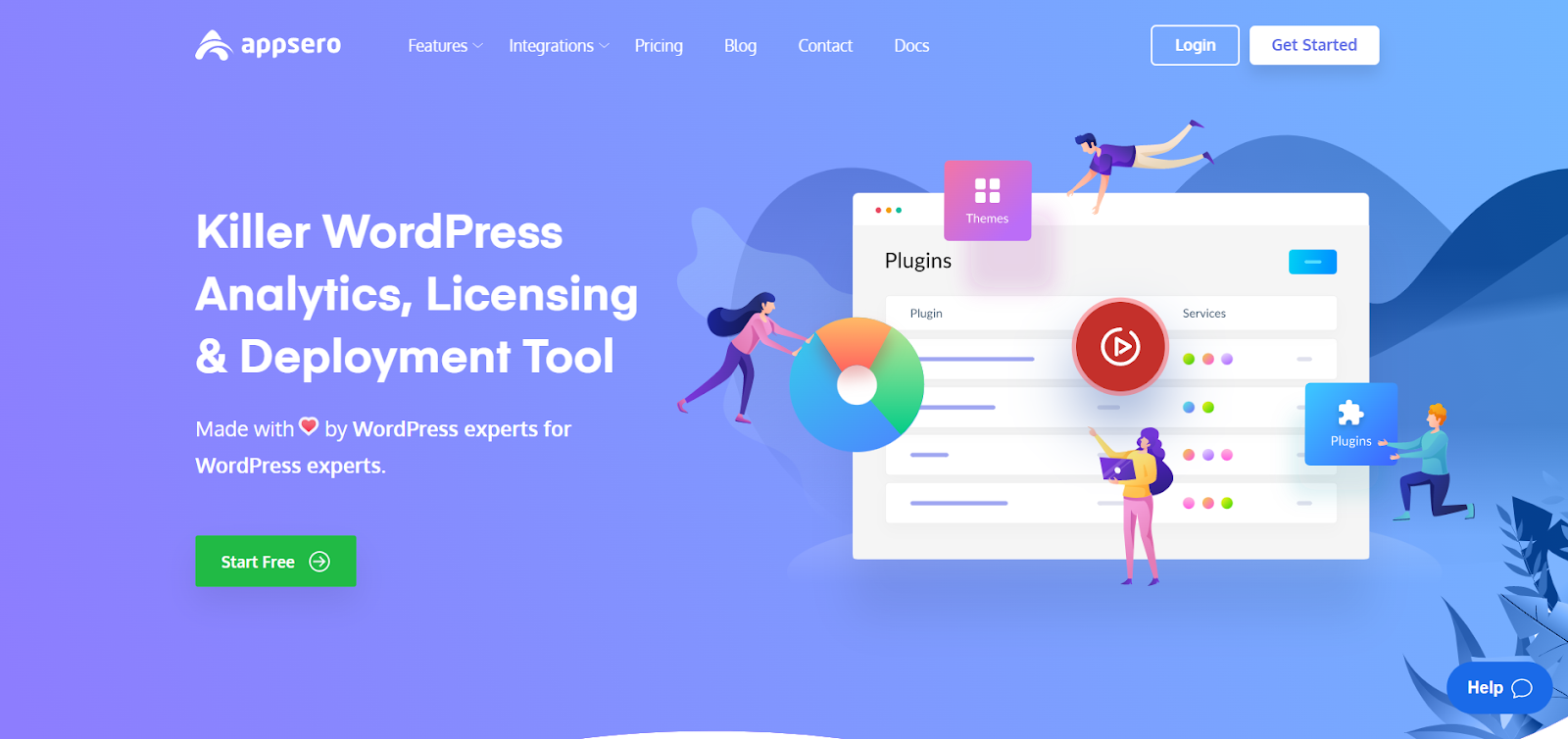
WordPress is one of the most popular business platforms online, and Appsero is the perfect tool to help manage products for developers. It’s easy to use and perfect for developers who want a head start in the online business world.
After creating a tool, WordPress developers need to understand the market and what needs their product will fill.
Appsero deploys products in various marketing platforms, collecting user data, automatically licensing products, and analyzing market position. This allows developers to focus on creating amazing products rather than worrying about the business side of things.
Top features:
- User account management.
- Unique payment processing.
- Faster deployment for pro users.
- Push to deploy using Git.
- Marketing automation features.
5. WP project manager
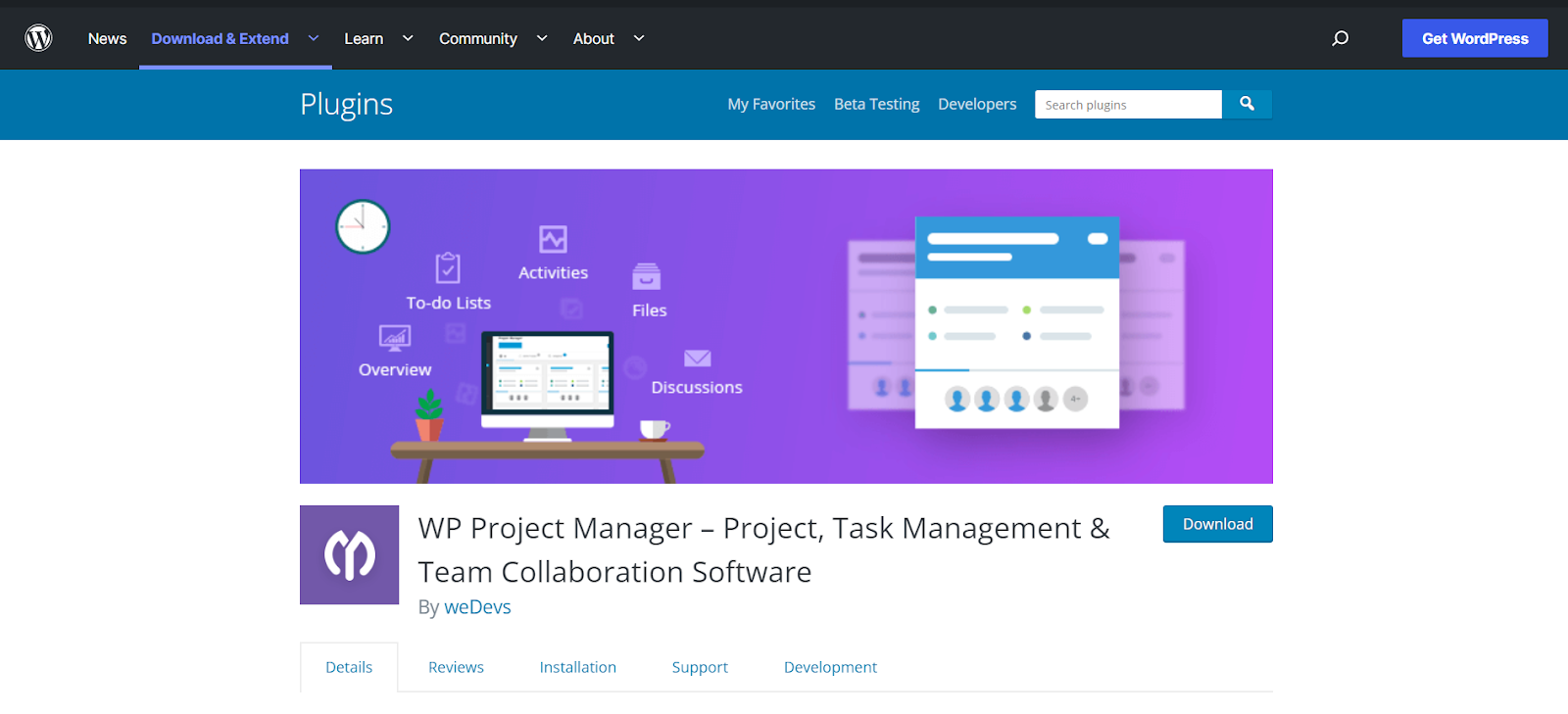
Managing a team for a large project can be difficult, but WP Project Manager is a management tool that can help. WP Project Manager helps teams connect, cooperate, and conquer any challenge. By using WP Project Manager, teams can easily manage projects of any size.
WP Project Manager is designed to help users keep track of their tasks, create to-do lists, and delete finished jobs. This tool also keeps a record of finished tasks and ongoing tasks.
WP Project Manager offers a chat system for multiple people joining activities to communicate with others and keep everyone on track. One interesting thing is that WP project managers can easily adjust to tasks from various perspectives. This makes it a valuable tool for anyone looking to manage their projects more efficiently.
Top features:
- Built-in dashboard.
- Security and privacy control.
- Built-in file manager.
- Milestone tracking feature.
- Perspective role selection.
6. BOOTSTRAP
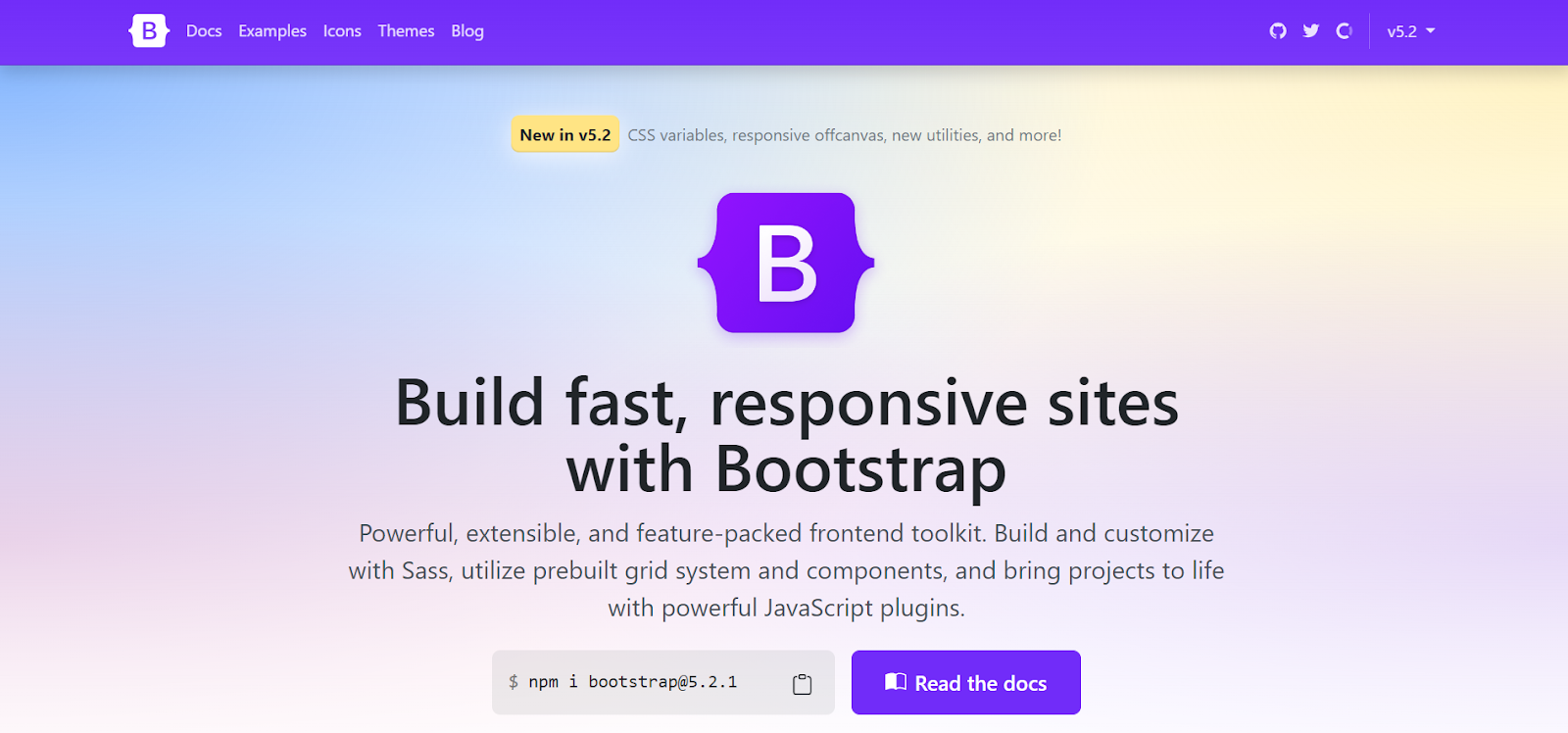
BOOTSTRAP is a great tool for quickly creating responsive websites that look good on mobile devices. These websites tend to have fewer dynamic elements than other types of sites, which makes them load faster on mobile devices.
You can use BOOTSTRAP to add stylish fonts and templates to your project, or you can customize HTML elements further. The choice depends on the developers and the needs of the project.
The main objective of this tool is to design a website that is both appealing and fast-loading without sacrificing quality.
Top features:
- New code elements.
- Support of CSS bot.
- Options to modify the navigation.
- Responsive utility classes.
- Drop down components menu.
7. WP-CLI
WordPress developers may need to update and install plugins as an operating system application from time to time. This is where WP-CLI comes in – it’s a powerful tool that helps developers do this without needing a web browser. Installing the plugin as an application has benefits because some of the internal codings need to be done in an operating system.
Additionally, several plugins and code scripts need offline processing for complete functionality. WP-CLI provides several actions that require downloading, upgrading, or modification to suit the user’s preferences.
Top features:
- Easily run updates with one click.
- Update, disable and delete useless plugins.
- Reset or change user passwords.
- Backup or make changes to the database.
- Create dummy content for test purposes.
8. Fontello
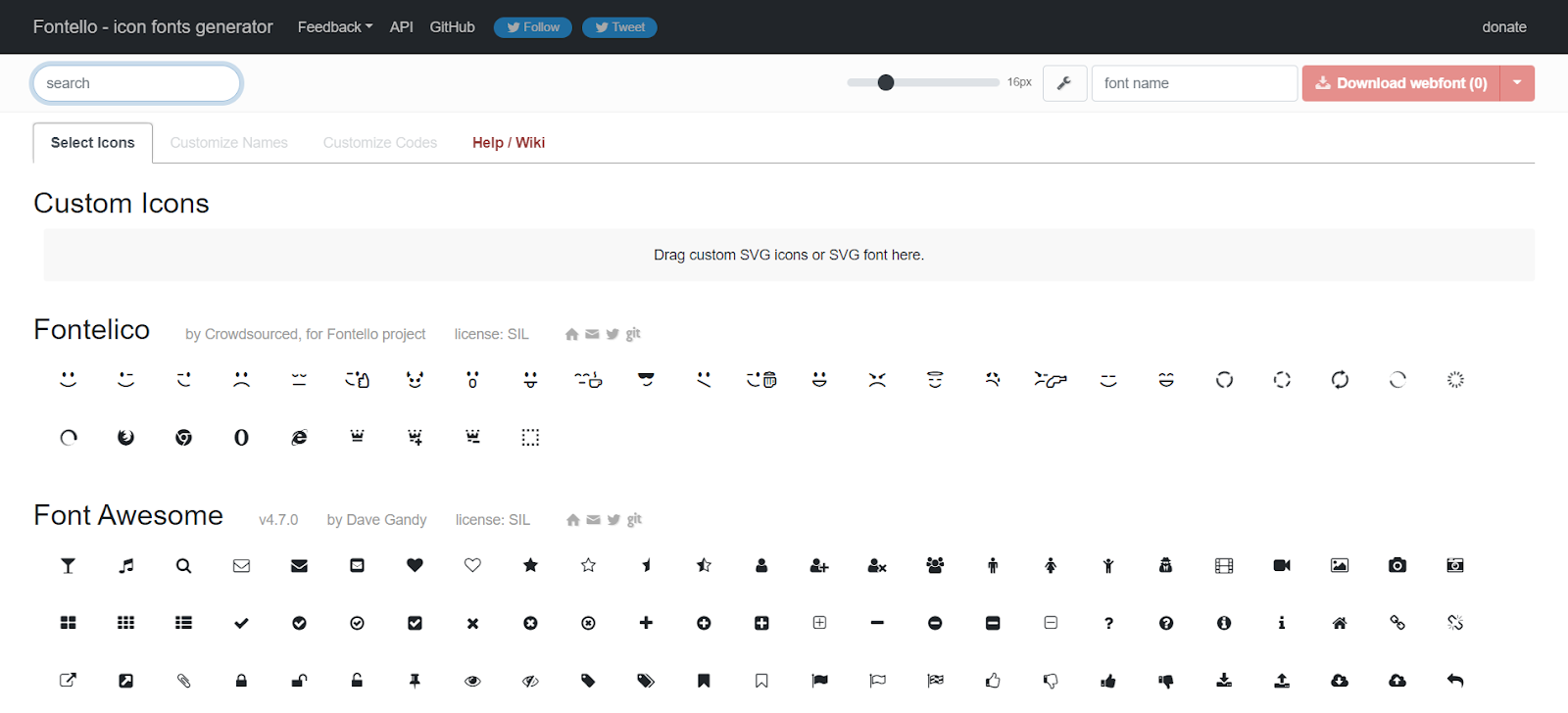
Icon font libraries are a great way to add an extra flair to your designs, and WordPress comes with native support for Dashicons. However, sometimes you need one or two extra icons to make your design stand out from the rest. That’s where Fontello comes in. Fontello is an easy-to-use icon font library that has a wide variety of icons to choose from.
Fontello is a great tool for anyone in need of finding high-quality icons from various font libraries, including Font Awesome. The best part is that it’s free to use, and you only have to download the icons you need – which saves a lot of time compared to other icon resources.
Top features:
- Pick any color for each icon, or use one color for all.
- Add gradients and shadows to your icons.
- Search for icon fonts and customize them.
- Have complete control over iconic fonts through CSS
9. WordPress Plugin Boilerplate
With over 44,000 plugins in the WordPress repository, it’s safe to say that not all plugins are created equal. Some are overpromising and underdelivering, while others are simply poorly coded.
That’s where WordPress Plugin Boilerplate comes in – it helps you create well-coded plugins that are sure to impress any user. It is free to download.
This plugin has a boilerplate to help you adhere to WordPress coding standards. Plus, it’s object-oriented and well-documented. It also standardizes hook calls, which makes it easy to separate the back end from the front-end of your plugin. Plus, all resources and dependencies are placed in the correct directories, so you don’t have to worry about doing it yourself.
Top features:
- Create high-quality WordPress plugins.
- Make plugin translation ready.
- Widget creation and configuration.
- Create plugin option setting page.
- Configure and style shortcodes.
Hire experienced WordPress developers for your next project
Typically, the first few steps in any WordPress integration process are fairly straightforward—installing, configuring, and setting up themes and plugins. However, as your project advances and you need to customize your theme or implement custom functionality, you may want to consider hiring a designer rather than getting into the code yourself.
Hiring quality WordPress developers from an outsourcing company is a great way to access experienced professionals who can work on your project efficiently while focusing on your business goals. A ready-made plan will help you stay organized and on track to avoid any potential roadblocks.
With HIP, you get the following benefits such as :
- Save developer costs
- Better productivity and flexibility
- No Communication gaps
- Hire developers with good tech knowledge
- Time zone benefit
FAQs
Which is the best tool for WordPress development?
Since all web applications are nothing but a bunch of web pages, web pages are essentially source code files. So, source code editors are the best tool for WordPress development. Visual Studio Code comes in handy for WordPress development.
Which WordPress development tool is free?
Fontello and boilerplate are the 2 WordPress developer tools that are free.
Can Visual Studio be used for WordPress?
Technically, yes, Visual Studio is compatible with any language where there is an add-on available. So we can also use Visual Studio for WordPress development.
Are WordPress developer tools and plugins the same?
No, they’re different. Most of the plugins are built with an eye toward the end user. This means that the plugins have a user-friendly interface with simple drag-and-drop functionality. On the other hand, developer tools are built for developers.
Everything you need to know about PHP
Are you a programmer? If yes, you must have heard about PHP language and even tried using it. Even if you have just begun to learn programming languages, you’ll surely get to work on PHP.
According to Statista, roughly 21.9 % of all developers across the globe use PHP because of its popularity, easy integration, and community support.
The use of PHP has significantly increased in recent years, and it remains one of the most sought-after skills in web development.
If everyone is using PHP this much, then why not learn more about it? So, in this blog, you’ll get to know everything that you need to know about PHP.
What is PHP?
PHP is one of the most commonly used programming languages that was initially developed in 1994 by Rasmus Lerdorf as a set of Common Gateway Interface (CGI) binaries to help him maintain his homepage at home.
PHP is a server-side scripting language used to make web pages dynamic. It’s one of the most popular programming languages in the world, and it powers about 79.4% of all websites.
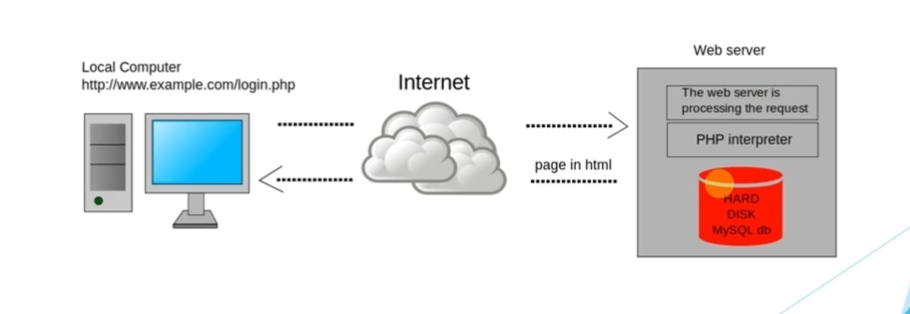
The best part about PHP is that it is free and open-source software that you can use on any platform and anyone who knows how to program can modify it.
PHP originally stood for “personal home page”; this name reflected its beginnings as a set of tools written in the early 1990s to allow publication of personal home pages on the Web. The acronym was later expanded to “PHP: Hypertext Preprocessor” to reflect its growing functionality.
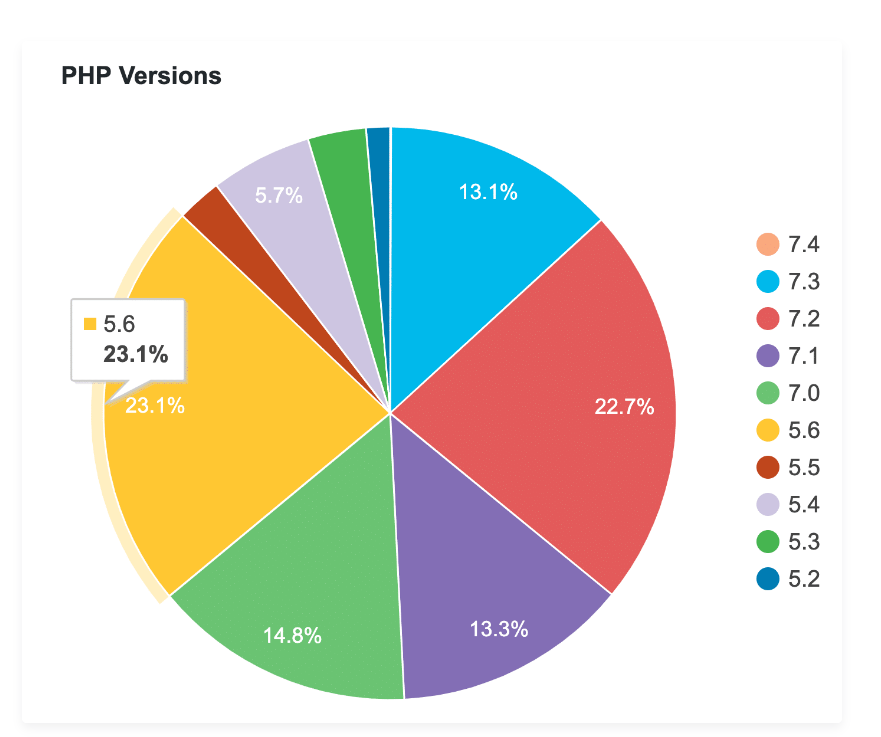
Currently, there are a total of 17 versions of PHP with the first version, PHP 1.0, releasing in 1995 and the latest version, PHP 8.0, releasing in November 2020.
What is the use of PHP?
Just knowing what PHP is will not be enough, you need to understand its benefitsand applications of it as well. PHP can be used in various applications, including websites and web services, business software, and embedded systems. Apart from that here are some other uses of PHP that will interest you.
1. Website’s cybersecurity
Utilizing PHP, a fantastic programming language enables you to incorporate cybersecurity into your website. Cybersecurity concerns have increased as the internet has developed, particularly among computer professionals.
You may add cybersecurity to the website by hiring PHP programmers. Using PHP and cybersecurity solutions can help you stop regular cyberattacks.
2. Writing Script code
You can no longer rely on third-party email features while using PHP. The delivery of notifications to your clients is made simple using PHP. Important messages concerning goods and services are contained in these notifications.
3. Cloud and website integration
The cloud is the next significant advancement in the IT sector. It has aided in simplifying the workflow. Despite the many benefits, professional advantages are the main reason most businesses use cloud technology. PHP provides a fantastic tool for integrating cloud technology into your website.
4. Image processing
Users of the programming language can export photos in a variety of formats. PHP’s GD package makes it simple to handle and create images. In essence, the Graphics Draw (GD) library is a function that enables users to export images in the formats they choose. Multiple files can be managed, formatted, and cropped with ease.
5. Content management system (CMS)
The fundamental components of any organized business are data and content. The requirement for all enterprises is a content management system (CMS).
Solutions like WordPress, which was created using PHP, simplify updating and adding content. In just a few clicks, the majority of tasks may be completed.
Why is PHP used for web development?
Enough of the general use of PHP, now let’s talk about why PHP is so commonly used for Web Development. Here are some reasons:
1. PHP is open source and free
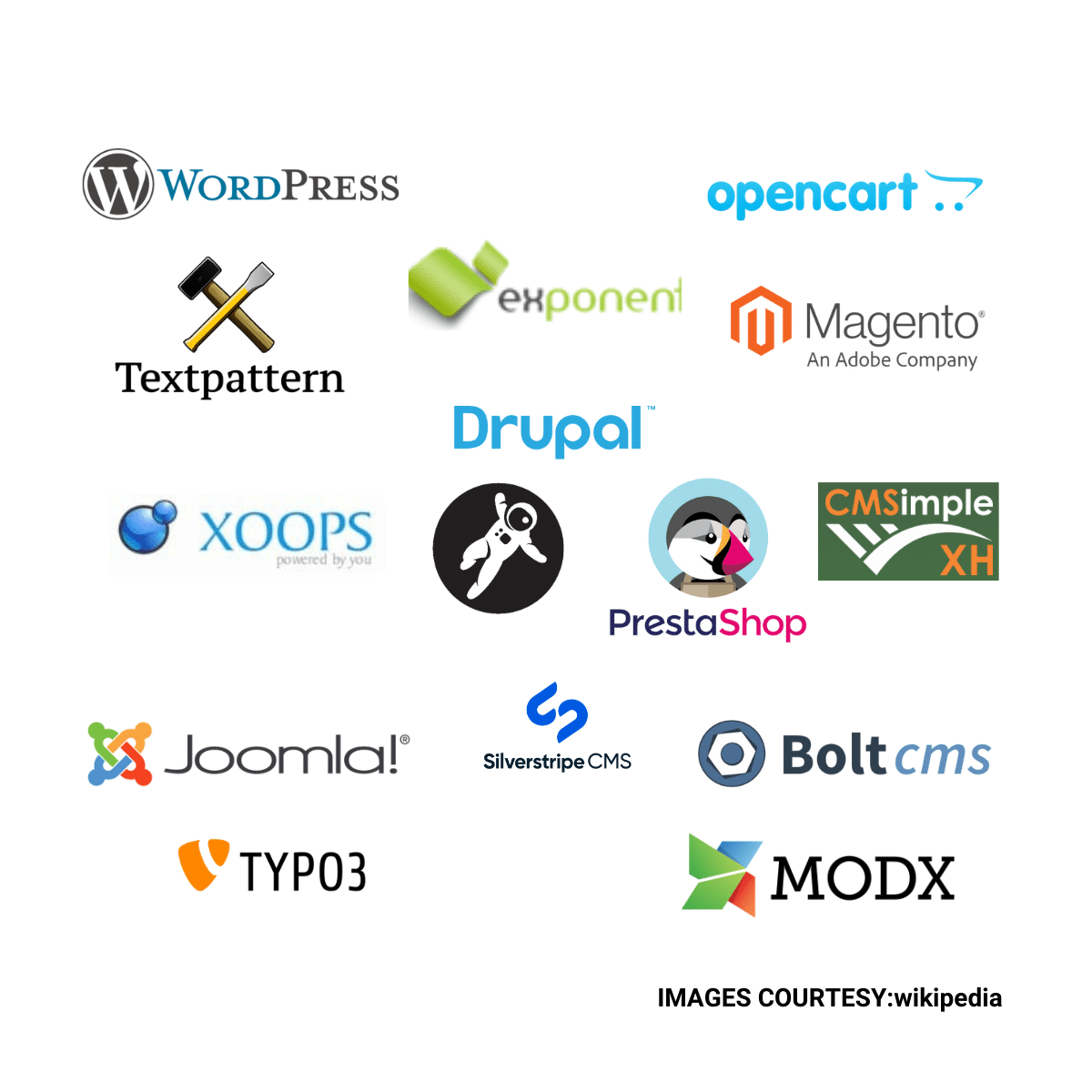
Being open source means using it for free, modifying it, and distributing it. This makes PHP very popular because you don’t have to pay licensing fees or royalties. It also means that PHP has an active community of developers who provide support and documentation on their websites.
There are many open-source PHP CMS platforms that you can use to create a website. Some of the most popular ones include WordPress, Drupal, Joomla, Magento, etc.
2. Easy to Learn
PHP is easy to learn and use, making it perfect for beginners who want to start coding quickly. The syntax is similar to C and C++, so those with experience with these languages will find it even easier to learn PHP.
3. Compatibility with servers and devices
PHP is compatible with almost all web servers and devices. It runs on Windows, Linux, Unix, and Mac OS X operating systems. Additionally, PHP is compatible with all the popular web servers, making deployment on various platforms and systems easy and affordable.
4. Performance and speed’
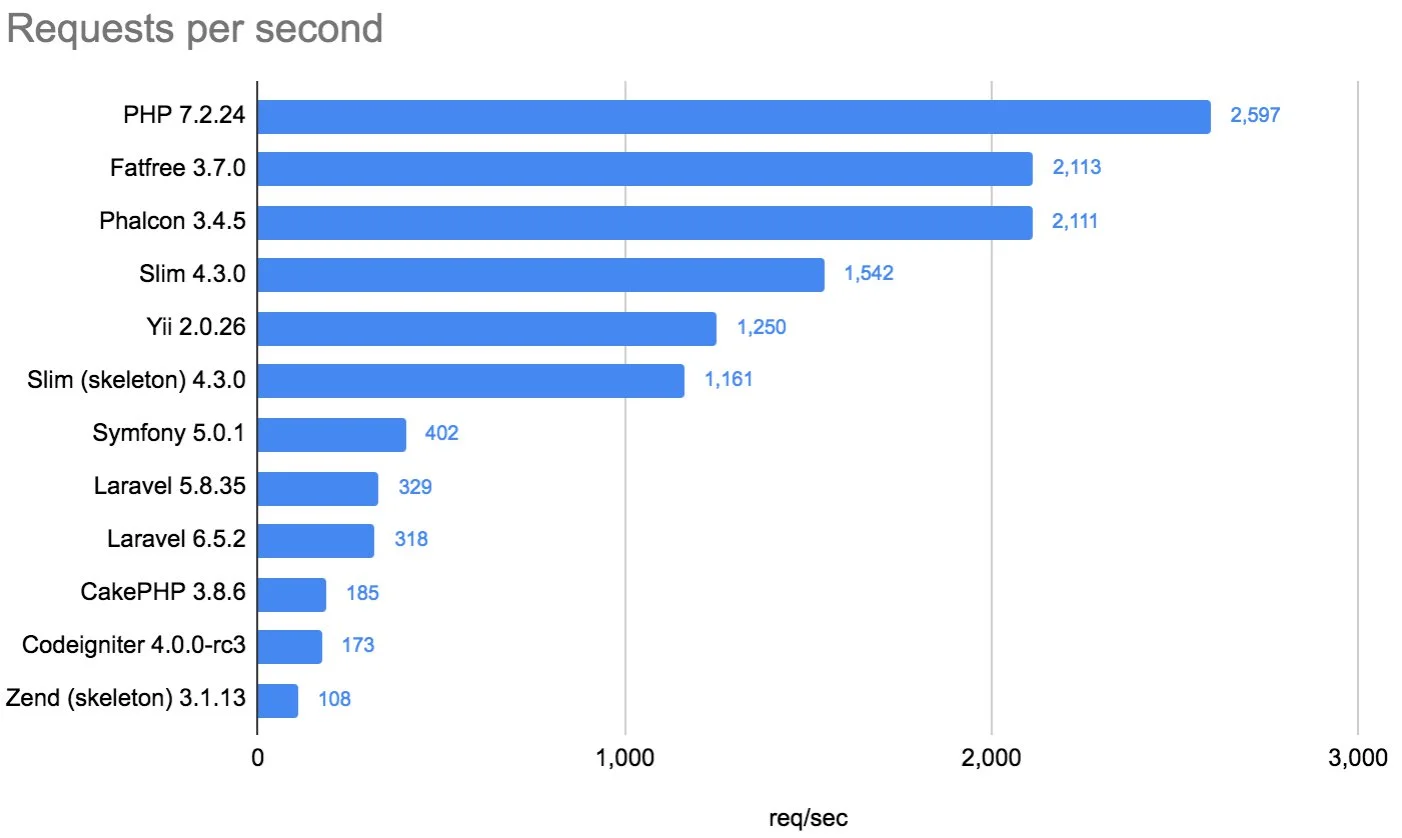
PHP is extremely fast and easy to deploy – most simple applications can be built within minutes because there’s no compilation process involved as there would be with other languages such as Java or C++.
As you can see above, PHP can handle 2597 requests per second, which is more than its counterparts.
Peter Lavin, a tech blogger, stated – “PHP as an object oriented programming language should be judged by how well it does the job, not on a preconceived notion of what a scripting language should or shouldn’t do.”
5. Connectivity with databases
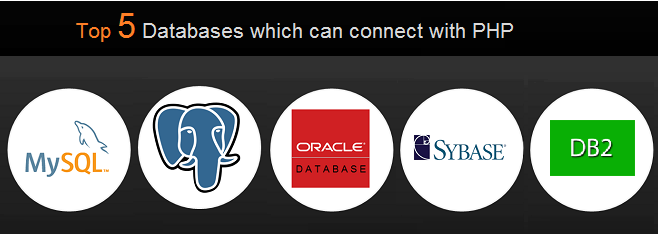
PHP is a web-based language, which means that it’s designed to interact with databases. The language has built-in functions for connecting databases, working with data, and sending information back and forth. This makes it easy for coders to create database-driven websites or even applications.
PHP works on many database systems like MySQL, Oracle, PostgreSQL, SQLite, Firebird, etc., which gives developers more options for their applications.
6. Tried and tested
PHP has been around for over 20 years. It has been used on millions of websites since its first release in 1995. The language’s popularity has led to a huge community of programmers constantly developing new plugins and tools for PHP developers.
There’s plenty of documentation available for PHP. This means you can find answers to your questions more quickly than in other languages because there’s already been much written about them.
7. Strong community
PHP has a strong community of users and developers, constantly improving its capabilities. Thousands of tutorials, books, blogs, and other resources are available online to help you get started with PHP or advance your skillset.
Top websites built using PHP
Below are some examples of good websites that show the extensive use of PHP by developers and programmers in web development.
1. WordPress
WordPress is one of the Web’s most popular content management systems (CMS). It allows users to create blogs, manage them easily, and attract visitors through search engine optimization (SEO). It was initially written in PHP.
2. Facebook
Facebook, the largest social networking site in the world with over 2 billion active members, was mainly constructed using PHP due to the language’s scalability. Right away, Zuckerberg and Moskowitz wrote all of the PHP code for the Facebook app.
In 2010, Facebook developed HipHop for PHP (HPHPc), a source code converter. HipHop converts PHP into the C++ programming language before being further compiled into binary for execution.
3. Wikipedia
Wikipedia is a free online encyclopedia with over 55 million articles in 309 languages, making it one of the largest websites in the world. It’s built on MediaWiki software. It is a PHP-based content management system (CMS). Wikipedia switched to HHVM in 2014 to improve performance by translating PHP into different languages.
4. Slack
Slack helps teams communicate effectively through messaging, archiving, and searching. It is a platform that facilitates communication between team members and can be used in the workplace or for personal use.
Slack was introduced in 2014, with PHP 5 as the backend technology. The business switched to HHVM later in 2016, along with many other businesses. This action enabled them to run their PHP code rather quickly.
5. MailChimp
MailChimp is a tool to help you design, send, and track email newsletters. The platform allows users to create and send newsletters to their subscribers via email.
According to MailChimp, PHP is the main language they use for development and the only language they use for anything involving the live MailChimp program.
6. BigCommerce
BigCommerce is an eCommerce solution that enables businesses to sell products online through their website or mobile app. It takes care of all aspects of online selling, including payment processing, marketing, inventory management, accounting, and more.
BigCommerce is one of the websites made with PHP and operates on a Software-as-a-Service(SaaS) model. PHP serves as the main language on the BigCommerce website.
Top PHP development tools to know
Now you are aware of a few good websites within which PHP language is used. You might also want to use PHP but before that, you need to know good PHP toolsthat you can use to accomplish the purpose.
Without a good knowledge of tools, you can’t make effective use of the PHP language. So, here are a few top PHP development tool suggestions for you.
1. PHPstorm
PHPStorm is a popular PHP development tool because of its lightweight, blazing-fast, and fluid nature. This PHP IDE functions well with well-known CMS like Drupal, Magento, and WordPress and PHP frameworks like Zend Framework, Symfony, Yii, Laravel, and CakePHP.
Major frontend technologies, like CSS, HTML5, JavaScript, etc., are supported for live editing using this IDE, along with code refactoring, unit testing, and debugging. The ability to interact with databases, version control systems, remote deployment, composer, command-line tools, rest clients, and many more tools is also provided to developers.
2. phpED
NuSphere’s PhpED is an advanced PHP editor; a PHP debugger, a database client, and code insight are all included in this PHP IDE. The tools and adjustments that this application offers developers will streamline the entire web development process. PhpEd accelerates the creation of applications using the PHP accelerator known as PhpExpress.
This IDE is the best choice for creating intricate websites and web applications. It provides extensive PHP 7.1 support while supporting JavaScript, HTML, and CSS3. Its refactoring features give developers the ability to enhance their code. Working with the most well-known PHP frameworks, including Laravel, Zend, and Yii, is possible with PhpED.
3. Sublime Text
Sublime Text is one of the top text editors. Although it isn’t a complete IDE, you may turn it into a useful editor for creating PHP apps by installing specific plugins or packages. This cross-platform source code editor natively supports many programming and markup languages.
Sublime Text has feature-rich functionalities and exceptional designs. With its industry-leading customized text editor and unique UI toolkit, you may navigate between symbols, words, or lines using relevant key shortcuts. You can also change any line of code you want.
4. PHPDebugbar
A PHP debugger called PHPDebugbar can be used with any project and displays data from various online applications. There are two components to this PHP development tool: the render and the mainDebugBar object and data collectors. A built-in set of collectors is pre-configured in a StandardDebugBar.
You can find issues in JavaScript and HTML in addition to PHP. PHPDebugbar can inspect CSS elements, keep track of your network, and examine your JavaScript code. It is developing into an outstanding open source solution by providing more functionality than developers demand. The greatest solution for profiling data from any web app, maybe this one. You may easily construct your gather or for simple integration.
Hire the best PHP developers for your next project
Hiring experienced PHP developers with a proven track record in development is one of the best decisions you can make while building your business or taking it to the next level.
If you need PHP developersfor your next project, it makes sense to partner with a web development agency that can help you find the right talent for your new line of development.
HIP delivers on this promise, giving you access to vetted developers looking to work on your next project. The result? You get the best possible talent delivered directly to you while avoiding the pitfalls of working through multiple intermediaries.
HIP provides dedicated developers on a fixed cost or hourly basis. All the developers are in-house to ensure businesses get the highest quality work.
FAQs
1. What type of language is PHP?
PHP is a server-side scripting language that’s embedded into HTML pages. This means that PHP code runs on a web server, not the user’s computer.
2. Is PHP easy for beginners?
PHP is not the most beginner-friendly language, but it’s still very popular. This is partly because of the flexibility you get with PHP and partly because it’s a much simpler language than other server-side options.
3. Is PHP frontend or backend?
PHP is used in the backend. The backend refers to server-side code, which runs on the web hosting provider’s servers and responds to requests from browsers.
4. Is PHP a scripting language?
- PHP is an open-source server-side scripting language many developers use for web development. It is also a general-purpose language that you can use to create many different kinds of projects, including Graphical User Interfaces (GUIs).
9 Signs you need a PHP contractor
The demand for PHP programmers is increasing, at least at Hire Indian Programmers.
We have seen that most of our inquiries around PHP development have some or other experience with poor PHP hiring.
They have either made a wrong choice or don’t have a roadmap after hiring a PHP developer in-house.
In short, it’s on who you choose for PHP development, which is why we have come up with a list of signs to identify and have a PHP contractor working either dedicatedly, hourly, or on a fixed-cost basis.
Who are PHP contractors?
PHP contractors are outsourcing partners who work on projects outsourced to them by companies or organizations. They work for a fee and will provide you with the services you need to complete your project. They have the experience, knowledge, and skills to handle your project from start to finish.
A PHP contractor is not an employee or freelancer and does not have any of the benefits or obligations of an employee. They are responsible for their taxes, other contributions, and any equipment and materials used on your project.
As a client, it’s essential to understand this relationship so you can choose the right contractor for your needs and ensure that each party understands their responsibilities towards one another.
9 reasons why your company needs a PHP contractor
1. Your existing developers are not proactive
Good PHP developers know their roles and responsibilitieswhen it comes to the programming language, have experience in website development, and are always up-to-date with the latest trends. They’re also willing to experiment with code in order to push boundaries and create innovative solutions.
If your current developers are facing difficulty finding ways for your company to improve its processes, then it’s time for you to consider hiring a PHP contractor. They’ll bring in the talent that works proactively to achieve your desired results.
2. Managing PHP developers is getting difficult
As your business grows, it becomes harder to manage the PHP developer team working on your project. You may have been able to handle the workload with one or two developers, but as your business grows, so does the number of tasks you need to work on.
A PHP contractor will help you solve this problem by bringing their skills into your organization and effectively managing the time and workload. If you have multiple projects in your pipeline and want to launch them quickly, then hiring a PHP contractor will help you achieve this goal.
3. The team is not delivering as per your expectations
You might have hired an in-house developer, but the team is still not delivering as per your expectations. There could be several reasons for this, but one of them is that they may not be able to assimilate the task within a short time frame.
As a business owner, you don’t have the luxury of waiting for someone else to fix things for you. You can’t afford to wait months for a full-time hire to complete their training.
If your project has been delayed, you need someone who can start immediately and get the job done quickly — even if they’re not experienced or don’t know everything there is to know about PHP development.
A gap between expectations and actual work can lead to several issues since you will have to wait longer for the project’s completion.
That’s where PHP contractors come in. They provide the flexibility and efficiency you need without any of the headaches or risks involved with hiring someone full-time or dealing with freelancers who may not be reliable or motivated enough to finish their work properly.
4. It’s becoming difficult to keep track of project progress
Project management is a crucial aspect of any business, and keeping track of projects is the only way to ensure the success of your project.
Many companies face this situation: they have an employee hired to create their website, and they get stuck on something. They keep asking questions, but it doesn’t seem like they’re going anywhere anytime soon.
This can be frustrating for both parties because it seems like the project is taking forever, and there is no end.
If you don’t have enough time or resources to effectively track the project’s progress, hiring a PHP contractor who can take care of all the administrative tasks for you is better. A contractor specializing in PHP can help ensure that projects are completed on time and within budget.
5. You’re missing out on project timelines
In-house developers or freelancers often require more time for communication and collaboration than contractors, so it may be better for your project if you hand off some tasks and responsibilities to contractors instead.
With a PHP contractor, you can rest assured that your project will be finished on time. This is because they understand the importance of deadlines and will work hard to meet them. Even if there are technical issues or setbacks along the way, your contractor can adapt and find solutions so that everything runs smoothly.
A contractor can also work with your existing staff and deliver on time without disrupting their workflow or requiring any significant changes in your budget.
6. The PHP development seems complex
You want to create an application with complex functionality and need a developer who can handle this type of work. You might be looking to add new features or modify existing ones. However, you may find yourself stuck working around the functionality.
If you’re not sure if you need a professional to help with your project, look at the following signs:
- You have no idea how to write code or execute commands.
- You have no idea how to set up your server and configure the environment.
- You don’t understand why some things work and others don’t.
- You don’t know how to debug errors.
A good PHP contractor will be able to explain their process and how they solve problems in a way that makes sense to you. They will also be able to demonstrate their reasoning behind certain decisions during development so that you understand why they made them.
7. One PHP developer cannot handle your project
It would be best if you had a dedicated team that could take care of all the technical aspects of web development and maintenance. You don’t want to hire freelancers whenever you need changes made to your site because this will cost you more money in the long run.
In-house developers also have other responsibilities like managing databases, managing servers, etc., which means they may not be available when needed most.
With an experienced PHP contractor, you don’t have to worry about managing servers and databases and maintaining your website. The professional team of PHP developers takes care of all these tasks at the right cost.
The advantages of hiring a dedicated PHP team:
- A dedicated team is committed to your project and will be available throughout the entire time needed for completion.
- You can expect a consistent level of quality, which means you won’t have to worry about dealing with different developers every few weeks.
- When you hire a dedicated team, you don’t have to worry about finding new developers when there are changes in your project requirements or someone leaves the company.
- A dedicated team can help you build up your internal knowledge base so that future projects can be completed faster and more efficiently than before.
8. Your current arrangements don’t work
If you’re not happy with your current arrangements, then it might be time to consider hiring a PHP contractor that’ll work as per your expectations. Your current arrangements may work well but may not scale if your business grows and develops.
It’ll ensure that future projects won’t suffer from poor quality or lack of attention due to other priorities taking up too much time.
9. You need personalization and customizations
PHP is easy to learn but challenging to master and requires constant learning from scratch if developers want to make any changes to your website’s functionality or appearance.
If you need specific functionality or customization for your website, then hiring a PHP contractor will help you get it done quickly and efficiently. They can help you customize your website according to your needs and requirements. They can also offer better suggestions for improving your website.
A good PHP contractor will work hard to ensure that everything goes according to plan and that you get what you want.
Hire the best team of developers and PHP contractors for your next project
Hiring the best developer you can afford will help you build a more stable website. A dedicated team of skilled developers committed to your success in the long term will prove beneficial to you. They’re much better than working with several solo freelancers who might not fully understand your project or its scope.
At HIP, we work as your contracting partner to provide a wide range of services. This way, you can focus on your core business while our developers take care of design, development, maintenance, quality assurance, and support. We provide dedicated PHP developerson a fixed cost or hourly basis. Plus, all our developers are in-house, guaranteeing that enterprises receive high-quality work.
FAQs
How does a PHP contractor work?
A PHP contractor works with a client to build a website. They will create the site’s design, develop the software, and test it to ensure it works properly.
The PHP contractor will also install any necessary software on the client’s web server and make sure that everything is secure. Once the site is complete, they will also ensure that it is optimized for search engines such as Google and Bing.
How much does it cost to hire a PHP contractor?
According to recent data, the average hourly rate for PHP developers is $61/hr. However, the cost to hire a PHP contractor can vary depending on the geographical location of the developer, with rates ranging from $120/hr to $41/hr.
Why hire PHP contractors instead of employees?
Here’s why you might want to hire PHP contractors instead of employees:
- Contractors are less expensive than employees.
- They don’t have to work full-time for you.
- You don’t have to worry about their paychecks, benefits, or taxes.
- You can scale up or down based on your needs at any given time with no commitment to keep them long-term.
- You can get more done in less time.
- You get a specialization beyond what you could find in an employee.
Is it worth hiring a PHP contractor?
Hiring a PHP contractor can be a great way to get your project done quickly and efficiently. A good contractor can save you time and money in the long run. Hiring a contractor can be an excellent choice if you are looking for someone to help with a particular project.
How Enterprises Benefit from Node.js
The rise of Node.js has led to a lot of buzz about the framework and whether it’s a viable option for enterprise-scale web applications.
Node.js is becoming more mainstream as many enterprises consider using Node.js when building new web applications. It’s a robust, scalable, and fast open-source JavaScript runtime environment. It’s also one of the most popular frameworks used by developers worldwide.
Node.js is also supported by the community as a third-party independent open-source software. Since it entered the market, people have started using it to build a wide range of real-time applications.
But how is Node.js good for enterprises? In this article, we will discuss a few benefits of node.js for enterprises.
What does Node.js do?
Node.js is a platform built on Chrome’s JavaScript runtime for easily building fast, scalable network applications. Node.js uses an event-driven, non-blocking I/O model that makes it lightweight and efficient, perfect for data-intensive real-time applications that run across distributed devices.
Node.js applications are written in JavaScript. Without changes, the applications can run within the Node.js runtime on Linux, OS X, Windows, or Solaris operating systems.
The platform was developed by Ryan Dahl in 2009 and gained traction for building real-time web applications using JavaScript on the server side. Node.js is employed across many industries, including finance, eCommerce, and social media.
Top benefits of Node.js for enterprises
1. Have free, open-source server environment
Node.js is free to use and is open source, meaning anyone can look at its code to see how it works or make modifications. This makes it easier for developers to work with because they don’t have to pay for their software and can modify it without worrying about copyright infringement or other legal issues.
2. Provides Backend and frontend support
One major advantage of Node.js is that it supports backend and frontend development in the same language — JavaScript. This means that developers can write code once and reuse it across multiple platforms and devices, making it easier to maintain projects over time as new features are rolled out or bugs are discovered.
You can use Node as a backend platform to build your application or run it on the frontend using frameworks like Nest or Express. This makes it easy to combine both worlds: a dynamic language’s flexibility with powerful frameworks’ performance.
3. Takes Faster time-to-market
Node.js enables real-time data updates with its event-driven architecture. This makes it ideal for building real-time applications such as chat apps or gaming apps, where users expect instant responses as they interact with the app.
Developers can write better code because Node uses an asynchronous programming model. They can write the code more straightforwardly than traditional synchronous programming models such as Java or Python.
4. Helps in Scalability
Node.js is designed for high-performance applications that require scalability. It allows developers to handle large amounts of traffic by scaling their applications gracefully across multiple servers.
Asynchronous programming enables it to handle more requests simultaneously than synchronous programming models such as PHP or Ruby on Rails (RoR). This means that Node can handle more concurrent connections without affecting the performance of your application.
5. Tried and tested tool
Node has been around for more than a decade now. It shows that Node.js works well as a platform for building production-grade software products. Enterprises can trust that they won’t have to worry about upgrades when they use Node because thousands of developers use it. The developers of Node.js continue to upgrade and support the platform to make it better and more user-friendly.
In the past few years, we’ve seen a dramatic increase in companies using Node.js for their products. Big guns like PayPal, Netflix, and eBay have jumped on the bandwagon. There’s no doubt that Node.js is a mature and well-tested tool, so it’s unlikely to be neglected or abandoned anytime soon.
6. Active community
The Node community is large enough that most developers can find answers to their questions online or on social media platforms like Stack Overflow and Twitter.
Many books are also available on Node and its associated technologies, such as Express and MongoDB. The fact that so many organizations use Node means that there’s always someone who can help if the developer gets stuck with something technical.
7. Have best prototyping capabilities
The Node Package Manager makes installing new modules and packages in your project easy. You can also use npm (the default package manager) to search for existing modules that can be reused in your project. This feature makes it easy to start with Node.js quickly and allows developers to prototype their ideas quickly.
With just a few lines of code, enterprises can build an entire prototype of an application. They don’t have to worry about other dependencies or configurations like setting up databases.
8. Supports IoT
Integration is key for the Internet of Things. Node.js allows for the MQTT protocol, commonly used by IoT apps. This makes it easy to connect to independent and third-party services and makes it ready for integration through multiple environments. Integration usually happens at the backend level.
All IoT SDKs for Node.js from top cloud providers are built to communicate using MQTT.js. AWS IoT Node.js is one example of such an integration. It can process and route millions of messages to AWS endpoints and other devices using MQTT, providing a safe and reliable way to connect all your devices.
9. Enables microservices architecture
Node.js has been used in microservice architectures for many years now. It’s suited to building many applications and services, including web applications and APIs. This makes it an ideal choice for enterprise developers who need to build complex applications that can scale horizontally across multiple servers.
A huge benefit of Node.js is its ability to create small, independent components that can run in isolation from each other. This makes it ideal for developers to build and test smaller chunks of functionality with ease while keeping them independent from one another.
Top companies using Node.js
LinkedIn: LinkedIn has used Node.js since 2011 as part of its mobile app development platform. The company also employs Node to manage its website and backend services.
PayPal: PayPal used to build web applications using Java, but now they use JavaScript in the browser and Node.js on servers. Node.js helps them solve the user interface issue by enabling both the browser and server applications to be written in JavaScript.
Netflix: Netflix’s website was transformed into a single-page app with the help of JavaScript and Node.js. Java supports the backend of Netflix, and Node powers its user interfaces.
Uber: This company was an early adopter of Node.js and most of its systems are written in Node. Its customer-facing systems, like those for booking a ride or seeing available cars, run on Node.
Hire the best Node.js developer for your next project
Hiring a developer for your next project is an excellent experience. They can help you with your requirements, help you with different development issues and give you a better outcome. However, hiring the right developer for your job can take some time.
HIPis a mobile and web development company that helps you hire Node.js developersfast and easily. From our pool of in-house Node.js developers, we give you a handpicked choice of the top Node.js developers with relevant experience and expertise. We can help you hire a team of dedicated Node.js developers to build web applications that meet your needs while remaining scalable as your business grows.
FAQs
Why do enterprises use Node.js?
The main reason companies use Node.js is because they want to build scalable applications that can handle thousands of simultaneous connections. This is useful when building applications such as chat apps, real-time data analytics tools, and multiplayer games.
Is Node.js good for fintech?
Yes, NodeJs can be used for building a fintech application. What makes Node.js advantageous for this purpose is that it offers full-stack development with JavaScript. This means that developers can work more efficiently and produce code more quickly. Additionally, there is the potential to reuse and share code, which can further speed up the development process. Plus, there are many free tools available to those who use Node.js.
What can I build using Node.js?
Many realtime applications have been created using Node.js such as:
- Social Media websites like Facebook and Twitter.
- Chat apps like Slack and HipChat, etc.
- Online Games like PokemonGO etc.
- Collaboration apps like Google Docs, etc.
- IoT (Internet of Things) devices like Nest thermostats, etc.
- Chatbots for Customer Support, etc.
- Mobile apps like UberEATS, etc.
- Serverless APIs (Application Programming Interfaces) etc.,
- Bots for Business Automation etc.,
- Serverless Cloud Services (FaaS – Function as a Service) etc.
With many top companies using Node JS it seems that it is a future in web development.
Hiring Node.js Developers: Everything You Need to Know
Node.js is the hottest topic in web development right now, with the biggest growth rates and many of the largest companies already on board. According to Stack Overflow, Node.js is the most popular framework among professional developers, with 36.42% using it for its frameworks, libraries, and tools.
Hiring a Node.js developer is not easy, particularly in the current economy. Not to mention that there are certain factors you will need to consider and specific skillsets you will need before hiring one for your project.
On the other hand, having a team of Node.js experts can help you with your development and even help you find ways to improve your coding practices and be more efficient in the long run.
But what are the benefits of hiring a Node.js developer? What are the skills they require? What are the best things to look out for when hiring a Node.js developer? This blog will answer all these questions.
Benefits of hiring Node.js developers:
1. Node Developers work on both – frontend and backend
Node.js is a great choice for developers because it allows them to work on both the frontend and backend simultaneously, which means they can get more done in less time and deliver higher quality solutions.
Node.js developers can work in the same language on both sides, which helps them to understand the entire code base more efficiently. It reduces the maintenance cost of software because there is no need to learn different technologies for frontend and backend development.
2. Node developers ensure scalability
Scalability is the ability of a software system to handle an increased workload without significant changes in response time, user performance, or resource consumption.
Node.js has been built with scalability in mind from the ground up and is known as one of the most scalable programming languages. This means that you can run your app on multiple cores without having to worry about its performance being affected by doing so.
3. Faster time to market when it’s Node development
Node.js is an asynchronous event-driven JavaScript runtime built on Chrome’s V8 JavaScript engine that allows your application to respond immediately to events without waiting for long-running tasks to finish.
You can easily create scalable applications with fewer resources than in languages like Java or Python. Due to the synchronous nature of these languages, developers need more time to develop a single feature.
4. Powerful MVP development with NodeJS
Node.js developers can build prototype applications quickly using JavaScript and other frontend libraries like jQuery without having to set up a complex backend server environment. This makes it easier to create MVPs (minimum viable products) and test them before going to market.
If you want to build an MVP (Minimal Viable Product), Node.js developers can help you build a secure, scalable, and cost-effective solution.
5 Skills required to be a good Node.js developer
1. Proficiency in JavaScript and a basic understanding of HTML & CSS
Developers must have proficiency in JavaScript and a basic understanding of HTML and CSS. This is because Node.js uses JavaScript as its main programming language and has built-in support for HTML and CSS.
Developers need to have a strong understanding of how JavaScript works on the client and server sides. They should also know about DOM manipulation and animation using JavaScript.
2. Experience in database management
Data is the most important part of any application, so the developer must know the database management system (DBMS). The integration with databases is one of the key features of Node.js. The language has excellent support for various databases, including MySQL, PostgreSQL, Microsoft SQL Server, and Oracle.
Node.js developers need good knowledge of database management like SQL and NoSQL databases. These databases are often used for storing data on databases for further processing by other applications like web servers or mobile devices etc.
3. Understanding of frontend development
Node.js is not just about backend development; it also involves frontend development. A good Node.js developer has to be well versed in JavaScript, HTML, CSS and other related technologies. They should also have a thorough knowledge of frameworks like Angular, React, and VueJS.
4. Ability to test and handle errors
To get better results from your application, you must hire someone who will be able to test your product thoroughly before releasing it into production mode. A good developer should have a good eye for bugs and be able to fix them before they negatively affect your business.
5. Good understanding of algorithms and data structures
A good Node.js developer should possess a sound understanding of algorithms and data structures like stacks and queues, as they’re used extensively in Node.js programs.
For example, when a developer writes a function that accepts an array as input and returns another array based on the input, they need to understand how to sort an array using some algorithm such as bubble sort, merge sort, etc.
Apart from these, you can also check our more Node.js developer’s skillsbefore hiring for a project.
How you can hire Node.js developers?
1. Hire a Node.js development company
You can hire a Node.js development companyto help you with your project. A Node.js development company will be able to provide you with the right kind of talent who can work on your project and get it done on time.
When hiring a Node.js development company, you should make sure that:
- They have experience in the field.
- They can deliver quality results within the given deadline.
- They have the right credentials and skills in programming languages like JavaScript and Node.js.
2. Share your requirements
Before hiring a Node.js developer, sharing your requirements with the company you’ve hired is important. They’ll understand what they’re getting into and whether they’re a good fit for the job or not.
Let them know what kind of projects you have in mind, what kind of technologies you use, and what kind of workflows you follow.
3. Get on a project discovery call
Once you’ve shared your requirements, get on a call with your chosen development company so they can ask questions and clarify any details that may be unclear in your communication so far. This will help avoid misunderstandings later in the process when things get more complicated (and they always do).
4. Review different developer profiles
The next step is to find a developer(s) with the necessary skills, experience, and expertise in Node.js development. You can review their resumes, portfolios, testimonials, and recommendations.
Look for candidates who have worked on projects similar to yours in the past and have a good understanding of your business requirements.
5. Interview shortlisted Node.js developers
Once you have shortlisted a few candidates, you should conduct interviews with them individually. You need to assess their technical skills, communication skills, and soft skills like teamwork, collaboration, and problem-solving ability.
You should also test them on how well they understand your business needs and requirements so that they can build customised solutions for your business.
6. Conduct a project trial with the final candidates
After the interviews are finished and you’ve decided who you want to hire, it’s time to let them work on your project. The best way to do this is by setting up a trial period where they can build something specifically for you so that they’ll already have experience working with your company’s business goals and needs when the time comes.
Get the best Node.js developer for your next project
Hiring JavaScript developers for Node.js is a process that needs to be considered carefully. It can be confusing, expensive, and time-consuming.
At the HIP, we can help you build a top-notch Node.js development team. Our process includes finding the best candidates, vetting them thoroughly, and getting the project off to a great start. With our proven track record, you can be confident that HIP is the best partner for your hiring needs.
FAQs
1. What should a Node.js developer know?
When you’re looking to hire a NodeJS developer, make sure they know the below things:
- The basics of JavaScript and other programming languages.
- How to use JSON and XML, which are common data formats used in web development.
- The Express framework or another web application framework for Node.js development, such as Hapi or Sails.
- Using npm (the package manager for Node.js) is used to install packages from the npm registry.
2. What do Node.js developers do?
The most common things Node.js developers do:
- Develop, test and maintain server-side applications
- Develop user interfaces (UI)
- Create cloud-based mobile applications
- Build microservices architectures
- Design and implement APIs
3. Is a Node.js developer a software developer?
Yes, a Node.js developer is a software developer who knows the node.js framework. The node.js framework is an open-source, cross-platform runtime environment for building server-side and networking applications.
4. Is Node.js frontend or backend?
The answer to this question is both. Node.js can be used as a frontend and backend, but it’s unsuitable for building full-stack applications.
Node.js can be used as a frontend because it has a great way of handling requests and responses; it’s fast; and it’s easy to create APIs with Express, which is built into the Node.js core. It also has support for popular frontend frameworks like React and Angular.
Node.js can be used as a backend because it has an active community that builds modules for almost any imaginable use case in the backend space, from database drivers to web servers (Nginx) to templating engines (Handlebars).
How Long Does It Take To Build A Website in WordPress?
Are you looking to build a robust, high-performance website for yourself or your business through WordPress? This blog has all the answers you need, like why WordPress is the hottest platform and how much time it takes to build a website.
WordPress CMS, or Content Management System, is one of the most loved CMS platforms used to develop exciting and function-rich websites today.
With its high user base and shares in the CMS market, WordPress can be a great platform to build a new website for you or update your existing solutions to the WordPress framework.
Why is WordPress the Hottest CMS Today?
WordPress has earned its place as one of the hottest CMS due to its simplicity and easy-to-use interface. It may be easy to learn but mastering it can be challenging for even technical experts.
It is estimated that WordPress powers 14.7% of most popular websites worldwide, dominating over 60.8% of the CMS market.
So what makes WordPress so attractive to both new and experienced developers looking to build websites?
Here are some of the most valuable features of WordPress for you to leverage for your unique project!
- Flexible To Customize
WordPress is highly flexible and gives you total control over the design and the type of website you wish to build.
- Easy To Use
It is beginner friendly and can be easily used by people who are not familiar with technical skills and coding skills.
- Offers Access To Several Themes & Plugins
With WordPress, you also have access to the numerous WordPress themes and plugins available to take your website to the next level.
- Highly SEO-friendly
It is also excellently designed for search engine optimization(SEO), making your website more likely to attract possible visitors easily.
With so many attractive features, the next question which ponders in the mind of solopreneurs, entrepreneurs, developers, and individuals is how much time it takes to build a WordPress website.
What’s The Shortest Possible Time To Build WordPress?
While building a website or other web application, time is money as you may have to pay your developer by the hour. So knowing the time taken to complete a project is vital before hiring a freelancer or a company.
While predicting the exact time required to build WordPress websites is impossible, we can always estimate the average time needed to complete a similar project.
There are numerous steps in building websites, and each step can take various amounts of time. So the time can take from a few hours for simple projects done by an expert to maybe months for a complex task.
To give you a numerical answer, it can take about 200 hours or five weeks to complete a WordPress development project.
For a simple website, without themes and customization, it can take almost 2 hours to complete the project, while for informational sites and other e-commercial sites might take up to 20 hours at least.
It is better to hire an experienced developer if you want your project completed on time and have the best features. The experience and talent of the developers highly impact the time taken to complete a project and the quality of the end product.
What Does WordPress Website Building Look Like?
Step #1: Planning The Website
Any project starts with planning the structure and the layout to get a clear idea about the process. A solid plan is vital before jumping in on a website development process.
This step can take the most time as you must research and analyze statistics to get exact information.
Time Required
Depending on the complexity level, planning your WordPress site can take anywhere between 2 days to 3 weeks. The planning included SEO consideration, number of pages, features needed etc.
What’s Included in WordPress Website Planning?
- Finding your niche
To catch the attention of all potential users for your website, you need to find your niche and enhance your best features.
Having a specialty or a target service or product can increase your customer interaction and help you connect with more customers. You can benefit from the targeted audiences who will indulge in your content the most.
- Figure Out Almost Everything About Your Target Audience
You may have all the required resources to start developing a website, but the essential requirement to start your project is figuring out the right audience to target.
For businesses, the primary audience are your customers, so your website needs to be able to cater to their specific needs. You can include extensions and plug-ins developed around their needs and add minor features.
- Planning the structure
Once you know who you are dealing with on your website, the next step is to plan the blueprints and layouts.
You need to draw out the structure of your website, the things you want to include, and the main sections you wish to highlight in your website.
For example, if you are an SEO agency, you need to follow the below steps:
- First, list down the services you offer.
- Research competition to check if you missed any.
- Decide on location-wise pages you want to cover, like SEO service in the USA, SEO service in Atlanta.
- List down other pages you wish, like About Us, Career, etc.
Step #2:Picking Essentials Including Theme, Plugins, and Server Set Up
When you have completed the planning and the brainstorming phase of your website development, you now need to start choosing the themes, plugins, and other features you want in your website.
The first step of your journey plays a significant role in this phase as you use your collected information to pick the correct option.
Time Taken
Once you have decided on the website structure, and other requirements, you still need to choose the best theme, plugins, and set up the servers. This stage needs approximately 3 to 5 days since you will need to connect with the domain which takes upto 48 hours for propagation.
- Setting The Server
When developing a website for your business, you must choose a server that fits your business strategy.
WordPress provides web hosting directly from the WordPress.com site, but this can constrict what you can do on your website. You have free and paid plans in WordPress, so you can choose the one that best fits your requirements.
And if not, you can also look at the server and hosting providing companies from which you can opt for different types of servers like:
- Shared Server
- Dedicated Server
- Cloud hosting
- Installing Theme
Next comes the part of choosing the correct theme for your website, and WordPress has some fantastic themes to use by all.
You must choose a mobile-friendly theme, align with your niche, and have good reviews from other users. You could skip out on the themes and create a website without a custom theme!
- Installing Essential WordPress Plugins
After choosing your hosting plans and a fitting server for your website, you can start installing the essential plugins.
You can add the latest and the most necessary features for your websites by installing the respective plug-ins available. WordPress offers a variety of plug-ins that give your websites the correct elements to perform seamlessly without hiccups.
Some of the popular WordPress Plugins are:
- XML Sitemaps
- WooCommerce
- WPForms
- All in One SEO
- Yoast SEO
- W3 Total Cache
Step #3: Building the pages: Home page and Supporting Pages
Once you choose your theme, you now need to work to build the critical pages included in your website.
The essential page for your website is the “Home Page.”
Next, make additional supporting pages mentioning the Services or Products to give your customers an idea about what you offer. Then comes several other supporting pages like:
- Career
- Industries
- Case Studies
- Blogs
- Pricing
- Portfolio
Include your business information and other essential links on your homepage, so users know who you are and what you do. The cleaner your site flow, the more extraordinary experience your customers will have while using your website.
Time Taken
Depending on the content, length of the page and complexity of design each WordPress page can take anywhere between 3 days to 1 week. Add 2 or 3 extra days to make revisions.
It’s important to remember that developers can only develop a page if the design is ready and finalized. If design is not finalized then time needed to develop the page will increase.
Step #4: Getting Your SEO in order
The next step is to set up your SEO tools and plug-ins to attract new and revisiting customers to your website. WordPress also offers SEO tools that fit your website and help you increase your customer reach.
- Off-page and on-page SEO
On-page SEO may be the most critical factor for your web page ranking, but off-page SEO is the main element in your WordPress ranking.
Some ways to improve your SEO are:
- Rebuilding broken links
- Increasing traffic by guest posting
- Using infographics
- Answering questions on your website regularly
- And much more
- Adding Keywords
The primary way of ensuring great SEO is by including the SEO keywords in your website and blogs to make them easier to find for the users.
Checking the most popular keywords related to your business and adding them to your website can help increase traffic and widen your target audience easily.
- Checking and optimizing for speed
No one likes to use a slow and buffering website in today’s age, so ensuring that your website has a smooth and fast performance can help you get ahead of your competition.
Regularly checking your website for bugs and running diagnostics to keep an eye on its performance is essential for any business. It can help you gain new and unique customers for your business.
Time Taken
SEO is a never-ending process – you need to plan and refine each day, so it’s difficult to quote a timeline for this step. However, initially while setting up the website, these basic On-Page SEO parameters take around 2-3 hours.
Step #5: Adding Security
Whenever you build a website, you need to ensure it is secure and protects your users’ information. Most top websites have strong security so that no one can steal and use information illegally. What To Do?
Add SSL and essential security plugins
SSL and security plugins are a great way to protect your websites from brute attacks from hackers.
WordPress has a variety of security plugins you can use to protect your website from virus attacks. Some most popular ways to secure your website are:
- iThemes
- Sucuri
- Security Pro
- Jetpack
- WPScan
- Wordfence
- BulletProof Security
- All In One WP & Firewall
- Google Authenticator
Time Taken
This step takes around one hour.
Step #6: Launch
The last and essential step to completing your WordPress website is to launch the website so that your users can get access to your website.
However, before launching your website, you need to run tests and ensure that your website works smoothly and is bug-free for your customers. You should be able to change any components in your website so you can adjust your website perfectly.
Things to Check Before You Launch a WordPress Website?
- Mobile responsiveness
- Site’s HTML and CSS Code
- Content editing and proofreading
- Web page formatting
- All forms
- Meta Tags
- Social integration
- Find and remove broken links
- Copyright notice
- Theme and plugin updates
- All browser access
Time This Step Takes
You should allow more time for this testing and launching step as it’s a matter of your website and brand identity. 3-5 hours are good enough for all the final checks depending upon your website size.
Wrapping Up
In the end, we hope you have determined answers to some critical and underrated WordPress questions and the time and effort required to build a WordPress website. If you are looking for effortless WordPress website building then you can hire our WordPress developers.
FAQs
If you still have some questions about the WordPress website development process, we have answered some of the most asked questions below to help you with your queries or you can contact us.
- Is a WordPress website easy to build?
Yes! Anyone can use WordPress! Even a newbie can build a professional-looking website with the latest features.
But just because it is easy to use does not mean you can build websites instantly. It can take years to master WordPress CMS to use it to its total capacity.
- How long does it take for a WordPress site to go live?
After you can complete building your WordPress website, it takes some time to go live for your users to be able to use it.
It can usually take approximately 48 hours for your website to activate and start working.
- How long does it take to build a WordPress theme?
You can develop your own theme in WordPress and use it for your websites and blogs. So creating a custom theme in WordPress takes about two to three weeks.
It is a pretty straightforward process to build a WordPress theme so that it can be made quickly or you can install some pre-built WordPress themesfor more quick solutions.
- How much should I charge to build a WordPress website?
The charge to build a WordPress website depends on the type of developer you have hired for your project.
If you have chosen an experienced freelancer, paying the price per hour for their work can be pretty expensive. But a new developer may not have the required skill set despite the low pay rates. So, you need to be smart about the type of service you choose to hire that determines the WordPress developer cost.
- Can you build a WordPress site without a theme?
Yes! If you think your website will work better if you skip out on the themes, creating a website without a theme in WordPress is possible.
Though having a theme for your website can make your development projects easier and make your website more attractive and neat.
- Is WordPress still relevant in 2022?
Yes, WordPress is not going anywhere for a long time. It is still used by some of the most popular websites today and is very relevant.
It is still the top choice for CMS development and has a loyal user base who have mastered the art of developing showstopping websites on the platform.
Developing Magento website? 10 Things You Should Know
Out of all the eCommerce platforms available, Magento is one of the most popular. It offers a lot of customization, support, and powerful functionality. It is well-known for its flexibility and freedom.
However, nuances and intricacies come with every large platform, often complicating development if you don’t have the right team or experience. It’s the same case with Magento websites.
In this article, we’ll discuss some essential things you should know about Magento websites that will allow you to successfully grow and manage your e-store.
Understanding Magento editions
Magento is a powerful eCommerce platform with two editions: Community and Enterprise. Anyone can use both versions to run an online store, but the Enterprise edition has more features and functionality than the Community edition.
The Magento Community Edition is free to download and use. It’s built on an open-source framework that allows developers to customize it to meet their needs. This flexibility makes it popular among small businesses, but it also lacks some features in the enterprise version.
The Magento Enterprise Edition is available through a subscription, including updates and support from Magento’s engineering team. It has all the capabilities of the Community Edition plus some additional features, such as multi-store management, advanced order management, and CRM integration.
10 things you should know before developing a website on Magento
1. Website development costs
Depending on your business goals and objectives, you’ll want to consider whether Magento Enterprise Edition or Magento Community is right for you. Magento Enterprise Edition starts at $22,000 annually and comes with advanced features, security updates, exclusive product enhancements, and more.
Magento Community is a free version of the software, but with Chetu-certified Magento developers, you can transform the platform to have all the industry-specific features your store requires.
If you want to develop your own Magento website, here are some developer costs to consider:
Freelancer
The average cost of hiring a freelancer is about $500-$1000 per month. The cost depends on the level of expertise required for the project.
A freelancer costs less as they’re working on several projects simultaneously.
In-house team
The average cost of hiring an in-house Magento developer can range from $50-$250 per hour.
As you can see, the cost of hiring an in-house team is much higher than using a freelancer. The reason is that if you hire an in-house team, they will need to learn how to use the tools and technologies required for Magento development. Also, it isn’t easy to handle an in-house team as you’re required to oversee the progress.
Magento development agency
The average cost of hiring an agency for Magento development ranges between $750 and $5000 per month, depending on your requirements.
It’s better to go with a Magento development agency as they’re responsible for your website from the concept stage to completion. They provide you with full support and maintenance after launching your website.
2. Server requirements
The server requirements for a Magento website vary depending on the size and complexity of your store. However, there are some basic guidelines that you should follow to ensure that your store runs smoothly:
- Linux x86-64 operating system
- No support for Mac and windows
- Required web servers: Apache 2.4, Nginx 1.x
- 2 GB RAM requirement
- Database: MySQL 5.6, MySQL 5.7
- PHP: PHP 7.1.3, PHP 7.2.0, PHP 7.3.0
- PHP OPcache enabled
- SSL enabled for HTTPS
- Mail server: SMTP or MTA
3. Get A Strong Hosting Plan
Your website is your most valuable asset. It can determine your success or failure. So, you must ensure that you have a solid hosting plan in place so that your website runs smoothly.
Choose the right web host for your Magento eCommerce store and you can get a robust hosting plan. A good web host will provide you with the following:
Reliability
You want the site to be up and running so customers can view and buy its products. It’s important to cut the downtime of your site to ensure that your customers have a smooth purchasing experience.
Performance
Your website must perform well on any device or browser a customer may use when accessing your site. This includes smartphones, tablets, laptops, desktops, and more. A good web host will ensure that performance remains high, so customers have a good experience browsing through your catalogues and shopping carts.
Security
You don’t want hackers breaking into your server and stealing data or corrupting files on the server because this could cause serious security problems for both you and your customers who rely on those files being available for use online.
4. Everything happens in the backend
When developing a new eCommerce website, most people first consider the front end. The truth is that everything happens in the backend.
So, what does “backend” mean? In simple terms, this is the part of your website that does not show up as content on your website. The code and programming power your site and make it work.
It’s important to develop an amazing frontend experience. But, unless you have an efficient backend system, it will be impossible for your customers to get what they want from your site.
Magento provides a wide range of features and services that you can customize to create a powerful backend system that suits your needs.
5. Magento developers can make your website more accessible
Magento development is a complex process. It requires good knowledge of the platform and an understanding of eCommerce and its features.
The developers can help you set up your store so that it is easy for customers to browse through your products and make purchases without any problems. In addition to the many advantages of hiring Magento developers, they can improve your site’s security so that it is not vulnerable to attacks from hackers or other malicious third parties.
HIP can help you find a good Magento Developerwith ease. We have a team of skilled Magento developers who are experts in their field and can deliver the best results within your budget.
6. Optimize the site for search engines
The most important thing is to ensure your website is search engine friendly. The website will rank well in search engines such as Google, Yahoo, and Bing. If people cannot find your website through these search engines, they will never visit your site, which means no business for you.
Magento’s SEO tools can easily optimize your site content to achieve higher search engine rankings. These features include:
- Meta tags for products and catalogue pages
- SEO-friendly URLs for products and categories
- Meta tags for the home page
- Images optimization
- HTML and XML sitemaps
- Robots.txt and meta robots
- Canonical tags
- Rich snippets
- Google Analytics and Google AdWords integrations
- Improved layered navigation optimization
7. Test, test and test again
After installing Magento, you should familiarise yourself with the software and its features. A great way to do this is by playing around with the demo data or installing a blank store and setting up dummy products and categories.
Once you’re familiar with how things work, it’s time for some real-world testing: Load up your store in your browser, find something that works, and then try loading a page that doesn’t work properly (or at all).
8. Speed is its key point
The speed of your website is a major factor in ensuring a good user experience for your visitors. It’s not just about how fast your pages load but also how quickly you can get a response from the server and return the results to the user.
Magento 2 is built with performance in mind. It’s also faster than other eCommerce platforms because it uses PHP 7 and MySQL 5.7 by default. According to Kinsta, 79.4% of websites use PHP to some degree, making Magento 2 more compatible with most websites out there than other platforms like Shopify or WooCommerce, which use different languages like Ruby on Rails or NodeJS, respectively.
9. Know about the important Magento extensions
Magento has thousands of extensions available for free or paid downloads. These third-party tools can be integrated into websites to enhance their functionality. Extensions can add new features and functionalities to your site, improve performance, and create more sales opportunities.
Free extensions can be downloaded from the official website, but they have some limitations in functionality compared to paid versions. Paid extensions are more feature-rich than free ones but also cost more money (some can cost hundreds of dollars).
10. The learning curve for Magento
Magento has its own development community and many resources available for new developers to learn how to use it.
But Magento isn’t for everyone. It does have a steep learning curve that might scare off some beginners. If you’re not comfortable with code or aren’t willing to put in the time and effort to learn it, then you can hire a team to build the e-commerce store for you.
If you want an e-commerce platform that has excellent scalability and extensibility, then Magento is the one you need.
Get high-quality Magento developers for your next project
With the increasing popularity of eCommerce websites and the need for them to be more responsive and user-friendly, Magento has become the most popular platform for building such websites. For this reason, you must find a developer who understands Magento and can provide quality work.
HIPis a leading Magento development agency with a dedicated team for designing and developing websites on the platform. We can help you hire a team of dedicated Magento developersto build Magento sites that meet your needs while remaining scalable as your business grows.
FAQs
1. What are the skills required for a Magento developer?
A Magento developer is required to have good knowledge of PHP and Magento development. A developer should also know about MySQL database management and the ability to write clean code.
2. Is Magento beginner friendly?
Magento is a complex system with many features and options. There are many different versions of Magento that can be confusing to navigate.
3. What is the difference between Magento and WordPress?
Magento is an eCommerce platform that enables businesses to build, manage, and grow their online store. On the other hand, WordPress is a content management system (CMS) which powers many websites.